
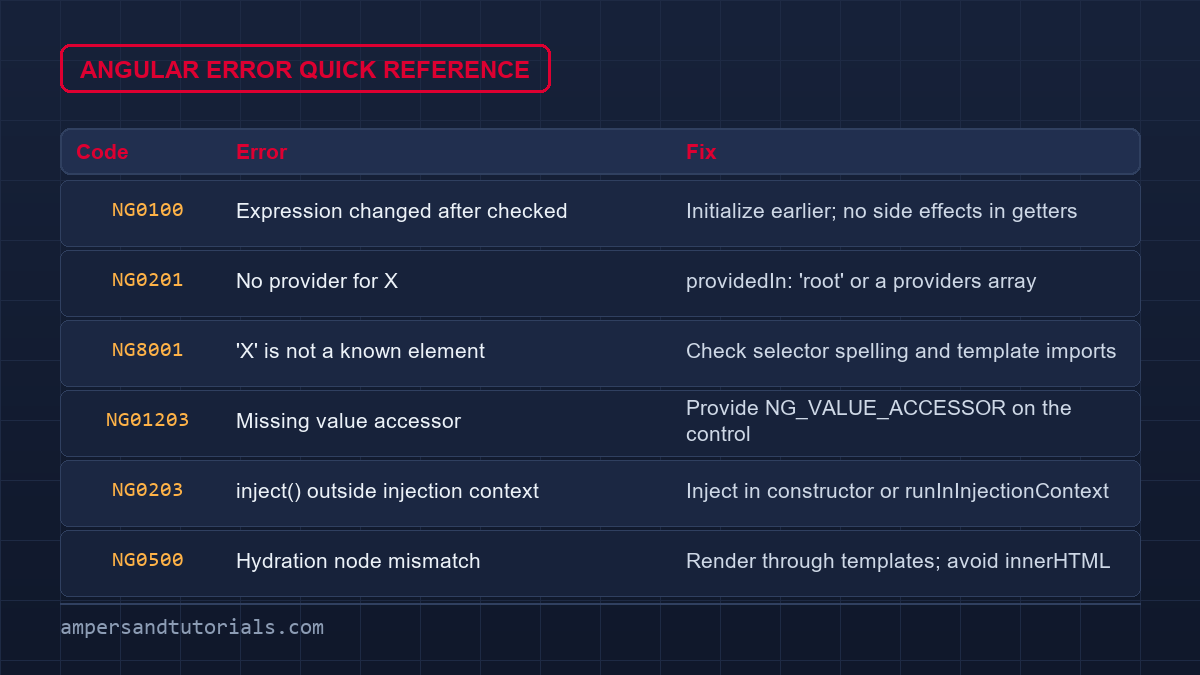
Every Angular developer eventually hits the same handful of failures. This guide collects the most searched Angular common problems — NullInjectorError, ExpressionChangedAfterItHasBeenChecked, unknown elements, undefined property reads, missing value accessors, hydration mismatches, and slow builds — and maps each raw error message to its actual cause and a working fix. Every diagnostic below is cross-referenced with the official Angular error encyclopedia (NG codes), so you can jump from the stack trace in your console to the exact section that repairs it.
Table of Contents
NullInjectorError: No provider for X (NG0201)
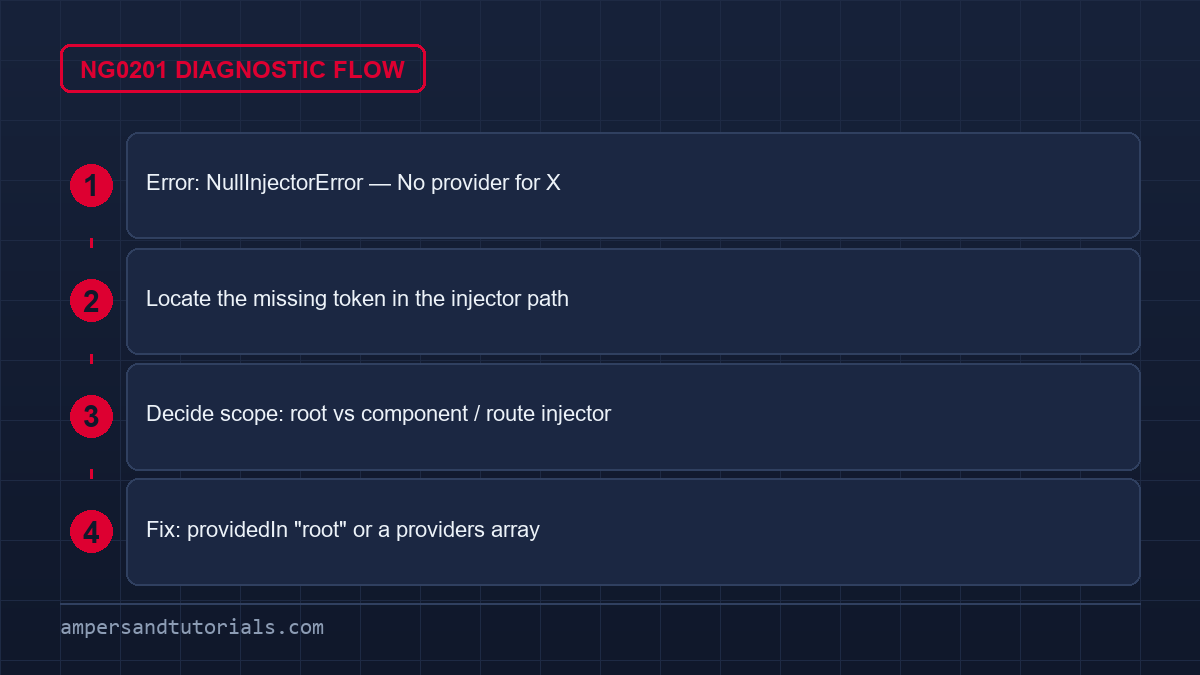
The single most common Angular error is the dependency injection failure: “NullInjectorError: No provider for X!” often wrapped in an R3InjectorError path. Angular cannot resolve a requested dependency because no provider is registered in the injector that owns the consuming class. The official code is NG0201: No Provider Found, and the fix is always the same shape — work backward from the missing token named in the error.
// Broken: no provider registered anywhere for UserService
constructor(private userService: UserService) {}// Fix 1: app-wide service (recommended for most services)
@Injectable({ providedIn: 'root' })
export class UserService { ... }// Fix 2: register in a specific injector scope
@Component({
selector: 'app-dashboard',
providers: [UserService],
})
export class DashboardComponent {}
Check which injector owns the consumer, not just whether the service has an @Injectable decorator. A provider registered only in a lazy feature module, a route, a test module, or another application injector is not visible where the dependency is requested. Follow the injector path printed in the error rather than sprinkling providers everywhere — indiscriminate providers create multiple service instances and break state that expects a singleton.
For third-party libraries, the missing provider usually means the library’s setup module was not imported — for example, HttpClient missing HttpClientModule or provideHttpClient(), or a locale missing provideLocaleData(). For custom injection tokens, confirm the factory or useValue is registered with the exact same token reference. If the token comes from a barrel export, make sure both sides import from the same path so they resolve to identical objects.
ExpressionChangedAfterItHasBeenChecked (NG0100)
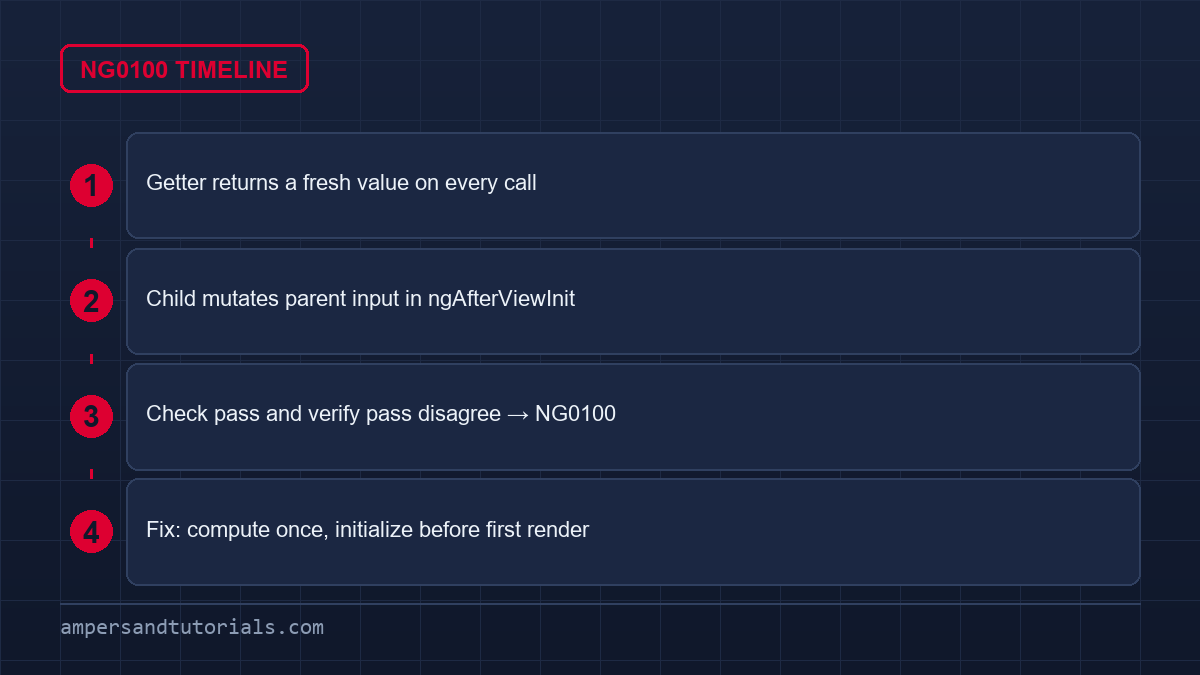
In development mode, Angular verifies bindings after rendering, and NG0100 fires when a bound value changed between the check and the verification pass. Typical triggers: a child component mutating parent state during change detection, side effects inside ngAfterViewInit, or a template method/getter returning a different value each time it is called. The error never appears in production mode, which is exactly why it must be fixed rather than ignored.
// Broken: getter returns a new array on every call
get items() { return this.list.map(i => i); }// Fix: compute once, cache the reference
private _items: Item[] = [];
get items() { return this._items; }// Broken: child mutates parent input in ngAfterViewInit
ngAfterViewInit() { this.parentValue = 'changed'; }// Fix: initialize the value earlier (constructor / ngOnInit)
ngOnInit() { this.value = this.computeInitialValue(); }
Find the changed binding in the stack trace, then ask two questions: where is the value first produced, and who changes it afterward? Initialize values in the constructor or ngOnInit so the first render already sees the final value. Never perform writes inside template expressions or getters — they execute on every change detection cycle. When a parent/child pair legitimately updates each other, restructure so the flow is unidirectional, or defer the update with an effect that runs after the view stabilizes.
A common misconception is that suppressing the check fixes NG0100. It does not — ChangeDetectorRef.checkNoChanges() disabling or ngDoCheck patching only hides the instability and lets a genuine race condition reach users. The repair is always the same: make the value stable before the check runs, or move the mutation out of change detection entirely. With Signals, computing derived values instead of mutating shared objects removes this whole error class.
‘X’ is not a known element (NG8001 / NG0304)
The template compiler reports NG8001 (build time) or NG0304 (runtime) when an element is neither a standard HTML tag nor a component/directive selector Angular can resolve. The two causes cover almost every case: a misspelled selector, or a component that is not imported into the template’s compilation scope. A related error, NG8002 “Can’t bind to ‘x’ since it isn’t a known property of ‘y'”, has the same root cause for property bindings.
// Broken: ChildComponent is never imported
@Component({ template: `<app-child></app-child>` })
export class ParentComponent {}// Fix (standalone): add it to the consumer's imports
@Component({
template: `<app-child></app-child>`,
imports: [ChildComponent],
})
export class ParentComponent {}// Fix (NgModule): declare AND export it, then import the module
@NgModule({
declarations: [ChildComponent],
exports: [ChildComponent],
})
export class SharedModule {}
Remember that imports are scoped: importing a module into the application does not make its components available to every template. Only the component that owns the template needs the import (standalone) or the module must be declared and exported and then imported where the template lives (NgModule). For genuine Web Components, CUSTOM_ELEMENTS_SCHEMA silences unknown element errors — but it will not fix a missing Angular component import, so reach for it only for real custom elements.
Also verify that the selector string in the template matches the @Component selector exactly, including hyphenation: Angular requires custom element names to contain at least one hyphen. If the element only appears inside an *ngIf or a lazy route, the compiler error points at the module graph — check that the feature module or standalone route is actually loaded and that its exports reach the lazy boundary.
Cannot read properties of undefined
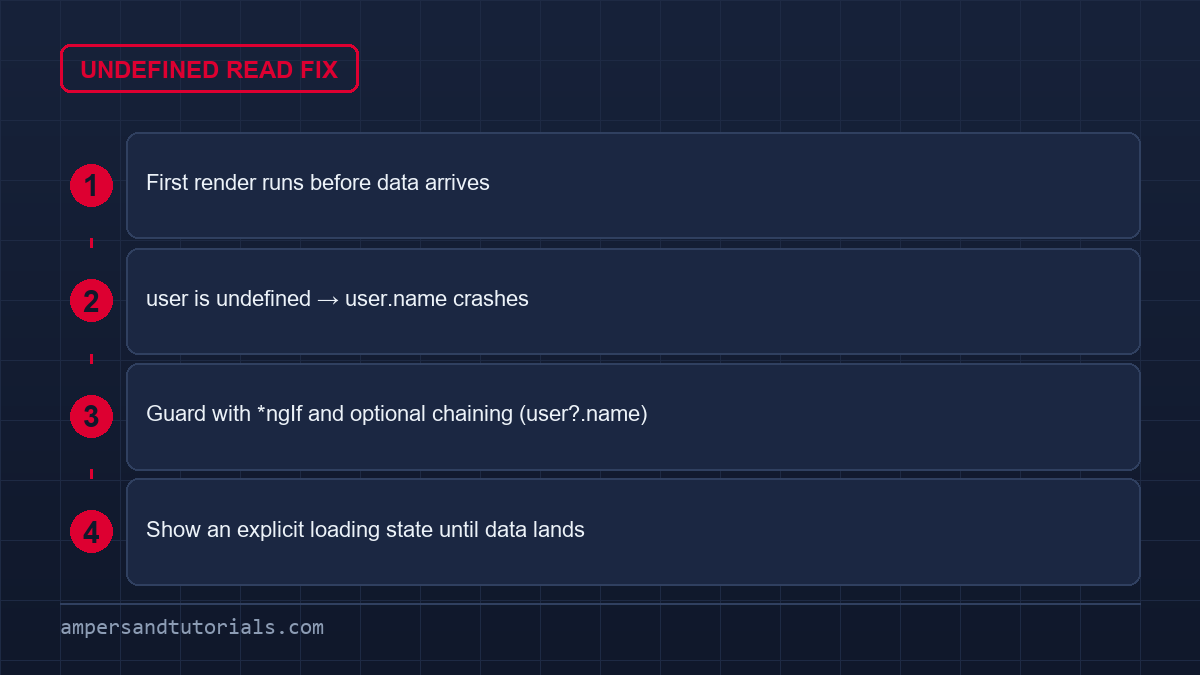
“Cannot read properties of undefined (reading ‘x’)” is plain JavaScript, not an Angular-specific error — but Angular apps hit it constantly because templates read nested properties while asynchronous data is still loading. The object exists by the time the API responds, but the first render already evaluated user.name when user was undefined. Treat every API response and @Input as potentially absent during the first render.
<!-- Broken: crashes before data arrives -->
<p>{{ user.name.toUpperCase() }}</p><!-- Fix: optional chaining + explicit loading state -->
<p *ngIf="user; else loading">{{ user?.name }}</p>
<ng-template #loading>Loading…</ng-template><!-- Component side: guard until the stream emits -->
user$ = this.http.get<User>('/api/me').pipe(shareReplay(1));
Angular template expressions support optional chaining (user?.name) and the safe-navigation operator, so most of these crashes disappear by guarding the expression itself. For method calls on possibly-missing objects, gate the element with *ngIf rather than calling methods defensively inside the template. On the component side, prefer async pipes over manual subscriptions that assign possibly-undefined values to fields the template assumes are always present.
Represent loading and empty states explicitly instead of leaving them implicit. A skeleton, spinner, or placeholder branch forces you to handle the “not yet loaded” case, which is the same moment this error fires. Also check ordering: field initializers run before constructor bodies, so a field that depends on an injected service must be assigned inside the constructor, not at declaration time — that mistake surfaces as exactly this undefined read.
Missing value accessor (NG01203)
NG01203 fires when a form directive (ngModel, formControl, formControlName) is attached to an element that has no ControlValueAccessor. The three usual cases: a custom control never registered NG_VALUE_ACCESSOR, a third-party control module was not imported, or ngModel was placed on an element that cannot host a form control — for example, a div, a table cell, or a native element outside a form group.
@Component({
selector: 'app-star-rating',
providers: [{
provide: NG_VALUE_ACCESSOR,
useExisting: forwardRef(() => StarRatingComponent),
multi: true,
}],
})
export class StarRatingComponent implements ControlValueAccessor {
writeValue(v: number) { this.rating = v; }
registerOnChange(fn: any) { this.onChange = fn; }
registerOnTouched(fn: any) { this.onTouched = fn; }
}
Implement writeValue, registerOnChange, and registerOnTouched, then provide NG_VALUE_ACCESSOR with useExisting (never useValue — a new instance would break the reference to your component). In tests, the same error usually means the test module did not import the custom control’s module or provide its dependencies; TestBed configuration is an explicitly documented cause. If the control comes from a library, import the module that declares it rather than declaring your own accessor.
inject() outside injection context (NG0203)
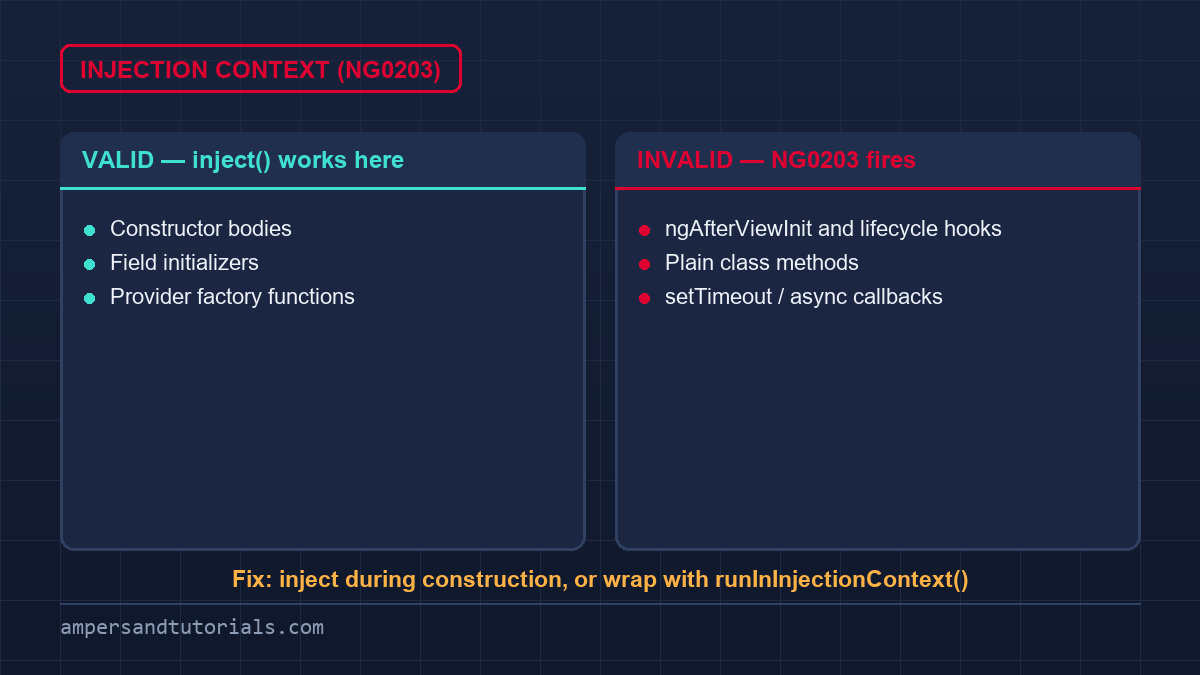
NG0203 means inject() was called outside Angular’s injection context — most often inside a lifecycle hook like ngAfterViewInit, a plain class method, or a setTimeout callback. inject() only works where Angular can see the current injector: class field initializers, constructor bodies, and provider factory functions. Calling it later has no injector to read from, so the call fails at runtime.
// Broken: lifecycle hook is not an injection context
ngAfterViewInit() {
const svc = inject(MyService); // NG0203
}// Fix 1: inject at field/constructor time, use later
private svc = inject(MyService);
ngAfterViewInit() { this.svc.doWork(); }// Fix 2: explicitly re-enter the context
constructor(private injector: EnvironmentInjector) {}
doWork() {
runInInjectionContext(this.injector, () => inject(MyService));
}
The simplest repair is to move the inject() call to a field initializer during construction and keep the reference for later use. When a library function must inject on demand, wrap it with runInInjectionContext and an EnvironmentInjector captured at construction time; in tests, use TestBed.runInInjectionContext. The same rule applies to standalone component composition — call inject() during initial construction, not after the view has been created.
Hydration node mismatch (NG0500)
NG0500 fires when the client DOM does not match the structure Angular’s server render produced. Direct DOM manipulation, setting innerHTML, invalid HTML nesting, conditional markup that differs between server and client, or infrastructure that rewrites the response HTML are the usual sources. A successful SSR render does not guarantee hydration succeeds — it only guarantees the server’s own output was consistent.
// Broken: bypasses Angular's DOM ownership
constructor(private el: ElementRef) {}
ngAfterViewInit() {
this.el.nativeElement.innerHTML = '<span>x</span>';
}// Fix: render through the template instead
// <span [innerHTML]="trustedContent"></span>
// or build nodes with Angular's Renderer2 APIs
Prefer Angular template and rendering APIs so server and client produce identical node trees. Validate your HTML — browsers auto-close invalid tags differently than Angular’s parser expects, and a comment node or whitespace change can shift the node count. Compare server-rendered and client DOM in devtools before touching the code. ngSkipHydration exists but is a documented last-resort workaround: it discards the server DOM and re-renders on the client, which is the exact cost hydration is meant to avoid.
The template does not update
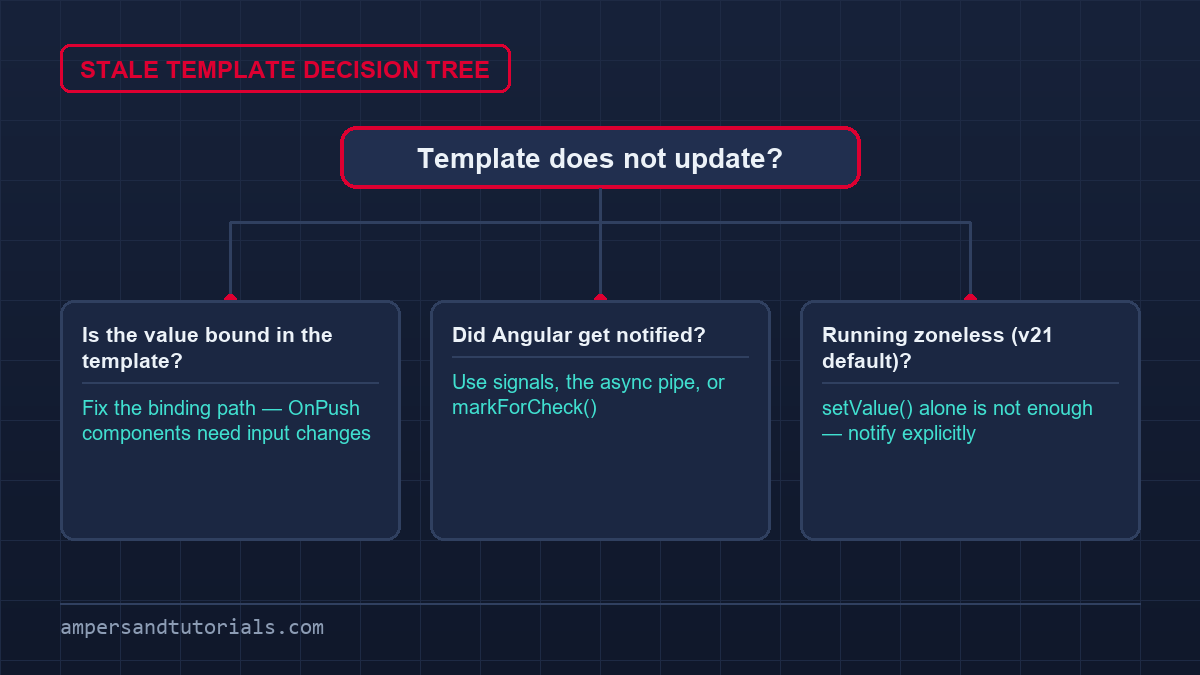
When the UI fails to refresh, the cause is almost always that the state change never notified Angular. In ZoneJS apps, mutating an object inside a zone-triggered async operation should notify automatically — but custom libraries that patch their own scheduling (or run outside the zone) break that assumption. In zoneless setups, which became the default for new apps in Angular v21, every state change must explicitly notify the framework.
// Signals: reading in the template subscribes automatically
readonly count = signal(0);
increment() { this.count.update(v => v + 1); }// Observables: the async pipe marks for check on each emission
items$ = this.store.select(selectItems);// Zoneless manual notification when needed
constructor(private cdr: ChangeDetectorRef) {}
refresh() { this.data = next; this.cdr.markForCheck(); }
Five patterns reliably notify Angular: Signals read by the template, template event handlers, the async pipe, explicit markForCheck(), and controlled value-accessor updates. Reactive-forms model changes do not necessarily schedule change detection by themselves in a zoneless app, so a control.setValue() may leave the view stale until the next notification. If a specific control will not refresh, wrap the update in the form’s events or pair it with markForCheck().
Two more quiet causes: assigning to a field that Angular’s change detection never visits (a component marked OnPush that received no input change), and holding state in a closure or subject that the template does not read at all. Verify the binding path first — the template must actually depend on the mutated value. For OnPush components, input changes, events originating in the component, or markForCheck() are the only triggers.
Performance problems
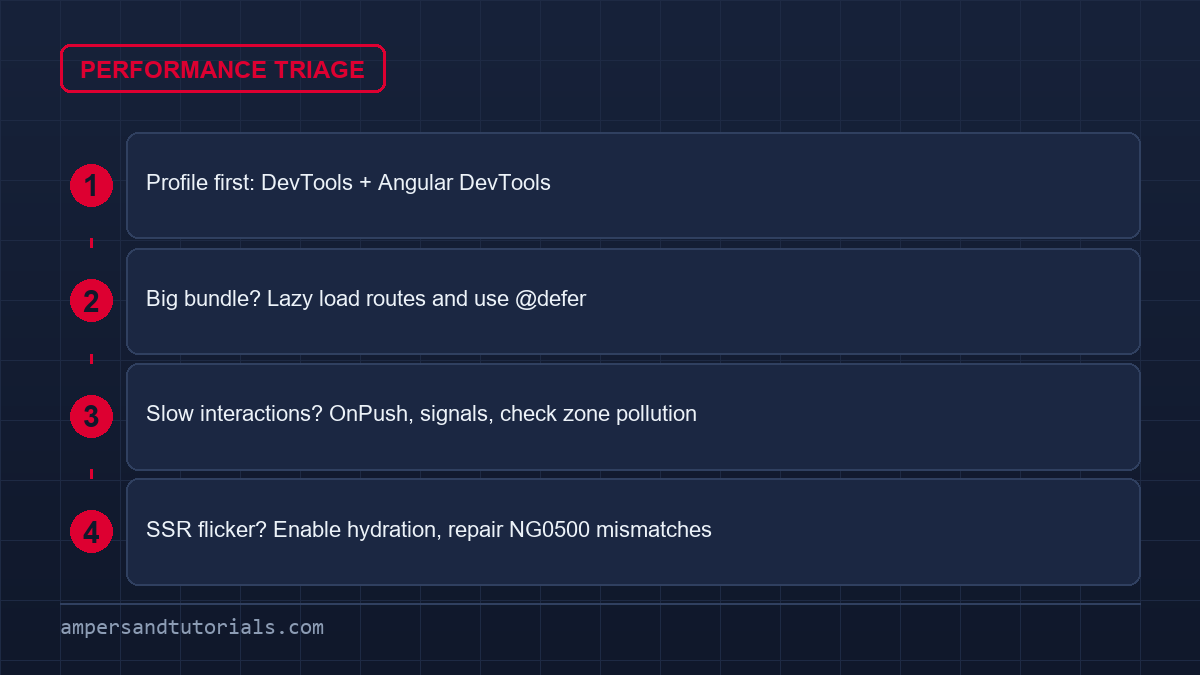
Slow Angular apps cluster into three symptoms: a large initial bundle, sluggish interactions, and SSR flicker. For bundle size, lazy-load feature routes, defer below-the-fold content with @defer, and inspect the configured budgets in angular.json — the CLI warns or errors when a size boundary is crossed, and raising the threshold without understanding the bundle only postpones the problem. CommonJS dependencies also block bundler optimization; prefer ESM packages.
// Lazy-load feature routes
{
path: 'admin',
loadComponent: () => import('./admin/admin.component')
.then(m => m.AdminComponent),
}// Defer non-critical content
@defer (when visible) {
<heavy-chart />
}
For interactions, profile before changing anything: use Chrome DevTools and Angular DevTools to find the actual bottleneck, then address expensive template expressions, apply OnPush where it fits, and check for ZoneJS zone pollution where a third-party library triggers events constantly. Angular explicitly recommends profiling first rather than switching change-detection strategy on guesswork. For slow SSR pages, enable hydration so the client reuses the server DOM instead of destroying and re-rendering it — and fix NG0500 mismatches rather than skipping hydration.
Build and configuration issues
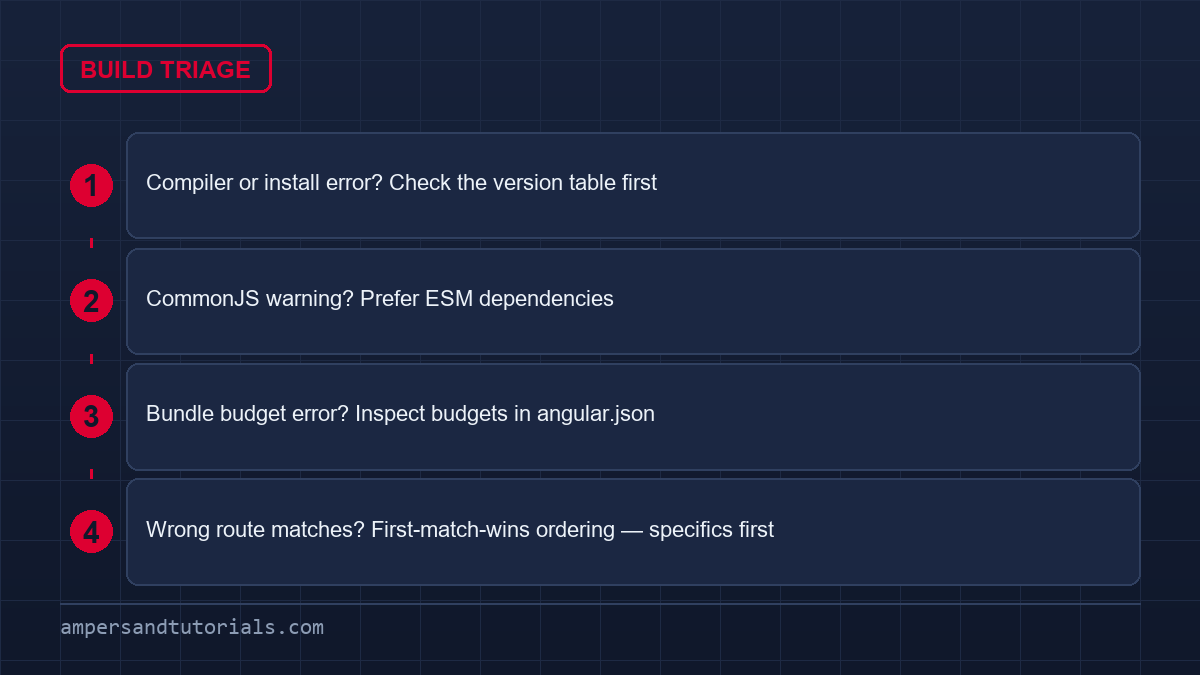
Build failures are usually environment mismatches, not app bugs. Before interpreting any compiler or install failure as a code problem, compare your Angular, Node.js, TypeScript, and RxJS versions against Angular’s official compatibility table — a wrong pairing reproduces exactly like an application error. “Works on one machine, fails on another” is the classic symptom of version drift rather than code drift.
Angular’s current build system uses esbuild and Vite-based serving, and the webpack browser builder is deprecated. Migrating exposes webpack-era assumptions: SSR code relying on CommonJS globals (require, __filename, __dirname), old angular.json options needing renames, and stylesheet imports using the ~ or ^ prefixes that esbuild rejects. The official migration guide recommends simply building after migration and fixing the errors it reports — they are configuration debt, not regressions.
- CommonJS warning: the CLI warns because CommonJS hinders tree-shaking — switch to an ESM version, or list unavoidable packages in allowedCommonJsDependencies.
- Bundle size errors: inspect budgets in angular.json; lazy-load and audit dependencies before raising thresholds.
- Unfamiliar builder errors: verify the builder name in angular.json — application builder, browser-esbuild builder, and webpack builder accept different options.
- Environment drift: align Node/TypeScript/RxJS with the compatibility table first, then debug the code.
A final trap is route ordering: Angular uses first-match-wins, so a wildcard or parameter route declared before a specific route silently shadows it — which then looks like a broken component rather than a configuration error. Put specific routes first, wildcards last. Similarly, a pipe missing from a template’s imports reports NG0302, and two component selectors colliding report NG0300; both are scope problems, not logic bugs.
What is the most common Angular error?
NG0100 ExpressionChangedAfterItHasBeenCheckedError and NG0201 NullInjectorError are the two most encountered Angular errors. NG0100 means a bound value changed after Angular checked it (fix: initialize earlier, remove side effects from getters). NG0201 means no provider is registered for a requested dependency (fix: provide it with providedIn: ‘root’ or the owning injector’s providers array).
How do I fix NullInjectorError: No provider for X?
Work backward from the token named in the error. For app-wide services add @Injectable({ providedIn: ‘root’ }). For scoped dependencies add the service to the providers array of the component, route, or module that owns the consumer. For third-party libraries, import the module that registers the library’s providers — and check that the injector path in the error actually has visibility to that provider.
Why does my Angular template not update?
Because the state change never notified Angular. Signals read in the template, the async pipe, template events, and ChangeDetectorRef.markForCheck() all notify. Reactive-forms setValue calls do not necessarily schedule change detection in zoneless apps, and OnPush components only re-render on input changes, their own events, or an explicit markForCheck().
What causes ExpressionChangedAfterItHasBeenCheckedError?
A value changed between Angular’s check pass and its verification pass — usually a getter returning fresh objects each call, a child mutating parent state in ngAfterViewInit, or a side effect inside a template expression. Fix it by computing values once, initializing before the first render, and keeping mutations out of change detection. Do not suppress the check; the instability would reach production.
How do I fix ‘X’ is not a known element?
Check the selector spelling, then check imports. For a standalone component, add it to the consuming component’s imports array. For an NgModule component, ensure it is declared and exported by its module and that module is imported where the template lives. CUSTOM_ELEMENTS_SCHEMA only silences unknown elements for real Web Components — it will not fix a missing Angular component import.
Angular common problems: quick reference
For related reading, see also: Angular Error Encyclopedia, Angular Zoneless Guide, Angular Hydration Guide, Angular Performance Guide, Angular Version Compatibility, Angular Build System Migration, Angular PWA Guide, Angular Change Detection (zoneless/OnPush), Angular CDK Guide.
Quick answer: The most common Angular problems are all scope or timing issues — NG0201 (no provider: register it in the right injector), NG0100 (value changed after check: initialize earlier and keep side effects out of templates), NG8001 (unknown element: fix the selector or add the import), undefined reads (guard the first render with *ngIf and optional chaining), and stale templates (notify Angular with signals, the async pipe, or markForCheck). Profile before optimizing, and check version compatibility before blaming the code.
Last updated on · Written by Dinesh Kumar R
