
Quick answer: Angular change detection is the mechanism that checks whether component state changed and re-renders the parts of the template that did. The default strategy re-checks the whole tree on every async event; OnPush re-checks only components whose inputs, signals or events changed. Zoneless Angular change detection removes Zone.js entirely and lets signals decide when a view updates. Pick the strategy per component, then profile before you optimize.
Table of Contents
What Angular change detection actually does
Angular change detection answers one question on every cycle: did anything a template reads change since the last render? The framework keeps a shadow value for each binding, compares it with the current value of the expression, and writes to the DOM only the nodes whose values differ. Interpolation, property bindings and the expressions inside @if and @for all participate. Nothing else in the framework runs as often, which is why Angular change detection dominates the profile of a slow application long before any of your own code shows up as a hotspot.
The unit of work is the component view. A change detection pass walks the view tree from the root, evaluates bindings in each view, and marks the views that need writing. When nothing changed, the walk still happens — the comparison itself is the cost. That is the central trade of Angular change detection: correctness on every event, paid for by continuous comparison. Every optimization below is a way to shrink the tree that gets walked, shrink the number of cycles, or shrink the work each cycle does.
It is worth being precise about what counts as a binding. Interpolation, property and attribute bindings, the conditions inside @if, the track expressions in @for, and every pipe in an expression all re-evaluate when their view runs. A template that calls a method in a binding re-runs that method on every cycle of Angular change detection, even when its arguments are unchanged — which is why the profiling section below treats method calls in templates as a cost centre rather than a style preference.
Zone.js and the default strategy
By default, Angular change detection runs after every asynchronous event. Zone.js patches promises, timers, XHR and event listeners so the framework knows when one completes, then schedules a whole-tree pass in a microtask. This is the default strategy: no component opt-in, no input tracking, just a full comparison whenever anything async happens. It is the reason a fresh Angular application works without any thought about rendering at all — and the reason a single interval timer can keep an entire application re-checking itself sixty times a second.
// what Zone.js effectively does around your code
const original = window.setTimeout;
window.setTimeout = function (...args) {
  const result = original.apply(this, args);
  NgZone.onMicrotaskEmpty.next();   // schedule change detection
  return result;
};

// and what one busy timer costs with the default strategy
setInterval(() => this.clock.set(new Date()), 50);  // 20 full-tree passes per second
The default strategy is not wrong — it is the right default for small and medium applications, because it never produces a stale screen. The cost shows up in two places: large view trees where each pass evaluates thousands of bindings, and lists where @for re-evaluates row expressions even when only one row’s data changed. Both problems are visible in a profile before they are visible to a user, which is exactly when the next strategies are worth reaching for.
Zone.js itself is not the enemy; the unbounded scheduling it enables is. The zone patches exist so the framework can know when asynchronous work settles, and for most events that knowledge is cheap. The pathological cases are high-frequency sources — pointer moves, scroll offsets, a websocket frame per second — where each emission schedules its own pass and the browser spends more time rendering than the application spends changing state. Debounce or batch those sources at the boundary and the default strategy becomes predictable again.
There is also an escape hatch for work that genuinely does not concern the UI: run a subscription inside NgZone.runOutsideAngular. A telemetry flush, a polling call that only updates a non-rendered cache, or a third-party library that ticks constantly can all live outside the zone so their events never schedule a pass. The rule for Angular change detection here is simple — if no binding reads the value, the framework does not need to hear about it. Run the callback back inside the zone when the value finally reaches the template, which is exactly what the async pipe and signals do for you.
OnPush: when components really re-render
OnPush changes the contract: an Angular change detection pass only visits a component when one of three things happens — an @Input reference changes, a signal the template reads updates, or an event handler inside the component fires. The component stops being re-checked when a parent re-renders for unrelated reasons, which prunes entire subtrees from the walk.
@Component({
  selector: 'app-order-row',
  changeDetection: ChangeDetectionStrategy.OnPush,
  template: `<span>{{ order.total() | currency }}</span>`,
})
export class OrderRow {
  readonly order = input.required<Order>();
}
The reference rule is where teams get bitten. Mutating an array or object in place does not change its reference, so an OnPush component does not re-render — the screen lies until something else happens to trigger a pass. Immutable updates fix it: replace the array, and the input binding notices. The second trap is the async pipe and service-held state: a value fetched in a service and read in the template updates only if the component is subscribed through the async pipe or the value arrives via an input. An OnPush component that reads a mutable field from an injected service simply goes stale.
Adoption order matters more than the syntax. OnPush applied to a leaf component whose inputs are already replaced is safe on day one; OnPush applied to a subtree full of in-place mutations produces intermittent staleness that looks like a framework bug. The reliable sequence is: fix the state to be immutable, convert boundary values to signals, then flip the strategy one component at a time while watching the screen. Each step is reversible, and the re-render bugs that surface at the flip step point at the mutation the previous step missed rather than at OnPush itself.
Signals and zoneless Angular change detection
Signals flip the direction of the system. Instead of the framework asking “did anything change?” on every cycle, a signal write knows exactly which views read it and schedules only those. That is the foundation of zoneless Angular change detection: remove Zone.js, and rendering happens when a signal updates, an @Input reference changes, or an event handler runs. The framework no longer needs a global patch over asynchronous JavaScript to know when to render.
// zoneless bootstrap (Angular 18+)
bootstrapApplication(AppComponent, {
  providers: [provideZonelessChangeDetection()],
});

// the template drives its own updates
readonly cart = signal<CartItem[]>([]);
readonly total = computed(() =>
  this.cart().reduce((sum, i) => sum + i.price, 0));
The practical gains are measurable: no Zone.js in the bundle, fewer passes per event because only affected views schedule, and no NgZone plumbing in tests. The requirement is discipline — every piece of state the template reads must be a signal, an input, or flow through the async pipe. Zoneless Angular change detection punishes the exact patterns OnPush punishes, but louder: with Zone there is still a fallback pass; without it, an untracked mutation simply never renders. Teams migrate incrementally by converting state to signals first and flipping the provider later, and the signals and state management guide covers that conversion order.
The official change detection documentation documents both modes side by side, including the scheduling guarantees zoneless rendering provides: a signal write schedules a render for the views that read it, an input change schedules for the component that owns the input, and a queued update coalesces within the same tick. Those guarantees are what make it safe to delete the global patch — the framework no longer has to guess when to render, because every render now has a named cause.
markForCheck, detectChanges and when to avoid them
Two methods confuse every developer who meets them together. markForCheck() marks the component and its ancestors as dirty so the next scheduled pass will visit them — it does not render immediately, and it is the correct fix for an OnPush component whose state changed from outside, such as an async pipe-free subscription in a service. detectChanges() runs a pass immediately on this component and its children, bypassing the scheduler — correct in tests and in third-party wrappers that mount a component manually, wrong inside application code because it desynchronizes the render order.
// correct: tell the scheduler this subtree is dirty
this.cdr.markForCheck();

// tests only: force a synchronous pass on the fixture
fixture.detectChanges();
expect(el.textContent).toContain('saved');
The third escape hatch, ChangeDetectorRef.detach() and reattach(), removes a view from the walk entirely and is reserved for components that render enormous canvases themselves. The pattern to avoid in all three cases is reaching for them before profiling. Angular change detection bugs are almost always contract violations — a mutated reference, a missed input, a state living outside signals — and the escape hatches hide the violation instead of fixing it, so the same bug resurfaces in the next feature written by someone else.
The one legitimate use of a forced pass in application code is the third-party boundary: a charting library that mutates its own canvas outside Angular’s knowledge, a wrapper that mounts content imperatively. There the contract genuinely is invisible to the framework, and a scoped detectChanges after the external call documents that. Keep those calls at the integration seam, comment why they exist, and make sure nothing else in the feature relies on them — a codebase where three modules force passes teaches everyone that forcing passes is normal.
Profiling change detection with DevTools
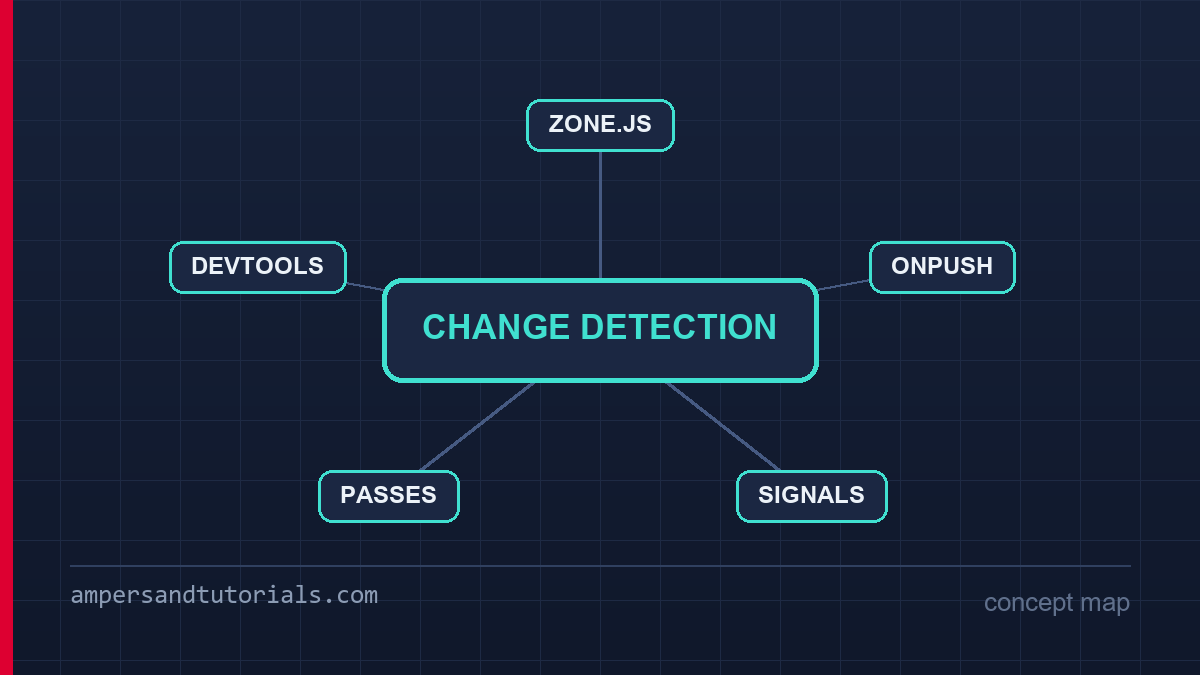
Angular DevTools shows the time spent in change detection per component and highlights components re-rendered on each interaction, which turns the theory above into evidence. Click through the slow path of the application with profiling enabled, sort by total time, and the offender is usually not the component you suspected but a wide parent whose default strategy drags its whole subtree along. The testing and debugging guide covers the DevTools setup; for Angular change detection the two views that matter are the profiler flame chart and the component tree with strategy labels.
Counting passes is the other half of the measurement. Log a counter inside ngDoCheck on a suspect component while reproducing the interaction: if the counter rises when nothing visible should change, a default-strategy ancestor or an untracked mutation is re-triggering work. A one-line probe answers questions that ten minutes of staring at code cannot, and it is the fastest way to decide whether a component needs OnPush, signals, or neither.
Measure on the hardware the problem was reported on. A desktop profile hides the cost that a mid-range phone pays for the same pass: style recalculation that takes two milliseconds on a laptop can take twenty on a four-year-old Android, and a tree that renders at sixty frames locally can drop below thirty there. The DevTools profiler attached to a remote device over the debugging bridge gives real numbers, and comparing the same interaction across two devices separates “this component is expensive” from “this device is slow” — different problems with different fixes.
A checklist for rendering performance
The order below is the order that works: measure first, apply the cheapest fix that addresses what you measured, and re-measure. None of these steps requires a rewrite, and every one of them is reversible.
- Profile before changing strategy. Angular DevTools gives a per-component view cost; without it you are guessing.
- Convert state to signals at the boundaries. Signals make zoneless Angular change detection possible later and fix stale OnPush renders today.
- Adopt OnPush leaf-first. Start with presentational components whose inputs are already replaced, not mutated.
- Fix mutations instead of patching with detectChanges(). The patch survives review; the mutation bug returns in the next feature.
- Debounce or cancel high-frequency sources. Keyboard streams, scroll events and polling should not each schedule their own pass.
- Re-profile after each change. The gain from one OnPush subtree tells you whether to continue or stop.
The performance article carries the rest of the story — lazy loading, @defer and bundle budgets — because Angular change detection is only one layer of the render pipeline. When a screen is slow after everything above is done, the remaining cost is usually template complexity: deep expressions, method calls in bindings and large lists without virtualization, all of which run inside every pass of Angular change detection whether or not their inputs changed.
It helps to keep the three layers in order. Rendering cost is decided by how many cycles run, which is the scheduling question Zone.js and signals answer. Traversal cost is decided by how much of the tree each cycle visits, which is the strategy question OnPush answers. Evaluation cost is decided by what each visited binding does, which is the template question method calls and pipes answer. An application that names its slowness in those terms reaches the right fix on the first attempt, instead of applying every optimization at once and never learning which one mattered.
The migration failures worth recognising on sight: a component converted to OnPush whose parent still mutates shared arrays, producing a screen that updates only after an unrelated click; a service field read directly in a template with no input and no signal, going stale the moment the first optimistic update lands; a zoneless application that still calls a private Angular API from a third-party wrapper, silently reintroducing the global patch the migration was meant to remove. Each of these is a contract violation of the kind this article keeps returning to, and each one is fixed by making the state flow explicit again rather than by adding another forced pass on top.
To learn Angular properly with a mentor, Ampersand Academy teaches web development one-to-one.
One last distinction worth keeping: strategy is not correctness. An application on the default strategy and an application running zoneless Angular change detection must produce identical screens; the strategies differ only in how much work each update costs. If two strategies produce different output, something in your state flow violates the contract — a mutation, a missing subscription or a component reading state it does not own — and no amount of tuning will make that safe. Fix the flow, then pick the strategy.
New to Angular? Build the fundamentals first in the free 14-part Angular course, then come back to this guide for the deeper material.
One distinction that rewards patience: Angular change detection and framework versioning move together. Upgrading Angular often changes what the default strategy touches, how signals integrate with inputs, and what Zone.js still patches. Reading the changelog for the change detection section before a major upgrade prevents the regression that appears two weeks after deploy, when a component that used to render twice now renders four times. Treat the version upgrade as part of the rendering strategy rather than as an unrelated maintenance task.
Legacy codebases deserve their own note. ViewEngine-era templates were compiled ahead of time differently, and lifecycle hooks such as ngDoCheck fired under rules that the Ivy compiler later adjusted. If a migrated application sees re-render counts climb after the Ivy move, the comparison baseline changed more than the component did. The fix is usually to review the component’s lifecycle hooks against the current Angular documentation rather than to add more escape hatches on top of a rendering contract that already moved.
Team conventions outlast any single optimization. Document which components are OnPush, which use signals, and which remain on the default strategy. A new developer should be able to read the component tree and know where rendering decisions were made without running a profiler first. That documentation costs an afternoon and saves every future incident that begins with “it worked on my machine” — a sentence that, in rendering work, usually means the strategy was never verified under the conditions that matter.
Frequently asked questions
What is the difference between OnPush and default change detection?
The default strategy re-checks a component whenever any event triggers a pass. OnPush re-checks it only when an input reference changes, a signal it reads updates, or its own event handler runs, which prunes it from most passes.
Does Angular still use Zone.js?
Yes, by default. Zone.js patches asynchronous APIs so the framework can schedule a whole-tree pass after each one. provideZonelessChangeDetection removes that dependency and renders from signal writes instead.
Why does my OnPush component not update?
Almost always a mutated reference: you pushed into an array or changed an object property instead of replacing it. Replace the reference, or hold the state in a signal, and the component re-renders.
Should I call detectChanges in application code?
No. It forces an immediate pass out of scheduler order. Use markForCheck to mark a subtree dirty, and reserve detectChanges for tests and manual mounting scenarios.
Is zoneless change detection production-ready?
It is stable in current Angular, but it requires all template state to be signals, inputs or async-piped streams. Migrate by converting state to signals first, then enabling the zoneless provider.
Last updated on · Written by Dinesh Kumar R
