
Quick answer: Angular routing maps a URL to a component. You declare routes in app.routes.ts, render them with <router-outlet />, and navigate with routerLink or the Router service. Read URL data through ActivatedRoute, lazy-load large features with loadComponent, and protect routes with functional guards such as CanActivateFn.The sections below follow Angular routing in the order you build it: declaring routes, rendering them, reading parameters, lazy loading, then guards and navigation events, where most Angular routing mistakes appear.
Table of Contents

Angular routing: declare the routes
// app.routes.ts
import { Routes } from '@angular/router';

export const routes: Routes = [
  { path: '', component: HomeComponent },
  { path: 'products', component: ProductListComponent },
  { path: 'products/:id', component: ProductDetailComponent },
  { path: '**', component: NotFoundComponent },
];
Order matters. The wildcard ** route must come last, because the router takes the first match. The two products routes are distinct: the second expects a segment such as /products/42.
Render and navigate
Place one <router-outlet /> in the root template. The router swaps the active component into that position as the URL changes.
<nav>
  <a routerLink="/" routerLinkActive="active">Home</a>
  <a routerLink="/products" routerLinkActive="active">Products</a>
</nav>

<router-outlet />
Use routerLink rather than href. It navigates without a full page reload, and routerLinkActive adds a class to the link for the current route. For programmatic navigation, inject the router and call router.navigate(['/products', id]).
Reading parameters
Route parameters arrive as an observable or, more simply today, as a signal through input binding. Angular 16+ lets a component declare its route parameter as a normal signal input.
import { Component, inject, input, effect } from '@angular/core';
import { ProductService } from './product.service';

@Component({ selector: 'app-product-detail', template: `...` })
export class ProductDetailComponent {
  id = input.required<string>();     // bound from :id
  private service = inject(ProductService);

  constructor() {
    effect(() => this.service.load(this.id()));
  }
}
For this to work, enable it with withComponentInputBinding() in the router provider. If you prefer the classic approach, inject ActivatedRoute and read route.snapshot.paramMap.get('id') for a one-time value, or route.paramMap as an observable when the same component stays mounted across parameter changes.
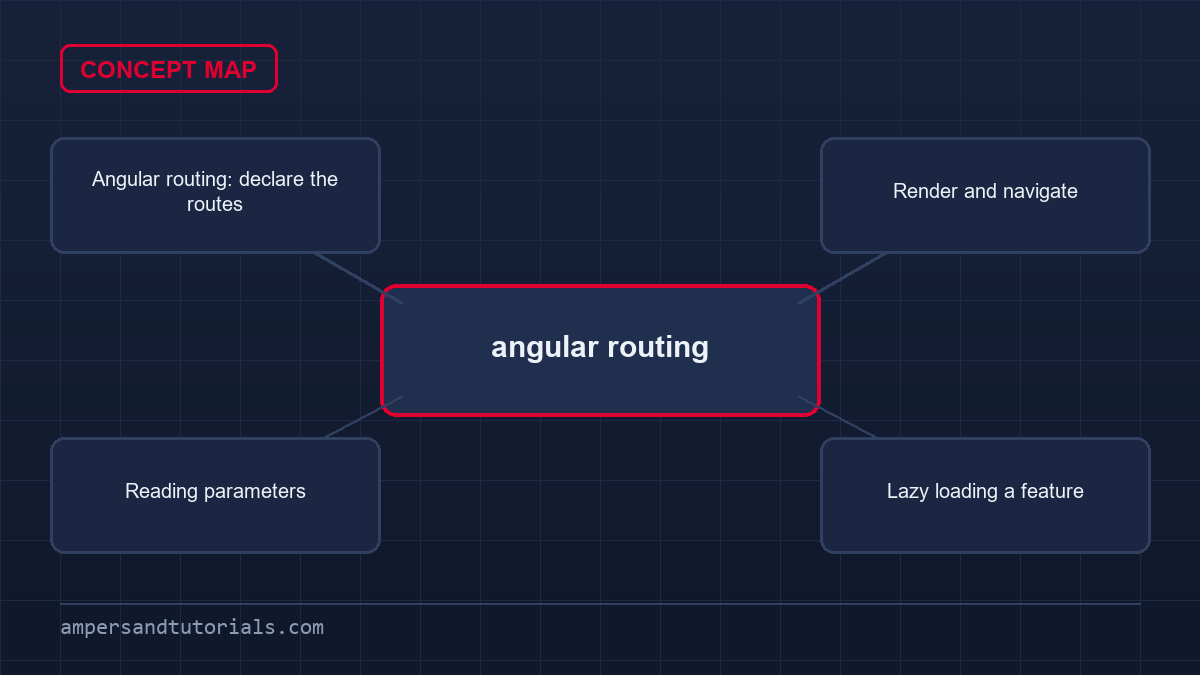
Lazy loading a feature
Every route loaded at startup grows the initial bundle. Point a route at a component with loadComponent, and the router downloads it only when the user visits.
export const routes: Routes = [
  {
    path: 'admin',
    loadComponent: () =>
      import('./admin/admin.component').then(m => m.AdminComponent),
  },
];
For a whole feature with its own child routes, use loadChildren and a routes file. Lazy loading is the single highest-impact performance change in a growing app, and it costs one line per route.
Protecting routes with guards
A guard is a function that returns true to allow navigation or a UrlTree to redirect. Class-based guard interfaces such as CanActivate are deprecated in favour of functional guards.
import { inject } from '@angular/core';
import { CanActivateFn, Router } from '@angular/router';
import { AuthService } from './auth.service';

export const authGuard: CanActivateFn = () => {
  const auth = inject(AuthService);
  const router = inject(Router);

  return auth.isLoggedIn() ? true : router.createUrlTree(['/login']);
};
Attach it to a route with canActivate: [authGuard]. The other guards you will meet are CanDeactivateFn — for warning about unsaved changes — and ResolveFn, which fetches data before the route activates so the component can render immediately. The guard only shapes the interface: the Angular security best practices guide covers the server-side checks that must mirror it.
Reacting to Angular routing events
The router emits events during navigation. Subscribe when you need to log page views or update a progress bar.
import { Router, NavigationEnd } from '@angular/router';

router.events.subscribe(event => {
  if (event instanceof NavigationEnd) {
    analytics.page(event.urlAfterRedirects);
  }
});
Continue with Angular forms. To learn routing and guards with a real multi-page app, Ampersand Academy teaches Angular one-to-one.
Advanced preloading strategies in angular routing
Standard lazy loading delays script downloads until a user triggers navigation. While this preserves minimal startup bundles, users frequently encounter noticeable latency on initial interaction. In modern enterprise applications, angular routing provides built-in preloading mechanisms to fetch asynchronous code bundles in background idle time without blocking UI interaction. This balance ensures rapid initial page delivery while eliminating subsequent transit pauses across major business workflows.
Understanding the internal execution cycle of preloading helps avoid runtime race conditions. Once the main bootstrap process finishes and the root component stabilizes, the preloader service iterates through registered routes in order. It invokes the preloading strategy for each lazy segment, initiating chunk downloads asynchronously without competing with initial hydration tasks.
When deploying micro-frontends or massive enterprise architectures, preloading can be linked to user authentication state. Authenticated users immediately begin prefetching administrative or dashboard bundles, while unauthenticated users download only public marketing and login components. This dynamic filtering protects network resources effectively.
The framework supplies PreloadAllModules as an immediate option configured inside provideRouter with withPreloading. While convenient during development, preloading every lazy boundary defeats data conservation goals on mobile devices. Downloading entire application bundles over metered cellular connections wastes client bandwidth and consumes device memory needlessly, particularly when users visit only a fraction of available routes during a session.
import { PreloadingStrategy, Route } from '@angular/router';
import { Observable, of } from 'rxjs';

export class SelectivePreloadingStrategy implements PreloadingStrategy {
  preload(route: Route, load: () => Observable<unknown>): Observable<unknown> {
    return route.data?.['preload'] === true ? load() : of(null);
  }
}
import { PreloadingStrategy, Route } from '@angular/router';
import { Observable, of } from 'rxjs';export class SelectivePreloadingStrategy implements PreloadingStrategy {
preload(route: Route, load: () => Observable<unknown>): Observable<unknown> {
return route.data?.['preload'] === true ? load() : of(null);
}
}
A selective preloading strategy evaluates arbitrary metadata attached to individual route declarations before dispatching script requests. By inspecting custom route data properties, angular routing determines whether a target feature qualifies for predictive asset loading. High-priority workspaces download immediately during application idle phases, whereas rarely accessed configuration tools and administrative panels remain lazy until explicitly targeted by user clicks.
Network-conscious applications refine this strategy by checking the client connection status prior to loading chunks. Interrogating browser connection APIs allows developers to disable prefetching automatically whenever users enable data-saver modes or connect through high-latency cellular uplinks. Preserving user bandwidth takes precedence over speculative asset downloading in production environments.
Pairing route-level preloading with background browser schedulers guarantees high performance across lower-powered hardware. Utilizing browser idle callbacks defers asset parsing until rendering queues empty completely. This technique prevents heavy JavaScript evaluation from dropping frames during interactive view transitions, maintaining smooth visual responsiveness throughout navigation.
Engineers can implement fine-grained prioritization by combining heuristics such as hover intent, viewport intersection, or historical analytics paths. When combined with granular chunking, selective preloading provides near-instantaneous page transitions without bloating initial JavaScript execution times.
- Broad coverage:
PreloadAllModulesfetches all asynchronous code immediately after initial bootstrap. - Targeted loading: Custom classes implementing
PreloadingStrategyinspect route data objects to load specific modules. - Adaptive loading: Network detection APIs halt speculative asset delivery when connection constraints exist.
Configuring URL matching and redirect rules
URL matching constitutes the foundational logic translating browser location updates into matching component trees. Subtle oversights when constructing matching criteria within angular routing can trigger hard-to-detect routing deadlocks, mismatched routes, or infinite redirect loops that break navigation entirely across production environments.
Wildcard routes using double asterisks catch any unmatched path across the application tree. When configuring wildcard routes, placement at the very bottom of the route configuration array is mandatory. Any route declared beneath a wildcard route becomes permanently unreachable because the router stops scanning after the first positive match.
Redirect routes support both static targets and dynamic redirect functions. In modern configurations, redirectTo accepts a function that receives an ActivatedRouteSnapshot and returns a string or UrlTree. This allows conditional redirection logic based on URL parameters or query states without requiring intermediate dummy components.
Strict matching with pathMatch full
The router matches paths using prefix comparison by default. Under prefix evaluation, the router checks whether a candidate route path matches the beginning portion of the requested URL. An empty string path represents a prefix of every conceivable URL string. Declaring an empty path redirect without specifying pathMatch: 'full' forces an unconditional redirect on every navigation attempt.
Specifying pathMatch: 'full' ensures the router evaluates the rule only when the entire remaining URL matches the specified segment exactly. In modern angular routing configurations, root-level redirect rules must always declare full matching to ensure nested paths and deep links navigate toward their intended targets without falling into redirection recursion.
Standard string matching struggles when application requirements involve dynamic multi-segment formatting or complex slug patterns. Custom route matchers solve this problem by exposing low-level URL parsing logic. Developers supply a custom function conforming to the UrlMatcher signature to handle advanced routing layouts within angular routing systems.
A custom matcher receives URL segments, current segment groups, and route definitions. It returns a UrlMatchResult containing consumed segments alongside extracted positional parameters when matching succeeds, or null when matching fails. This allows clean parameter extraction from non-standard URL schemas without cumbersome regular expression middleware.
Understanding matching precedence prevents route shadowing bugs. The router examines the route array linearly from index zero downward. Placing generic or wildcard entries above specific static segments prevents subsequent entries from ever receiving evaluation. Route declarations should always progress from most specific down to most generic.
Persisting state with query parameters and fragments
Hierarchical route parameters identify distinct application entities, such as unique product records or user profile identifiers. Conversely, non-hierarchical state belongs in URL query parameters. Within angular routing, query parameters store ephemeral interface settings including search filters, sort directions, pagination indices, and layout preferences without altering component hierarchies.
Serializing complex objects into query parameters requires deliberate structure. While strings and numeric values map directly to URL strings, nested filter configurations must be serialized to comma-delimited tokens or encoded JSON strings. Keeping parameter values compact ensures URLs remain shareable across communication channels without exceeding browser length boundaries.
Component destruction considerations also apply to query parameter watchers. When subscribing directly to ActivatedRoute.queryParams rather than using input binding, always manage subscription lifecycles using takeUntilDestroyed. Failing to unsubscribe can lead to memory leaks and duplicate handler execution when components mount repeatedly.
Maintaining user selections across navigation transitions requires careful parameter preservation. By default, programmatic transitions through angular routing discard active query parameters unless developers configure explicit preservation behaviors. Unintended parameter loss erases active user filters when navigating back and forth across related child screens.
import { Component, inject } from '@angular/core';
import { Router } from '@angular/router';

@Component({
  selector: 'app-catalog-filter',
  template: `<button (click)="updateSort('price')">Sort by Price</button>`,
})
export class CatalogFilterComponent {
  private router = inject(Router);

  updateSort(sortField: string): void {
    this.router.navigate([], {
      queryParams: { sort: sortField },
      queryParamsHandling: 'merge',
    });
  }
}
import { Component, inject } from '@angular/core';
import { Router } from '@angular/router';@Component({
selector: 'app-catalog-filter',
template: `<button (click)="updateSort('price')">Sort by Price</button>`,
})
export class CatalogFilterComponent {
private router = inject(Router);updateSort(sortField: string): void {
this.router.navigate([], {
queryParams: { sort: sortField },
queryParamsHandling: 'merge',
});
}
}
The queryParamsHandling property provides two operational modes: 'preserve' and 'merge'. Setting this property to 'preserve' retains all existing query parameters unchanged during navigation. Choosing 'merge' preserves existing parameters while appending new key-value pairs or overwriting matching existing keys, enabling incremental filter updates.
URL fragments handle document scrolling and deep in-page element targeting. Managing page anchors inside angular routing involves passing the fragment navigation option. When paired with anchorScrolling: 'enabled' inside the router configuration, the browser automatically scrolls matching element IDs into view once component templates finish rendering.
Signals-based component input binding cleanly resolves query parameters into component state. Declaring a signal input matching query parameter keys automatically synchronizes URL state into the component without manual observable subscriptions. This keeps presentation components decoupled from routing dependencies while preserving full reactive ergonomics.
Mastering nested routes and auxiliary outlets
Complex business applications require multi-level interface hierarchies featuring persistent top banners, contextual sidebars, and tabbed viewports. Structuring layouts with angular routing relies on nested route trees declared through the children property. Nested routes reflect DOM hierarchies directly in URL structures.
Designing layout wrappers with nested routes simplifies state sharing across view trees. Parent components can inject shared services at the route branch level using route-level providers. All child routes declared under that branch share the same service instance, creating isolated state boundaries that dispose automatically when navigating away.
Route-level providers declared in the providers array of a route definition offer scoped dependency injection without global singleton pollution. This architecture fits complex multi-step wizards or checkout funnels where multiple child screens collaborate on a single transactional form model before submitting changes.
Parent components render an embedded <router-outlet /> where child components mount upon activation. Because the parent component remains instantiated while users switch between sibling child views, expensive layout initialization runs once, avoiding unnecessary DOM destruction and rebuilding.
Secondary outlets for independent panels
Standard single-outlet designs fall short when distinct user interface sections must update independently. Using secondary outlets within angular routing allows applications to render side drawers, auxiliary dialogue panels, or support widgets alongside the primary viewport without disturbing the primary navigation branch.
import { Routes } from '@angular/router';

export const routes: Routes = [
  {
    path: 'workspace',
    component: WorkspaceComponent,
    children: [
      { path: 'overview', component: OverviewComponent },
      { path: 'chat', component: ChatPanelComponent, outlet: 'sidebar' },
    ],
  },
];
import { Routes } from '@angular/router';export const routes: Routes = [
{
path: 'workspace',
component: WorkspaceComponent,
children: [
{ path: 'overview', component: OverviewComponent },
{ path: 'chat', component: ChatPanelComponent, outlet: 'sidebar' },
],
},
];
Secondary outlets receive dedicated names through the name attribute on the outlet element. Navigating to an auxiliary route requires structured commands specifying target outlet names. The resulting browser URL displays parenthesized syntax representing active auxiliary view states alongside primary segments.
To clear a secondary outlet and unmount its associated component, developers pass an outlet command setting the outlet key value to null. Mastered angular routing configurations manage multiple independent outlets concurrently, enabling robust multi-panel desktop workspaces within a single browser tab.
Inheritance of guards and route data follows hierarchical nesting. When navigating to deep child routes, guards declared on parent definitions execute prior to child guards. If any parent guard redirects or denies navigation, downstream children never evaluate, enforcing strict security boundaries across application sections.
Managing route resolvers and data prefetching
Data resolvers retrieve backend payloads before finalizing route transitions, preventing empty component views and jarring layout shifts. In contemporary angular routing implementations, developers write resolvers as functional ResolveFn primitives rather than building deprecated injectable classes.
Combining multiple resolvers on a single route requires careful coordination. The router evaluates all resolvers declared on a route concurrently. Navigation completes only when every resolver emits and completes successfully. If one resolver takes significantly longer than others, it delays the activation of the entire view.
Passing resolved data down to deeply nested components can be streamlined through signal inputs. Rather than having nested child components re-fetch identical data from services, parent components pass resolved records down through input properties, maintaining a clean unidirectional data architecture.
A resolver receives the current ActivatedRouteSnapshot and RouterStateSnapshot, returning data directly, as a Promise, or as an Observable stream. When using angular routing with observable resolvers, the router waits for the stream to emit its first value and complete before initiating component creation.
While prefetching guarantees complete data upon initial component rendering, slow backend services introduce critical usability flaws. If an API request requires several seconds, navigation pauses completely without immediate visual feedback. The browser URL remains unchanged, misleading users into believing their click failed.
Modern architecture balances resolvers against immediate UI rendering with skeleton placeholders. Reserving resolvers in angular routing for essential configuration metadata, access verification, or small lookup payloads keeps transitions snappy. Heavy tabular data collections are better fetched inside components using reactive signals and deferred views.
Robust exception handling inside resolvers is mandatory. If an unhandled HTTP error rejects during resolver evaluation, the router halts the navigation sequence silently. The active view remains mounted on the previous URL, confusing users unless an explicit error handling policy intervenes.
Resolvers must capture errors with RxJS operators such as catchError, returning a fallback empty model or redirecting via router.createUrlTree(['/error']). Defensive resolvers protect application stability when third-party microservices experience intermittent outages.
- Short timeouts: Enforce strict timeout limits on resolver HTTP requests to prevent indefinite navigation stalls.
- Graceful fallbacks: Return cached or empty data structures when upstream services return non-200 status codes.
- Signal handoff: Expose resolved data directly to component signal inputs using router input binding.
Debugging navigation failures in angular routing
Diagnosing silent navigation failures presents significant challenges when building enterprise single-page applications. Complex angular routing architectures involve dozens of functional guards, nested route definitions, dynamic redirects, and asynchronous data resolvers running concurrently during each navigation cycle.
Router events provide critical instrumentation hooks for production monitoring. Subscribing to Router.events and filtering for NavigationError captures runtime routing exceptions before they crash client sessions. Reporting these errors to monitoring platforms helps detect broken deep links and corrupted route parameters in production.
When testing route guards, isolated unit testing of the guard function provides rapid feedback without spinning up full router instances. By mocking ActivatedRouteSnapshot and testing the returned boolean or UrlTree, developers verify security rules with lightweight tests that run in milliseconds.
Enabling router debug logging exposes the complete event sequence for every navigation attempt. Activating tracing in angular routing reveals exactly which guard returned false, which resolver threw an unhandled exception, or which path rule matched unexpectedly during route calculation.
To enable tracing, provide withDebugTracing() inside the provideRouter configuration block during application bootstrap. In development environments, the browser console prints color-coded navigation events detailing URL changes, route tree resolutions, guard execution timings, and final transition statuses.
A frequent cause of navigation failure is transition cancellation triggered by user double-clicking navigation links. When a user clicks a route link while a previous navigation remains pending, the router cancels the existing transition and begins the new navigation sequence immediately.
Listening for NavigationCancel events allows teams to log cancellation reasons accurately. In complex angular routing systems, inspecting cancellation event codes differentiates between explicit guard denials, programmatic redirects via UrlTree, and superseded navigations triggered by subsequent user clicks.
Automated integration tests using RouterTestingHarness eliminate manual browser verification cycles. The harness provides synchronous navigation utilities, allowing developers to verify guard redirects, inspect query parameter changes, and test auxiliary outlet activations under hermetic unit testing environments.
Testing navigation flows thoroughly prevents production regressions. Verifying guard redirects and parameter parsing under isolated test harnesses guarantees routing reliability as application complexity grows across deployment cycles.
Frequently asked questions
Why must the wildcard route come last?
The router uses the first matching route. A wildcard ** route placed anywhere but last would catch every URL before the real routes are checked.
What is the difference between routerLink and href?
routerLink navigates through the Angular router without reloading the page. href performs a full browser navigation that discards the single-page app state.
How do I lazy load a route in Angular?
Use loadComponent for a single component or loadChildren for a feature with its own routes. The router downloads the code only when the user visits that route.
What is a functional route guard?
A guard written as a function that returns true to allow navigation or a UrlTree to redirect. It replaces the older class based CanActivate interface, which is deprecated.
How do I read a route parameter in Angular?
Bind it to a signal input with component input binding enabled, or inject ActivatedRoute and read route.snapshot.paramMap for a one-time value.
Last updated on · Written by Dinesh Kumar R