
Quick answer: Build for production with ng build, which minifies, tree-shakes and fingerprints assets into dist/<project>/browser. Improve Angular performance with lazy-loaded routes, @defer blocks, OnPush change detection and trackable @for loops. Deploy the built folder to any static host — Firebase, Netlify, Cloudflare, S3 — or a Node server for SSR.The sections below rank Angular performance work by impact: build output first, then deferring components, then change detection, because most Angular performance gains come from doing less work rather than faster work.

Table of Contents

Build once, serve anywhere
ng build
# output: dist/my-app/browser/

ng build --configuration production
The production build is the default in current Angular. It emits a browser/ folder of static files: an index.html, hashed JavaScript and CSS bundles, and any assets. Because the result is static, you can host it on any static host. Configure environment-specific values with ng build --configuration staging referencing a file in src/environments/.
Angular performance levers in order of impact
| Technique | What it does | Cost to add |
|---|---|---|
| Lazy routes | Ships feature code only when visited | One line per route |
@defer blocks | Delays heavy components until visible | A template wrapper |
OnPush change detection | Checks components only when inputs change | One decorator option |
Tracking in @for | Reuses DOM nodes on list updates | Already required |
| Image optimisation | Serves correctly sized modern images | Markup change |
Lazy loading is covered in the routing guide; the other two deserve a closer look.
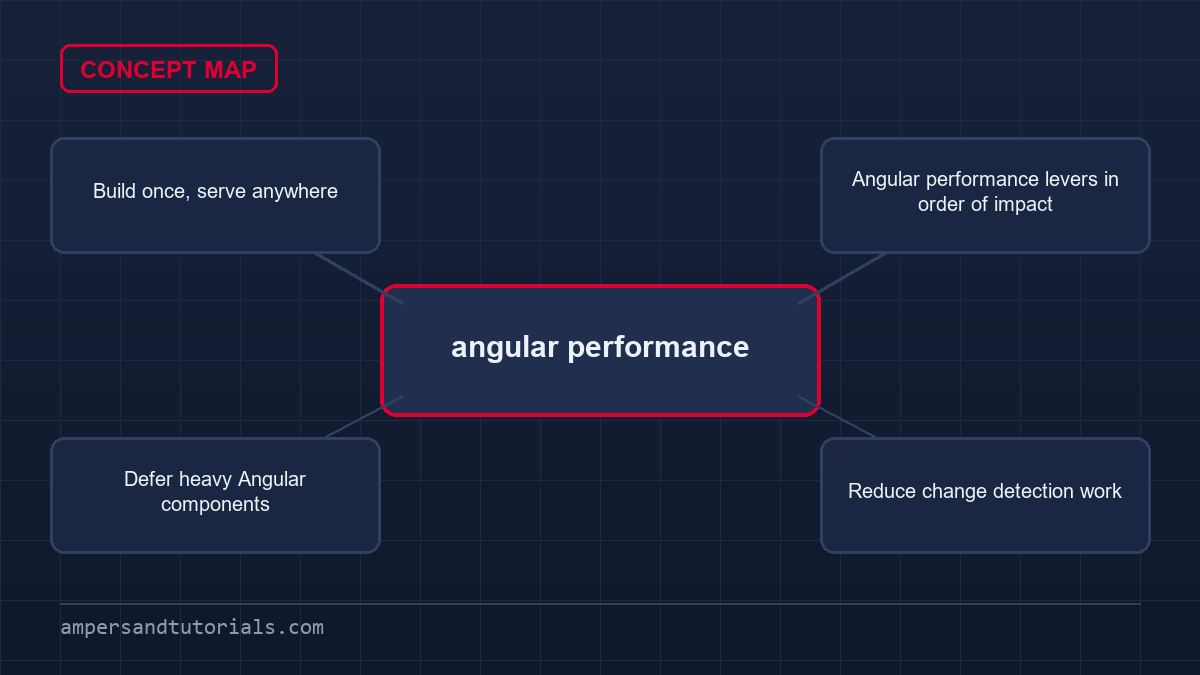
Defer heavy Angular components
The @defer block splits a component into its own chunk and loads it only when a condition is met — on viewport entry, on idle, or on interaction.
@defer (on viewport) {
  <app-heavy-chart [data]="data()" />
} @placeholder {
  <p>Chart loads when scrolled into view.</p>
} @loading (minimum 300ms) {
  <app-spinner />
}
Anything below the fold — charts, maps, comment sections — is a candidate. The user gets a working page immediately, and the heavy code arrives only if they scroll to it.
Reduce change detection work
By default Angular checks a component whenever anything above it changes. Marking a component OnPush narrows that: it is checked when an input changes, an event fires inside it, or a signal it reads changes.
import { Component, ChangeDetectionStrategy } from '@angular/core';

@Component({
  selector: 'app-row',
  changeDetection: ChangeDetectionStrategy.OnPush,
  template: `{{ item().name }}`,
})
export class RowComponent {
  item = input.required<Item>();
}
OnPush pairs naturally with signals: because the template reads a signal, Angular knows precisely when to re-check. In current Angular many components already behave this way, so the biggest gains come from signals and immutable inputs rather than sprinkling OnPush everywhere.
Deploying
- Static hosts (Firebase Hosting, Netlify, Cloudflare Pages, S3 + CDN): upload
dist/my-app/browser. Add a rewrite rule so unknown paths serveindex.html, which the router needs. - Server-side rendering: enable it with
ng add @angular/ssrand run the generated Node server; useful when you need SEO or faster first paint. - Continuous deployment: a GitHub Actions workflow that runs
npm ci,ng testandng build, then uploads the output, keeps every deploy reproducible.
One rule saves an hour of confusion: any static host must rewrite all routes to index.html. Without it, refreshing on a deep link returns a 404 because the file does not exist on the server.
That completes the series — you now have the whole path from a running project to a deployed app. For hands-on help shipping one, Ampersand Academy teaches Angular one-to-one.
Optimizing angular performance with zoneless change detection
Zone.js historically orchestrated change detection by patching asynchronous browser primitives like timers, events, and network requests. While convenient, this global patching strategy forces the framework to schedule verification sweeps across extensive component subtrees whenever an asynchronous event completes. Disabling zone execution eliminates these blanket checks completely. Transitioning to modern zoneless primitives directly boosts angular performance by restricting reconciliation strictly to components that signal actual state mutations.
Adopting zoneless architecture begins at application bootstrap within your primary configuration providers. Replacing standard zone providers with provideExperimentalZonelessChangeDetection instructs the runtime to cease listening to patched microtask queues. State synchronization shifts entirely to signal notifications, explicit manual triggers, and template async bindings.
import { ApplicationConfig, provideExperimentalZonelessChangeDetection } from '@angular/core';
import { provideRouter } from '@angular/router';
import { routes } from './app.routes';

export const appConfig: ApplicationConfig = {
  providers: [
    provideExperimentalZonelessChangeDetection(),
    provideRouter(routes)
  ]
};
import { ApplicationConfig, provideExperimentalZonelessChangeDetection } from '@angular/core';
import { provideRouter } from '@angular/router';
import { routes } from './app.routes';export const appConfig: ApplicationConfig = {
providers: [
provideExperimentalZonelessChangeDetection(),
provideRouter(routes)
]
};
Removing zone dependencies demands careful handling of component reactivity. In zone-based architectures, assigning an unmanaged variable inside an event callback often triggered accidental view refreshes because zone intercepted the enclosing event. Zoneless applications do not tolerate unmanaged property mutations. Updating state via signals or observables ensures continuous view consistency while delivering predictable, reliable angular performance across high-frequency dashboard updates.
Handling asynchronous coordination without zones
Integrating legacy external libraries into zoneless environments represents a common migration hurdle. When third-party charting libraries, data tables, or websocket subscribers emit events outside the Angular injection boundary, the runtime receives no automated notice. You must explicitly notify the view model through signal setters or mark the component dirty. Designing unified reactive wrappers around third-party scripts protects overall angular performance while preventing phantom UI states.
Avoid using raw microtask queues like queueMicrotask or raw Promise.resolve() calls to force UI synchronization. Relying on microtask timing hacks creates hard-to-debug race conditions across navigation cycles. Instead, leverage computed signals, linked signals, and built-in template control flow to schedule state transitions cleanly within standard framework scheduling boundaries.
Automated linting rules further solidify zoneless compliance across expanding engineering teams. Configuring Angular ESLint rules to flag untracked component state mutations or improper zone imports alerts developers directly in their code editors. Combining static analysis with signal-first patterns ensures that your migration away from zone interception delivers dependable architecture without subtle runtime regressions.
Avoiding hydration breakage and DOM tearing
Server-side rendering produces static HTML markup that browsers render instantly during initial document requests. Hydration subsequently connects client-side component logic, signal states, and event listeners to that existing server-rendered DOM. When the client tree diverges from server markup, hydration breaks and tears down existing DOM elements. This reconciliation penalty damages angular performance by producing jarring layout shifts and freezing user input handlers.
Direct manipulation of native DOM nodes constitutes the most frequent culprit behind hydration failure. Code that directly calls browser APIs such as document.getElementById or imperative element mutations alters the node hierarchy before hydration finishes. Always utilize Angular template bindings, direct signal queries, or the Renderer2 abstraction when modifying structural attributes or class names.
Environmental variance between server execution runtimes and client browsers creates another treacherous pitfall. Renders that output dates, currencies, or random numbers produce mismatched strings when the Node server timezone differs from the user local configuration. Stabilizing server data outputs across locales prevents DOM reconciliation mismatches, thereby defending initial angular performance during high-traffic landing page loads.
Partial hydration and skipping boundaries
Not every component requires immediate hydration upon initial page arrival. Complex embedded components, such as interactive financial charts or legacy map canvases, often lack server-render parity altogether. Applying the ngSkipHydration attribute to container elements commands the client runtime to bypass reconciliation for that specific DOM branch. Isolating non-critical branches preserves reliable angular performance while avoiding destructive client-side re-renders.
Pairing hydration skipping with deferred template loading produces optimal rendering sequences for data-dense pages. You keep the server-rendered placeholder static while delaying client script initialization until the user scrolls into view. Implementing targeted hydration boundaries guarantees that heavy interactive modules never compromise your baseline angular performance on constrained mobile hardware.
Another common hydration pitfall involves client-only browser storage synchronization. Reading values from localStorage or sessionStorage during component initialization inevitably causes mismatches because the server runtime cannot access browser storage. Delay accessing client storage until after the initial render cycle completes, or gate storage access behind afterNextRender lifecycle hooks.
Preventing memory leaks and detached DOM trees
Single-page applications often suffer from gradual memory degradation when components retain active background references after destruction. Retained RxJS stream subscriptions prevent the garbage collector from reclaiming unmounted component instances and their associated template trees. Over time, these detached DOM nodes consume valuable heap memory and degrade angular performance across continuous application usage.
Modern Angular provides the takeUntilDestroyed operator to streamline subscription lifecycles. When invoked inside an injection context, this operator automatically links stream completion directly to the host lifecycle. You eliminate verbose teardown boilerplate while preventing accidental memory leaks across dynamic route transitions.
import { Component, inject } from '@angular/core';
import { takeUntilDestroyed } from '@angular/core/rxjs-interop';
import { TelemetryService } from './telemetry.service';

@Component({
  selector: 'app-telemetry',
  template: `<span>Reading: {{ data() }}</span>`
})
export class TelemetryComponent {
  private telemetry = inject(TelemetryService);
  protected data = this.telemetry.stream.pipe(
    takeUntilDestroyed()
  );
}
import { Component, inject } from '@angular/core';
import { takeUntilDestroyed } from '@angular/core/rxjs-interop';
import { TelemetryService } from './telemetry.service';@Component({
selector: 'app-telemetry',
template: `<span>Reading: {{ data() }}</span>`
})
export class TelemetryComponent {
private telemetry = inject(TelemetryService);
protected data = this.telemetry.stream.pipe(
takeUntilDestroyed()
);
}
Global browser event listeners represent another common path to unintentional memory retention. Adding event listeners directly to window or document objects within custom directives creates persistent references that outlive the host component. Always bind window events through declarative Angular host listeners or explicitly clean them up inside a DestroyRef callback to sustain optimal angular performance.
Shared root services frequently collect unbounded state when caching HTTP response data without eviction limits. Retaining gigabytes of historical telemetry or large tabular payloads inside global singletons exhausts system RAM. Establish strict cache sizing, utilize weak references where applicable, and purge stale data models when users navigate between disparate enterprise modules.
Detecting retained DOM trees requires profiling with Chrome DevTools heap snapshots. Take an initial snapshot, navigate back and forth across a target route several times, and take a second snapshot. Comparing the snapshots reveals detached HTML elements and orphaned listeners that actively erode runtime angular performance over long user sessions.
Detached event listener leaks often happen when integrating third-party DOM plugins inside Angular directives. If a directive registers callbacks on external parent containers without removing them during destruction hooks, those external containers retain references to the entire directive instance. Always encapsulate third-party setup inside dedicated wrappers that hook directly into the Angular teardown lifecycle.
Offloading intensive computations to web workers
JavaScript runs in a single-threaded execution model where UI rendering, event handling, and computation share the exact same main thread. Executing heavy mathematical operations, extensive array transformations, or large JSON parsing jobs blocks the main thread and freezes animations. Offloading these compute-heavy tasks to background web workers defends your angular performance by leaving the main UI thread free to respond to interactions.
The Angular CLI provides built-in tooling to configure web workers without requiring manual bundler adjustments. Running the worker generation command establishes a dedicated worker thread script along with the necessary TypeScript configuration.
// ng generate web-worker computation
const worker = new Worker(
  new URL('./computation.worker', import.meta.url),
  { type: 'module' }
);

worker.onmessage = ({ data }) => {
  this.calculatedResult.set(data);
};

worker.postMessage(rawPayload);
// ng generate web-worker computation
const worker = new Worker(
new URL('./computation.worker', import.meta.url),
{ type: 'module' }
);worker.onmessage = ({ data }) => {
this.calculatedResult.set(data);
};worker.postMessage(rawPayload);
Communication between the main application thread and background workers uses serialization, which can introduce serialization overhead for large payloads. To eliminate copying latency, utilize transferable objects like ArrayBuffer instances when transferring ownership of binary buffers between threads. Zero-copy transfers minimize memory overhead and produce substantial gains in angular performance for calculation-intensive business applications.
Encapsulate worker communication directly inside an injectable Angular service to manage its lifecycle cleanly. Ensure the service listens to application teardown events via DestroyRef to invoke worker.terminate() when the service is destroyed. Terminating dormant workers prevents background CPU drain and preserves predictable angular performance across user workflows.
Remember that web workers cannot access DOM nodes, local storage APIs, or component view instances directly. Keep the boundary strictly computational by passing raw data into the worker and receiving calculated structures back. This strict separation enforces clean architecture while preventing UI thread stalling.
Transferring data back from web workers requires structured message protocols. Defining TypeScript interfaces for worker message payloads ensures type safety across both execution contexts. When workers process calculations, they return strongly typed result packets that component signals consume without unsafe type casting, creating a robust processing pipeline that handles high data throughput gracefully.
Enforcing bundle budgets and dependency hygiene
Initial page load speeds depend heavily on bundle weight, particularly on bandwidth-limited cellular networks and resource-constrained devices. Even optimized code runs slowly if browsers spend multiple seconds downloading, decompressing, parsing, and compiling oversized script bundles. Proactively pruning third-party dependencies and enforcing hard file size caps protects foundational angular performance across every production release.
The Angular CLI provides built-in build budget mechanisms configured inside the angular.json workspace file. Budgets define baseline warning thresholds and hard error boundaries for initial bundles and component chunks. Enforcing strict budget checks in your build pipeline prevents regressions from slipping into production and safeguards baseline angular performance during team development.
Inspect your final production bundles visually using bundle analysis tools such as source-map-explorer. Running this tool against production sourcemaps highlights exact byte distributions across node modules and application code. You can quickly pinpoint accidentally bundled testing utilities, oversized utility libraries, or duplicate packages.
Dynamic import strategies for rarely used features
Rarely used features like document exporters, complex form visualizers, or administrative dashboards should never reside in initial script bundles. Employ dynamic import() statements inside button handlers or feature triggers to load third-party modules strictly on demand. Deferring heavy libraries until requested drastically improves initial load speed and sustains crisp angular performance for regular users.
Tree-shaking algorithms eliminate unused code during production builds, but poorly constructed npm packages can thwart these optimizations. Packages containing side effects at their module root force bundlers to retain unused functions. Auditing dependency manifests for side-effect declarations ensures dead code drops cleanly during compilation, reinforcing enterprise angular performance across the entire software lifecycle.
Modern build configurations should also prioritize modern image formats and font preloading strategies. Serving static assets through WebP or AVIF formats reduces transfer sizes significantly compared to legacy PNG or JPEG images. Pairing optimized asset delivery with aggressive JavaScript chunk splitting creates an end-to-end delivery pipeline that minimizes network latency on initial page visits.
Measuring real-world angular performance
Synthetic profiling in local development environments cannot accurately simulate the diversity of real-world device capabilities and network conditions. High-end developer laptops mask rendering latency and layout recalculation delays that crippled mobile devices experience daily. Implementing Real User Monitoring gives engineering teams clear visibility into authentic field conditions to validate ongoing angular performance under real workload pressures.
Monitor Core Web Vitals directly within production environments using native browser diagnostic APIs or lightweight telemetry collectors. Focus your diagnostic attention on Largest Contentful Paint, Interaction to Next Paint, and Cumulative Layout Shift. Continuously tracking these three metrics reveals user-facing bottlenecks that directly undermine perceived angular performance during key interaction flows.
Interaction to Next Paint measures input responsiveness throughout the user session by assessing how quickly the browser presents the next frame following user input. Excessive signal computation chains or long synchronous event handlers delay frame rendering. Tuning signal dependencies and deferring non-urgent updates ensures smooth frame delivery and elevated angular performance across critical workflows.
Integrate runtime profiling directly into continuous integration workflows by executing automated end-to-end user traces against staging environments. Automated regression testing catches rendering delays, excessive change detection cycles, and bloated chunks before code merges into production. Institutionalizing continuous automated runtime auditing guarantees that your application remains fast, resilient, and responsive indefinitely.
Frequently asked questions
What is the output folder of ng build?
The production build writes static files to dist/your-project/browser, including index.html and the hashed JavaScript and CSS bundles.
Why does refreshing a deep link return a 404 on my host?
The static host looks for a file at that path, which does not exist. Add a rewrite rule that serves index.html for unknown routes so the Angular router can handle them.
What does the @defer block do?
It splits a component into its own chunk and loads it lazily when a trigger such as viewport, idle or interaction occurs, with placeholder and loading states.
Should I use OnPush change detection everywhere?
Use it where components are pure and input-driven, especially in long lists. Signals already reduce unnecessary checks, so focus on signals and immutable inputs first.
Do I need a Node server to host an Angular app?
No. A standard Angular build is static and can be hosted on any static host or CDN. A Node server is only needed if you enable server-side rendering.
Last updated on · Written by Dinesh Kumar R