

Virtual scrolling and overlay patterns are essential for building data-intensive Angular applications. The Angular Component DevKit (CDK) provides battle-tested primitives for virtual scrolling, CDK overlays, drag-and-drop, and templates that render only what’s visible. These patterns keep performance smooth even with thousands of rows, and the CDK handles accessibility, focus management, and resize handling out of the box.
CDK Virtual Scrolling
{{item.name}}{{item.details}}
@Component({selector: 'demo-virtual', template: `

...

`})
class DemoVirtual {
rowHeight = 64;
}
CDK Overlay
Overlay content
import { Overlay, OverlayRef } from '@angular/cdk/overlay';
import { ComponentPortal } from '@angular/cdk/portal';constructor(private overlay: Overlay) {}openCustomOverlay() {
const positionStrategy = this.overlay
.position()
.connectedTo('button', { originX: 'center', originY: 'top' })
.overlayX('0')
.overlayY('100%')
.withFlexibleDimensions(true);
const overlayRef = this.overlay.create({ positionStrategy });
overlayRef.attach(new ComponentPortal(CustomOverlayComponent));
}
CDK Drag and Drop
{{item.name}}
@Component({selector: 'demo-dnd', template: `


{{item.name}}


`})
class DemoDnD {
items = [
{name: 'Item 1'},
{name: 'Item 2'},
{name: 'Item 3'},
];onDrop(event: CdkDragDrop) {
const previousIndex = this.items.findIndex(d => d === event.previousContainer.data[0]);
const currentIndex = this.items.findIndex(d => d === event.container.data[0]);
[this.items[previousIndex], this.items[currentIndex]] = [this.items[currentIndex], this.items[previousIndex]];
}
}
CDK Table with Virtual Scrolling
...
@Component({selector: 'demo-table', template: `
Name
Actions
{{row.name}}
`})
class DemoTable {
displayedData = [...]; // 10000+ items
selection = new CdkSelectionModel([], select => select.id);onRowClick(row: string) {
this.selection.toggle(row);
}
} CDK Accessibility Patterns
- Keyboard focus: Ensure all interactive elements are reachable via Tab and that custom interactions respect ArrowUp/ArrowDown/Enter/Space patterns.
- ARIA roles: Use native HTML elements whenever possible. If you must use a
divorspan, provide the appropriate ARIA role and required states. - Screen reader testing: Use NVDA, VoiceOver, or JAWS to verify that dynamic content announcements are correct and that focus management is intuitive.
- Color contrast: Meet WCAG AA contrast ratios for all text and UI components, especially on-overlay content.
- Resize testing: Test the application at 200% zoom and verify that no content is lost, no functionality breaks, and that the layout reflows gracefully.
Performance Patterns and anti-patterns
// Effects that load virtual list data
@Effect()
loadItems$ = this.actions$.pipe(
ofType(ITEMS_LOAD),
mergeMap(() => this.itemService.getItems(page, pageSize)),
tap(items => this.store.dispatch(itemsLoaded({ items })))
);// Selector for virtual list
@Selector()
itemsSelector(state: State) => state.items.data;// Component that uses the selector with CDK virtual scrolling
@Component({selector: 'demo-virtual', template: `


{{item.name}}


`})
class DemoVirtual {
itemCount = this.store.select(itemsSelector).length;
trackById = (index: number, item: any) => item.id;
}
For related reading, see also: Angular Change Detection (zoneless/OnPush), Angular NgRx State Management, Angular PWA Guide, Angular i18n Guide, Angular CDK Overview, Material CDK Virtual Scrolling, Material CDK Overlay, Material CDK Drag and Drop, Material CDK Table, CDK Virtual Scrolling v2, CDK Drag and Drop, CDK Overlay, CDK Table.
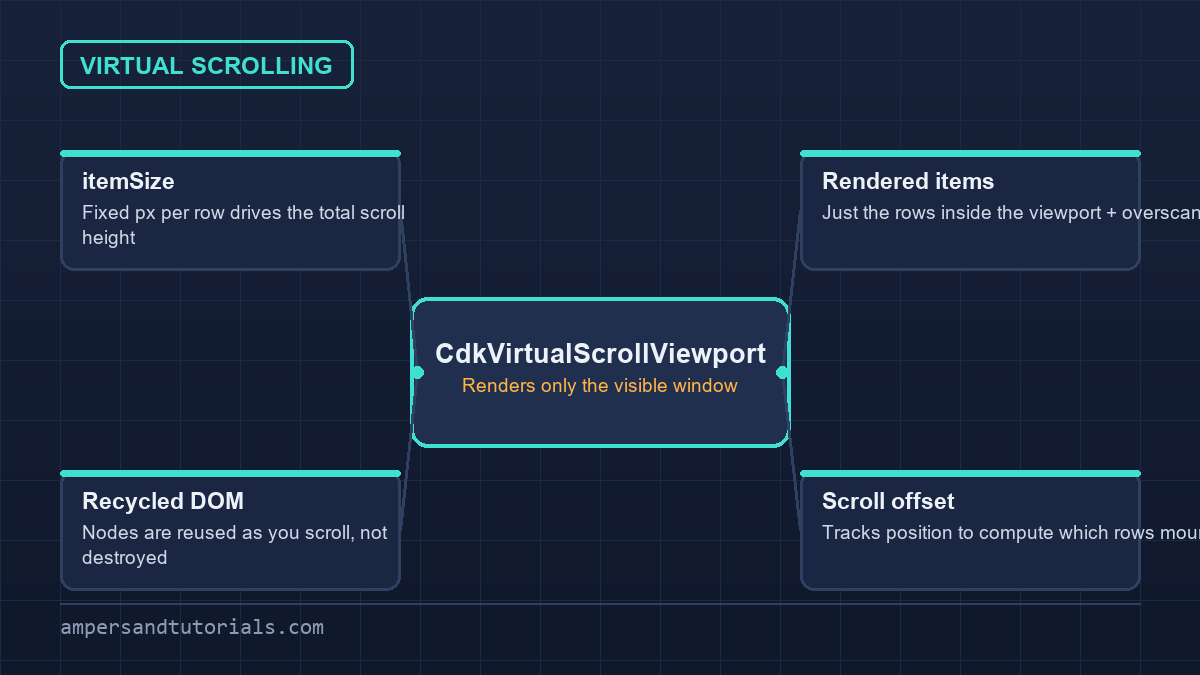
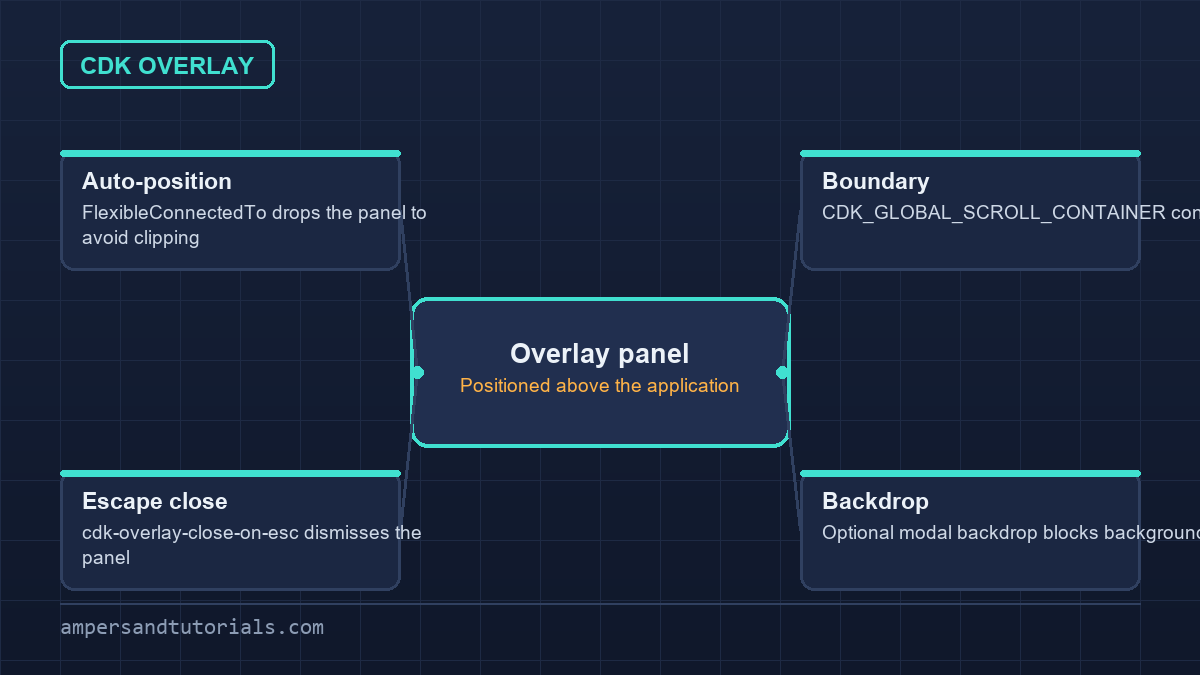

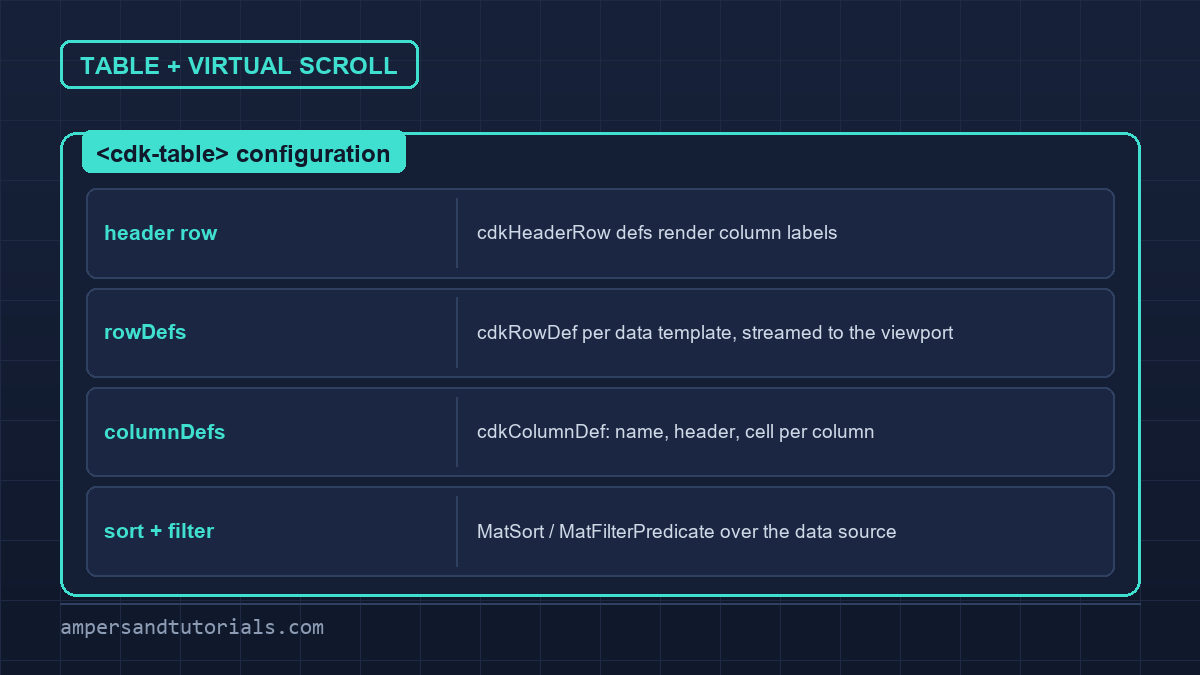
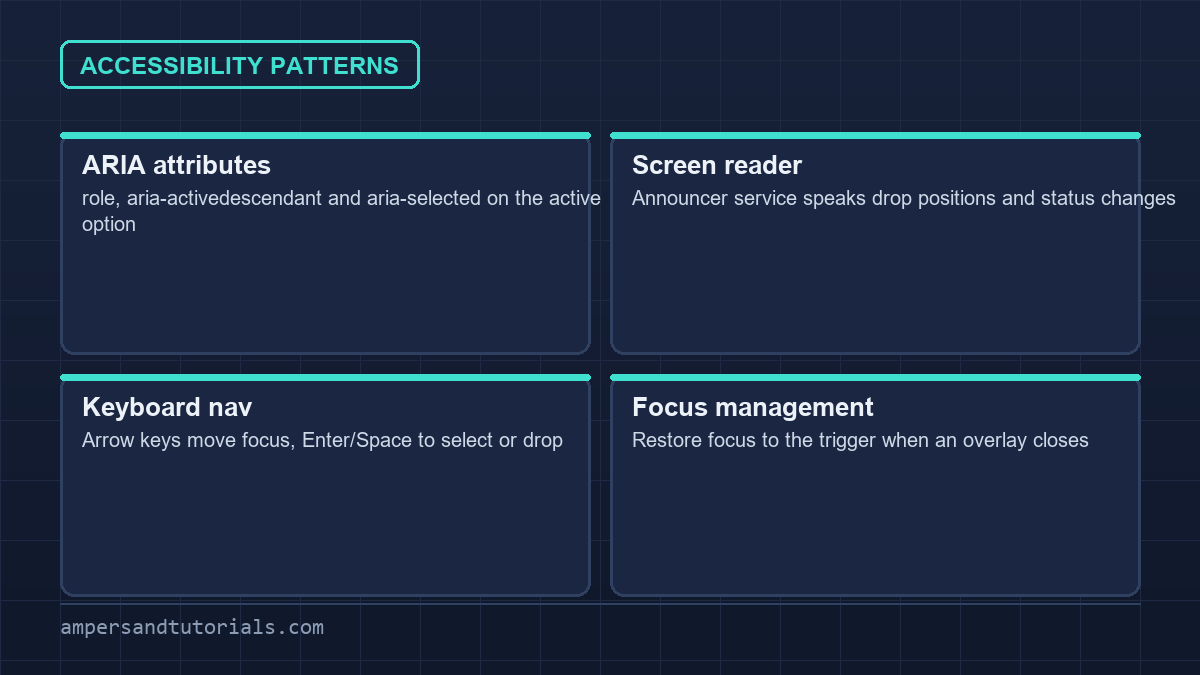
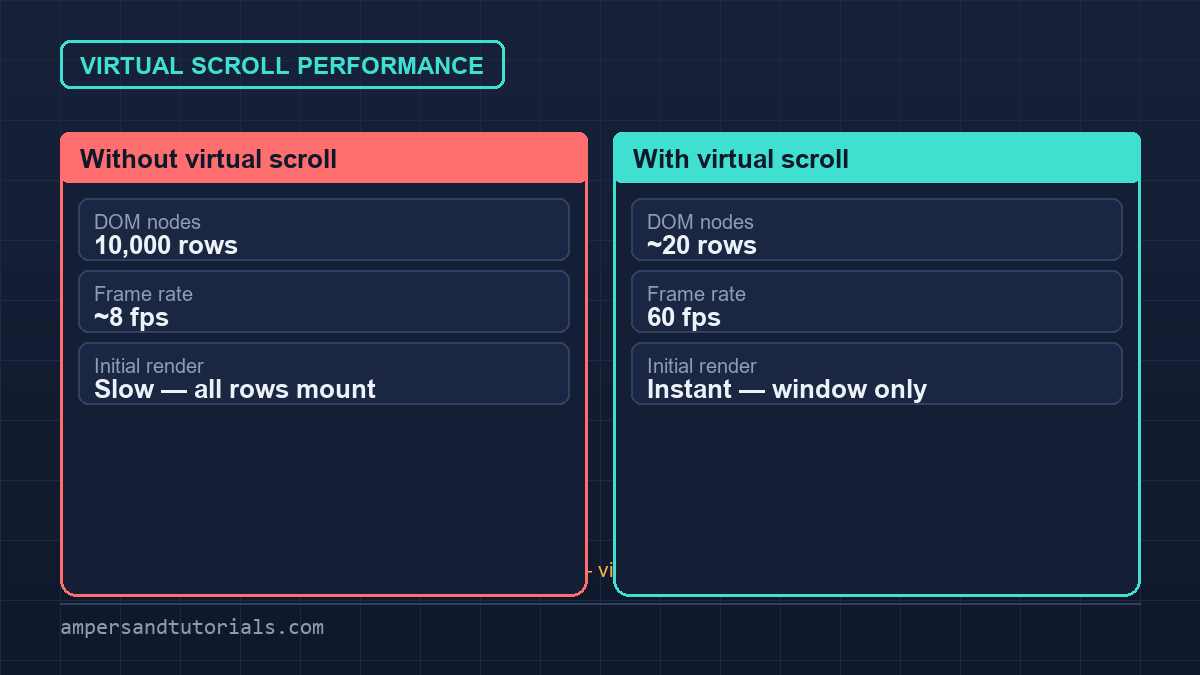

Quick answer: Angular CDK provides virtual scrolling, overlays, drag-and-drop, and tables for data-intensive applications. Virtual scrolling reduces DOM from thousands to dozens. Accessibility is built-in with ARIA, keyboard navigation, and screen reader support. Combine with OnPush for best performance.
Last updated on · Written by Dinesh Kumar R