

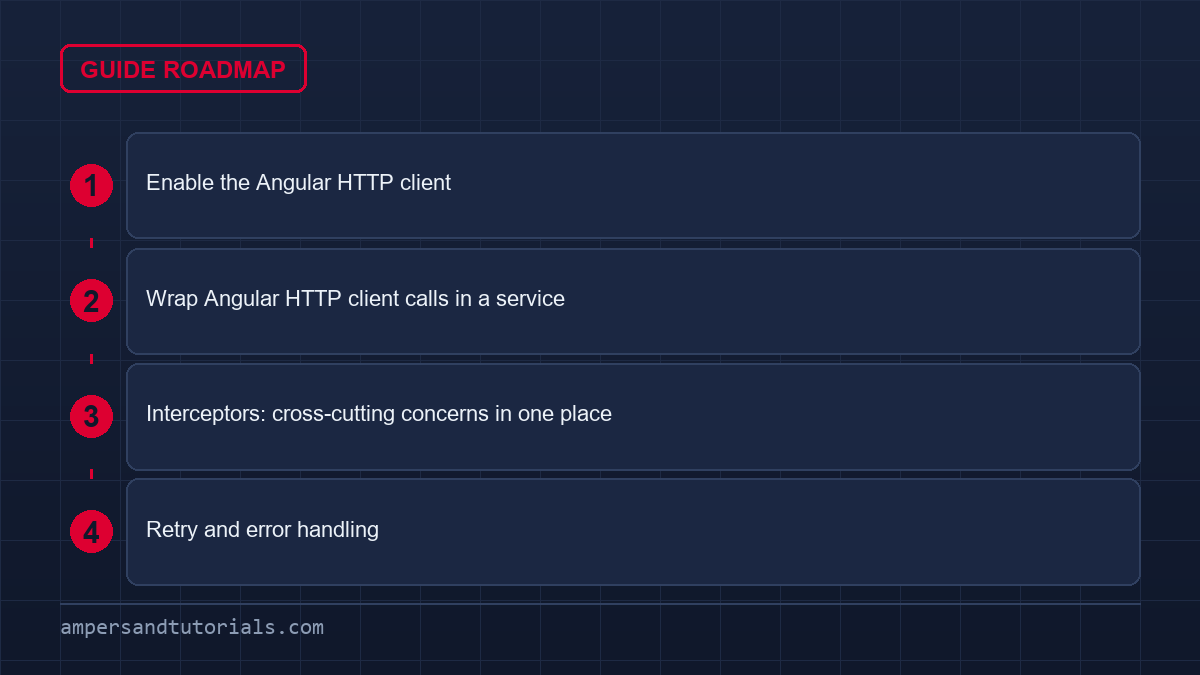
Quick answer: Enable the Angular HTTP client by adding provideHttpClient() to app.config.ts, then inject HttpClient in a service and call get, post, put or delete. Every method returns an Observable, so subscribe or use firstValueFrom / resource to get the value. Add functional interceptors to attach tokens and handle errors in one place.The sections below follow the Angular HTTP client in the order you wire it: enabling it, wrapping calls in a service, interceptors, then retries and error handling, which is where most Angular HTTP client bugs hide.

Table of Contents
Enable the Angular HTTP client
// app.config.ts
import { ApplicationConfig } from '@angular/core';
import { provideHttpClient, withInterceptors } from '@angular/common/http';
import { authInterceptor } from './auth.interceptor';

export const appConfig: ApplicationConfig = {
  providers: [
    provideHttpClient(withInterceptors([authInterceptor])),
  ],
};
The old HttpClientModule is deprecated. In current Angular, HttpClient is available by default once the app is created, but you still call provideHttpClient() when you want to register interceptors or features such as withFetch().
Wrap Angular HTTP client calls in a service
Never call HttpClient directly from a component. Put the calls in a service, keep the endpoints in one place, and let components ask for data.
import { Injectable, inject, signal } from '@angular/core';
import { HttpClient } from '@angular/common/http';
import { firstValueFrom } from 'rxjs';

export interface Product { id: number; name: string; price: number; }

@Injectable({ providedIn: 'root' })
export class ProductService {
  private http = inject(HttpClient);
  private base = '/api/products';

  products = signal<Product[]>([]);
  loading = signal(false);
  error = signal<string | null>(null);

  async load() {
    this.loading.set(true);
    this.error.set(null);
    try {
      this.products.set(await firstValueFrom(this.http.get<Product[]>(this.base)));
    } catch {
      this.error.set('Could not load products.');
    } finally {
      this.loading.set(false);
    }
  }

  get(id: number) {
    return this.http.get<Product>(`${this.base}/${id}`);
  }

  create(product: Omit<Product, 'id'>) {
    return this.http.post<Product>(this.base, product);
  }

  update(product: Product) {
    return this.http.put<Product>(`${this.base}/${product.id}`, product);
  }

  remove(id: number) {
    return this.http.delete<void>(`${this.base}/${id}`);
  }
}
Two habits make this robust.
First, type the response with a generic — http.get<Product[]> — so the rest of the app knows the shape. Second, hold the result in a signal and expose loading and error signals next to it, so the template can show a spinner or a message without extra flags.

Interceptors: cross-cutting concerns in one place
An interceptor sees every request and response. This is where you attach an auth token and centralise error handling, instead of repeating it in every service. Modern Angular uses functional interceptors.
import { HttpInterceptorFn } from '@angular/common/http';
import { inject } from '@angular/core';
import { catchError, throwError } from 'rxjs';
import { AuthService } from './auth.service';

export const authInterceptor: HttpInterceptorFn = (req, next) => {
  const token = inject(AuthService).token();
  const authReq = token
    ? req.clone({ setHeaders: { Authorization: `Bearer ${token}` } })
    : req;

  return next(authReq).pipe(
    catchError(err => {
      if (err.status === 401) inject(AuthService).logout();
      return throwError(() => err);
    }),
  );
};
Requests are immutable, so you clone the request to add a header rather than mutating it. One interceptor now covers authentication and 401 handling for the whole application.
Retry and error handling
Transient network failures are common, so retry a few times with a delay before giving up. RxJS operators do this declaratively.
import { retry, timer } from 'rxjs';

this.http.get<Product[]>(this.base).pipe(
  retry({ count: 3, delay: (err, n) => timer(n * 1000) }),
);
That retries three times with a growing delay of one, two and three seconds, then surfaces the error. Pair it with the interceptor’s catchError to keep failure handling consistent.
Continue with signals and state management to decide where fetched data should live. To build an app against a real API with guidance, Ampersand Academy teaches Angular one-to-one.
Tracking file upload progress with Angular HTTP client
Handling large media uploads requires continuous feedback to maintain user trust during prolonged network operations. Developers building binary upload pipelines rely on the Angular HTTP client to monitor upload streams accurately. By default, standard calls return only the final response body when the transmission finishes. To capture raw stream progression, developers configure explicit inspection flags that expose every lifecycle event emitted by the transport layer.
Progress tracking demands two critical configuration options inside the request options object: reportProgress set to true and observe set to events. These settings instruct the underlying platform to publish intermediate HttpEvent notifications instead of suppressing them until completion. Without these properties, background uploads offer zero visibility, leaving frontend progress bars motionless until the backend finishes processing.
Listening to HttpEvent streams
Configuring reportProgress instructs the Angular HTTP client to emit intermediate transmission events instead of only the final payload. Emitted events carry specific discrimination properties defined by the HttpEventType enumeration. Developers inspect the type attribute to distinguish between upload progress markers, download chunks, response headers, and the final response object.
import { Component, inject, signal } from '@angular/core';
import { HttpClient, HttpEventType } from '@angular/common/http';

export function uploadFile(http: HttpClient, file: File) {
  const formData = new FormData();
  formData.append('document', file);

  return http.post('/api/uploads', formData, {
    reportProgress: true,
    observe: 'events',
  });
}
import { Component, inject, signal } from '@angular/core';
import { HttpClient, HttpEventType } from '@angular/common/http';export function uploadFile(http: HttpClient, file: File) {
const formData = new FormData();
formData.append('document', file);return http.post('/api/uploads', formData, {
reportProgress: true,
observe: 'events',
});
}
Processing this event stream requires evaluating event.type against HttpEventType.UploadProgress. During active upload phases, the event provides loaded and total byte counts. Calculating progress involves dividing loaded bytes by total bytes and multiplying by one hundred. When the event reaches HttpEventType.Response, the upload cycle completes successfully, returning server confirmation.
Proper event filtering ensures that the Angular HTTP client does not emit unnecessary updates to consumer components. Unhandled events like header arrival or sent confirmations can disrupt UI computations if calculations assume every emission contains byte counts. Using RxJS operators like filter or pattern matching inside signal updates isolates progress events cleanly, safeguarding user interfaces from calculation errors.
Large payloads also require consideration of network dropouts and timeout durations. Browser environments cannot guarantee that mobile connections sustain massive multi-megabyte transfers indefinitely. Pairing progress monitors with upload chunking techniques ensures stability when transmitting video files or complex archives. Always clean up subscriptions if users cancel uploads early to prevent memory leaks and wasted cellular bandwidth.
Configuring immutable query parameters and custom headers
URL construction in the Angular HTTP client follows strict immutability rules to avoid shared reference side effects. Beginners often attempt to mutate parameter objects directly, expecting subsequent request calls to reflect those alterations. In reality, each manipulation creates a fresh object reference, requiring developers to reassign variables at each transformation step.
The HttpParams class handles query parameter serialization safely, encoding special characters and building RFC-compliant query strings. When building complex search filters with optional fields, developers initialize an empty instance and chain mutations sequentially. If a parameter value represents an array, calling append repeatedly attaches multiple occurrences of the same key without overwriting prior values.
Passing plain objects or HttpParams instances allows the Angular HTTP client to serialize query strings according to standard encoding. When query requirements remain static, passing a standard key-value JavaScript record directly to the params option reduces unnecessary boilerplate. However, dynamic filtering forms with conditionally omitted parameters benefit significantly from HttpParams methods like set and delete.
Modifying default request behaviors requires configuring the Angular HTTP client through specific per-request options objects. Headers operate under identical immutability principles through the HttpHeaders class. Custom authentication schemes, correlation tracking identifiers, and content negotiation directives must be assigned by chaining header creation calls. Alternatively, passing an object literal to headers suffices when configuration values remain constant.
Managing common headers manually across dozens of individual endpoint calls quickly introduces code duplication. While local configuration handles endpoint-specific overrides, shared headers such as tenant identifiers or global content types belong inside centralized interceptors. Understanding this distinction preserves clean architecture: use local options for operational flags and global interceptors for infrastructure concerns.
Common mistakes involve passing raw null or undefined values inside query objects, which converts values to literal text representations like stringified nulls. Always sanitize input objects before passing criteria to the network engine. The following practices keep parameter and header manipulation predictable across enterprise applications:
- Chain HttpParams methods or reassign variables to preserve immutability guarantees.
- Use the append method when passing multiple array values for a single query parameter key.
- Pass simple object literals for static headers to minimize instantiation overhead.
- Sanitize filter inputs to prevent undefined or null values from polluting generated URLs.
- Delegate cross-cutting infrastructure headers to functional interceptors rather than duplicating them locally.
Declarative data fetching using Angular HTTP client resource primitives
Modern reactive architecture links signals directly to the Angular HTTP client through declarative resource primitives. Traditional workflows required subscribing to observables, managing intermediate signal states manually, and wiring error flags through imperative boilerplate. Modern signal-based applications use integrated resource utilities to bind asynchronous backend payloads directly to reactive components.
The httpResource function provides a direct bridge between reactive inputs and remote HTTP endpoints. Whenever dependencies tracked by a request computation change, the underlying resource automatically triggers a fetch. This eliminates manual event listeners, lifecycle hook orchestration, and repetitive subscription management, producing compact, self-contained data declarations.
Integrating reactive signals with httpResource
Instead of subscribing manually, developers link the Angular HTTP client to signals that automatically manage life-cycle teardown. The resource tracks dynamic parameters, initiating network updates whenever bound signals emit new values. When the consumer component unmounts, pending requests abort automatically, preventing orphan callbacks from consuming resources.
import { Component, signal } from '@angular/core';
import { httpResource } from '@angular/common/http';

export interface UserProfile {
  id: string;
  name: string;
}

@Component({
  selector: 'app-user-detail',
  template: `<div>{{ user.value()?.name }}</div>`,
})
export class UserDetailComponent {
  userId = signal('usr-101');
  user = httpResource<UserProfile>(() => `/api/users/${this.userId()}`);
}
import { Component, signal } from '@angular/core';
import { httpResource } from '@angular/common/http';export interface UserProfile {
id: string;
name: string;
}@Component({
selector: 'app-user-detail',
template: `<div>{{ user.value()?.name }}</div>`,
})
export class UserDetailComponent {
userId = signal('usr-101');
user = httpResource<UserProfile>(() => `/api/users/${this.userId()}`);
}
Declarative resources expose built-in signals for value, isLoading, error, and status. Templates bind directly to these read-only accessors, guaranteeing synchronized presentation states. When userId changes, httpResource marks isLoading as true, issues the GET request, and populates value once resolved.
Replacing imperative loading flags with native resource states streamlines how the Angular HTTP client communicates network activity. Because resource signals follow Angular change detection natively, UI updates trigger automatically without requiring manual mark-for-check calls. If a network call fails, the error signal updates instantly, allowing UI elements to render fallback views effortlessly.
While httpResource simplifies read operations, mutations like POST, PUT, and DELETE typically remain inside standard service methods. Separating declarative reads from imperative mutations prevents accidental duplicate submissions and keeps state lifecycles explicit. Use resources for display data and standard client methods for transactional state changes.
Preventing race conditions and cancelling pending network requests
Fast user input often triggers multiple concurrent operations through the Angular HTTP client, creating race conditions. Consider a real-time autocomplete input where users type quickly. If the user types a second character while the first search request remains in flight, there is no guarantee the second response returns after the first one completes.
When older responses resolve after newer requests, stale data overwrites fresh state, confusing end users. Solving this pitfall requires declarative cancellation patterns that terminate outdated network operations the moment new parameters arrive. RxJS flattening operators provide predictable control over in-flight request streams without requiring manual state flags.
Switching active requests with switchMap
The switchMap operator automatically unsubscribes from the previous Angular HTTP client invocation when new criteria arrive. Unsubscribing from an observable returned by the network service immediately triggers underlying cancellation logic. The browser aborts the in-flight HTTP connection via native mechanisms, preventing redundant server load and eliminating out-of-order response overwrites.
import { inject, Injectable } from '@angular/core';
import { HttpClient } from '@angular/common/http';
import { Observable, Subject } from 'rxjs';
import { debounceTime, distinctUntilChanged, switchMap } from 'rxjs/operators';

@Injectable({ providedIn: 'root' })
export class SearchService {
  private http = inject(HttpClient);
  private query$ = new Subject<string>();

  readonly results$: Observable<string[]> = this.query$.pipe(
    debounceTime(300),
    distinctUntilChanged(),
    switchMap(term => this.http.get<string[]>(`/api/search?q=${term}`))
  );

  search(term: string): void {
    this.query$.next(term);
  }
}
import { inject, Injectable } from '@angular/core';
import { HttpClient } from '@angular/common/http';
import { Observable, Subject } from 'rxjs';
import { debounceTime, distinctUntilChanged, switchMap } from 'rxjs/operators';@Injectable({ providedIn: 'root' })
export class SearchService {
private http = inject(HttpClient);
private query$ = new Subject<string>();readonly results$: Observable<string[]> = this.query$.pipe(
debounceTime(300),
distinctUntilChanged(),
switchMap(term => this.http.get<string[]>(`/api/search?q=${term}`))
);search(term: string): void {
this.query$.next(term);
}
}
In this pattern, debounceTime buffers rapid keystrokes, ensuring that network operations only start after typing pauses. When switchMap receives a new search term, it unsubscribes from any unfinished request before initiating the next. This cancellation ensures that only the latest query determines the displayed results.
Connecting native AbortSignal instances to the Angular HTTP client ensures immediate socket closure upon component destruction. Modern Angular supports passing a native AbortSignal directly inside request options using the context or signal property. When components destroy or abort controllers fire, active TCP sockets disconnect promptly, preserving device memory and preventing unhandled callback exceptions.
Developers must avoid merging operators like mergeMap for interdependent search operations. While mergeMap executes all requests concurrently to maximize throughput, it preserves zero ordering guarantees. Reserve mergeMap for independent background updates, such as logging or telemetry, where response arrival order does not impact application stability.
Optimizing server hydration with transfer cache strategies
Full-stack rendering workflows depend on the Angular HTTP client to populate initial markup on the server. When server-side rendering renders a view, it executes necessary API calls to generate static HTML. However, once that HTML arrives in the browser, the client-side application boots and normally re-executes those identical requests, causing duplicate traffic and page flickering.
Angular eliminates this redundant fetch cycle using an automated transfer cache mechanism. When enabled, responses captured during server rendering are embedded into the rendered HTML payload as serialized JSON scripts. When the client application bootstraps, the network layer checks this cache before issuing outgoing socket connections, resolving matching requests instantly without network overhead.
By capturing responses during SSR execution, the Angular HTTP client transfers cached JSON payloads directly to browser memory. This capability operates out of the box when configuring applications with provideClientHydration() and withHttpTransferCacheOptions(). GET and HEAD requests benefit automatically from this optimization, providing smooth visual hydration without layout shifts.
Not all network responses belong inside transfer state caches. Sensitive endpoints containing personalized financial data, private tokens, or highly volatile timestamps should bypass serialization to avoid stale data exposure. Developers configure transfer caching rules globally inside application bootstrap providers or selectively using specialized request parameters.
Disabling transfer cache for authenticated endpoints guarantees that the Angular HTTP client never leaks user credentials across sessions. Server rendering shared across multiple user requests must strictly isolate user-specific data. If authenticated payloads get cached in transfer scripts, public cache nodes or subsequent visitors might inadvertently view another user’s private data.
To maintain optimal hydration efficiency while protecting data security, follow these proven transfer cache conventions:
- Enable transfer caching globally to eliminate duplicate GET requests during browser bootstrap.
- Exclude personalized or authenticated endpoints by setting the includeHeaders filter appropriately.
- Set appropriate cache size constraints to prevent serialized server payloads from bloating initial HTML documents.
- Verify that server responses are idempotent before allowing transfer state serialization.
- Audit rendered HTML page source periodically to ensure sensitive tokens are never embedded in transfer scripts.
Testing API integrations using modern mock controllers
Automated unit tests must verify endpoint contracts without allowing the Angular HTTP client to dispatch actual network requests. Allowing unit tests to contact live external backends introduces severe network latency, causes test suite flakiness, and risks corrupting remote databases. Reliable testing requires isolating application logic by intercepting outgoing requests and injecting controlled mock responses.
The provideHttpClientTesting provider replaces transport layers while preserving the standard Angular HTTP client surface. By registering provideHttpClientTesting() alongside provideHttpClient() in testing modules, test suites capture outgoing operations cleanly. Developers inject the HttpTestingController utility to inspect outgoing requests, verify HTTP verbs, and simulate various status codes.
Mocking workflows follow a strict three-phase pattern: execute the service action, expect matching requests through the controller, and flush mock payloads. If the service expects an array of records, calling req.flush(mockData) delivers that mock data immediately to the waiting subscriber. Tests can also simulate backend outages by calling req.error(new ProgressEvent('error')).
Asserting request payloads and simulating network faults confirms that the Angular HTTP client service handles failure gracefully. The controller allows tests to assert exact URL paths, query parameters, and custom request headers. Verifying that services append expected authorization headers or sanitize search filters ensures that backend communication contracts remain intact during refactoring.
Every test spec must conclude by invoking httpTestingController.verify(). This crucial verification step ensures that no unexpected requests were initiated or left hanging in an unresolved state. Unverified requests often conceal critical bugs, such as duplicate subscriptions or unintended loop iterations, which compromise production reliability if left unnoticed.
Frequently asked questions
Do I still need HttpClientModule in Angular?
No. HttpClientModule is deprecated. Use provideHttpClient() in app.config.ts, optionally with feature functions such as withInterceptors.
Why does HttpClient return an Observable?
Observables are lazy and cancellable, and they compose with RxJS operators such as retry and catchError. Convert to a Promise with firstValueFrom when async and await suits you better.
What is an HTTP interceptor in Angular?
A function that runs on every request and response, used to add headers such as an auth token or to handle errors centrally. Register it with provideHttpClient(withInterceptors([…])).
How do I retry a failed HTTP request in Angular?
Pipe the request through the retry operator with a count and delay, for example retry with count 3 and a delay of a few seconds, then handle the final error in the interceptor.
Where should HTTP calls live in Angular?
In a service, never directly in a component. The service keeps endpoints in one place, types the responses and exposes loading and error state to the components that inject it.
Last updated on · Written by Dinesh Kumar R