
Quick answer: Angular data binding works in four directions. Interpolation {{ value }} prints data, property binding [property]="value" sets an element property, event binding (event)="handler()" listens for user actions, and two-way binding [(ngModel)] keeps an input and a variable in sync. Signals make all four update automatically.

Table of Contents
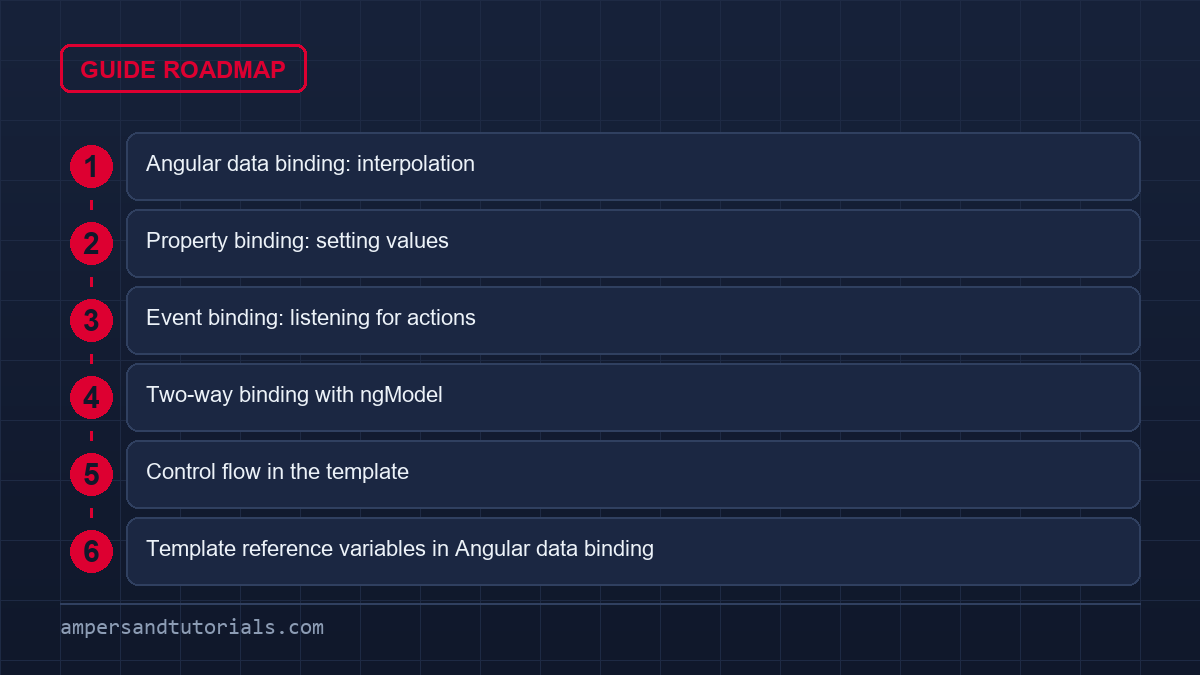
Angular data binding: interpolation
Double braces print a value into the template. The expression inside is TypeScript, but keep it simple — if it needs several steps, compute it in the class.
<h2>{{ product.name }}</h2>
<p>{{ price() | currency }}</p>
<p>{{ items().length }} items</p>
Note price() with parentheses and items() too — those are signals, so you call them to read the current value. A plain property such as product.name is written without parentheses.
Property binding: setting values
Square brackets bind a component property to an element or child-component property. This is how you pass data down the tree.
<img [src]="imageUrl" [alt]="product.name" />
<button [disabled]="saving()">Save</button>
<app-card [product]="selected()" />
Use the property name, not the attribute name. [disabled] and [src] set the live DOM properties, which behave correctly for booleans and updates, unlike writing the raw attribute.
Event binding: listening for actions
Parentheses bind a template event to a method in the class. The special $event variable carries the browser event object.
<input (input)="onSearch($event)" />
<button (click)="addToCart()">Add</button>
<form (ngSubmit)="save()">...</form>
You can chain bindings on one element and mix them freely: [value] to push data in, (input) to pull it out.

Two-way binding with ngModel
Forms inputs are the one place where both directions are needed at once. The “banana in a box” syntax [(ngModel)] is shorthand for a property binding plus an event binding.
import { Component } from '@angular/core';
import { FormsModule } from '@angular/forms';

@Component({
  selector: 'app-search',
  imports: [FormsModule],
  template: `
    <input [(ngModel)]="term" placeholder="Search" />
    <p>Searching for: {{ term }}</p>
  `,
})
export class SearchComponent {
  term = '';
}
[(ngModel)] requires importing FormsModule in the component. Typing in the box updates term; setting term in code updates the box. That two-way loop is what makes template-driven forms readable, which we cover in the forms guide.
Control flow in the template
Angular 17 added built-in control flow, and it is now the way to branch and loop in templates. The old *ngIf and *ngFor directives are deprecated.
@if (user(); as u) {
  <p>Welcome, {{ u.name }}</p>
} @else {
  <a routerLink="/login">Sign in</a>
}

@for (item of items(); track item.id) {
  <li>{{ item.name }}</li>
} @empty {
  <li>No items yet.</li>
}
Two details matter. First, track is required on @for — give it a stable unique key such as item.id so Angular reuses DOM nodes instead of rebuilding them. Second, no imports are needed: @if and @for are part of the template language itself.
Template reference variables in Angular data binding
A hash name gives you a handle on an element to use elsewhere in the same template, without touching the class.
<input #email type="email" />
<button (click)="send(email.value)">Subscribe</button>
Reference variables are handy for small interactions and are how you read an uncontrolled input value directly in the template.
Next: component interaction, where these bindings connect parent and child. To learn template syntax with real screens, Ampersand Academy teaches Angular one-to-one.
Common angular data binding pitfalls and how to avoid them
Angular data binding is straightforward when the data model is simple, but real applications surface a handful of recurring mistakes. Recognising them early saves hours of debugging. This section walks through the most common traps, explains why they happen, and shows the fix.
Most pitfalls fall into one of three buckets: reading signal values incorrectly, mutating objects in ways Angular cannot detect, and binding to the wrong thing — attribute versus property. Each one has a clear, consistent solution once you know the rule.
Forgetting to call signals
Signals are functions. Leaving off the parentheses binds the function reference itself, not the current value. The template renders [object Signal] or shows nothing, and no error is thrown. This is the single most common confusion when migrating from plain properties to signals.
<!-- Wrong: binds the signal function object -->
<p>{{ count }}</p>

<!-- Correct: calls the signal to read the value -->
<p>{{ count() }}</p>

<!-- Same rule applies inside property bindings -->
<button [disabled]="saving()">Save</button>
<!-- Wrong: binds the signal function object -->
<p>{{ count }}</p><!-- Correct: calls the signal to read the value -->
<p>{{ count() }}</p><!-- Same rule applies inside property bindings -->
<button [disabled]="saving()">Save</button>
Conversely, plain class properties are read without parentheses. Mixing the two conventions on the same component is the usual cause. A quick rule: if the field is declared with signal(), computed(), or input(), call it. Everything else, do not.
Object mutation Angular cannot see
Angular’s change detection compares object references. When you mutate an array or object in place — pushing to an array, patching a nested property — the reference stays the same, so the template does not update. This bites hardest with OnPush components and with signal-based state.
// Wrong: mutates in place — template won't update with OnPush
this.items.push(newItem);

// Correct: new reference triggers detection
this.items = [...this.items, newItem];

// With a signal, replace the whole value
this.items.set([...this.items(), newItem]);
// Wrong: mutates in place — template won't update with OnPush
this.items.push(newItem);// Correct: new reference triggers detection
this.items = [...this.items, newItem];// With a signal, replace the whole value
this.items.set([...this.items(), newItem]);
For deep objects, spread only the level that changed. Replacing the entire tree on every update wastes memory and loses references held elsewhere. Spread the minimum path from root to changed leaf.
Attribute versus property confusion
HTML attributes and DOM properties look alike but behave differently. [disabled]="false" sets the DOM property to false — the button is enabled. Writing disabled="false" without brackets sets the attribute string, and any non-empty string is truthy, so the button stays disabled. Angular data binding with square brackets always targets the DOM property, which is what you want.
A related trap is colspan. The DOM property is colSpan (camelCase), but the attribute is colspan. If you need to bind an attribute specifically, use [attr.colspan]="value". The attr. prefix explicitly targets the attribute layer and is occasionally the only option for ARIA attributes and SVG.
Angular data binding and performance
Angular data binding is not free. Every binding is checked during change detection. In large lists and deeply nested trees, careless binding patterns add up. Applying a few targeted strategies keeps rendering fast without sacrificing readability.
Using OnPush to limit checks
ChangeDetectionStrategy.OnPush tells Angular to only check a component when its input references change, an event fires inside it, or an observable/signal it reads emits. Pair it with immutable data patterns and you eliminate most unnecessary checks in list-heavy views.
import { Component, ChangeDetectionStrategy, input } from '@angular/core';

@Component({
  selector: 'app-product-card',
  changeDetection: ChangeDetectionStrategy.OnPush,
  template: `
    <h3>{{ product().name }}</h3>
    <p>{{ product().price | currency }}</p>
  `,
})
export class ProductCardComponent {
  product = input.required<Product>();
}
import { Component, ChangeDetectionStrategy, input } from '@angular/core';@Component({
selector: 'app-product-card',
changeDetection: ChangeDetectionStrategy.OnPush,
template: `
<h3>{{ product().name }}</h3>
<p>{{ product().price | currency }}</p>
`,
})
export class ProductCardComponent {
product = input.required<Product>();
}
Signal-based inputs declared with input() automatically integrate with OnPush. When the parent updates the input signal, Angular marks only this component dirty. Nothing else in the tree is touched. This is the recommended pattern for 2026 Angular applications using angular data binding at scale.
Track keys in @for loops
The track expression on @for is not optional. Without a stable key, Angular destroys and recreates every DOM node on each render cycle. For a list of 200 items that updates frequently, this causes visible jank. Always track by a unique, stable field — typically a database ID.
Avoid tracking by index (track $index) when the list can be reordered or filtered. Index tracking tells Angular that item at position 0 is always the same logical item, which is false after a sort. Use track item.id or track item.uuid instead. Angular data binding inside each row then updates only the rows whose data actually changed.
Derived state with computed signals
A common mistake in angular data binding is putting too much logic in the template. Expressions like {{ items().filter(i => i.active).length }} run on every change detection pass. Extract that logic into a computed() signal in the class. The computed value recalculates only when its dependencies change and is memoised between reads.
import { Component, signal, computed } from '@angular/core';

@Component({
  selector: 'app-cart',
  template: `
    <p>{{ activeCount() }} active items</p>
    <p>Total: {{ total() | currency }}</p>
  `,
})
export class CartComponent {
  items = signal<CartItem[]>([]);

  activeCount = computed(() => this.items().filter(i => i.active).length);
  total = computed(() => this.items().reduce((s, i) => s + i.price, 0));
}
import { Component, signal, computed } from '@angular/core';@Component({
selector: 'app-cart',
template: `
<p>{{ activeCount() }} active items</p>
<p>Total: {{ total() | currency }}</p>
`,
})
export class CartComponent {
items = signal<CartItem[]>([]);activeCount = computed(() => this.items().filter(i => i.active).length);
total = computed(() => this.items().reduce((s, i) => s + i.price, 0));
}
This approach keeps angular data binding expressions minimal — one signal call per binding — and moves testable logic into the class where it belongs. The template becomes a thin projection of pre-computed state. Unit tests for activeCount and total run without a DOM.
The rule of thumb: if deriving a value requires more than a single property access or pipe, make it a computed(). Filters, sorts, aggregations, and string formatting that combines multiple fields all qualify. Interpolation and property bindings then stay readable at a glance.
Angular data binding across parent and child components
Passing data between components is where angular data binding becomes a design decision, not just syntax. The parent owns state; the child declares what it needs and what events it can emit. Getting the direction right prevents prop-drilling and keeps components reusable.
A parent sets a child’s input with property binding. The child sends information up with an output event. Never reach into a child with ViewChild to read or set state — that couples the two components tightly and bypasses angular data binding entirely. Those bindings are also how component libraries plug in: every Angular Material control is consumed through the same property and event bindings.
Input and output pattern
With the signal-based API, inputs are declared with input() or input.required(). Outputs use output(). The parent template looks identical to property and event binding on a native element, which is intentional — angular data binding treats components and elements the same way at the template level.
// child component
import { Component, input, output } from '@angular/core';

@Component({
  selector: 'app-quantity',
  template: `
    <button (click)="decrement()">-</button>
    <span>{{ value() }}</span>
    <button (click)="increment()">+</button>
  `,
})
export class QuantityComponent {
  value = input.required<number>();
  changed = output<number>();

  increment() { this.changed.emit(this.value() + 1); }
  decrement() { this.changed.emit(this.value() - 1); }
}

// parent template
// <app-quantity [value]="qty()" (changed)="qty.set($event)" />
// child component
import { Component, input, output } from '@angular/core';@Component({
selector: 'app-quantity',
template: `
<button (click)="decrement()">-</button>
<span>{{ value() }}</span>
<button (click)="increment()">+</button>
`,
})
export class QuantityComponent {
value = input.required<number>();
changed = output<number>();increment() { this.changed.emit(this.value() + 1); }
decrement() { this.changed.emit(this.value() - 1); }
}// parent template
// <app-quantity [value]="qty()" (changed)="qty.set($event)" />
The child never mutates value directly. It emits an event with the proposed new value, and the parent decides whether to accept it. This unidirectional flow keeps angular data binding predictable: state lives in one place, and changes are explicit.
Choosing the right angular data binding type: a decision guide
Four binding types exist in Angular. Picking the wrong one is rarely a runtime error — it just produces confusing code that is harder to maintain. The question is always: which direction does data need to flow, and how often?
Use interpolation {{ }} when the goal is display only. No interaction, no input, just rendering a string into the DOM. It is the lightest form of angular data binding and the default choice for read-only text content and labels.
Use property binding [prop] when setting an element or component property to a TypeScript expression. This includes boolean attributes like disabled, dynamic class or style values, and any child component input. It is one-way: parent to element. Angular data binding with [prop] covers the vast majority of non-text bindings.
Use event binding (event) when reacting to something the user did or a child component emitted. It is the other direction: element or child up to the parent class. Keep event handlers short — delegate heavy logic to a service or a computed signal rather than writing it inline.
Use two-way binding [(ngModel)] or a matching input-plus-output pair only when a single UI control both displays and updates the same value. Forms are the primary use case. Overusing two-way binding outside forms muddies data flow and makes the component harder to test.
When in doubt: start with one-way binding down and events up. Add two-way syntax only when the boilerplate of maintaining separate property and event bindings genuinely adds noise without adding clarity. Angular data binding defaults to explicit directionality for a reason — it makes data flow visible in the template itself.
Real-world angular data binding workflow: building a search filter
Abstract rules become concrete fast when applied to a real feature. A search filter component demonstrates all four angular data binding types working together: interpolation for result counts, property binding to disable a button, event binding to capture input, and two-way binding for the search term itself.
The workflow below is a realistic step-by-step sequence. Each step introduces exactly one binding type and builds on the previous one, making the interaction between binding modes visible.
Step 1 — Declare the state. Create a signal for the search term and a computed signal for filtered results. Keep both in the class so the template stays thin. Angular data binding expressions in the template will only read from these two signals.
Step 2 — Bind the input with ngModel. Wire the search input to term using [(ngModel)]. Import FormsModule. Typing in the box updates term; setting term programmatically updates the box. Two-way angular data binding handles both directions with one line.
Step 3 — Render results with @for. Loop over filtered() using @for with track item.id. Use interpolation to display each item name. Add an @empty block for the zero-results state — it renders automatically and needs no extra flag in the class.
Step 4 — Disable clear when empty. Add a Clear button. Bind [disabled]="!term()" so the button is inert when the term is already empty. Property binding checks the DOM property, so this behaves correctly without any CSS workaround.
Step 5 — Emit a selection event. When the user clicks a result, emit it upward with an output event. The parent receives it via event binding and decides what to do — navigate, add to cart, open a modal. The filter component stays generic and reusable because it never touches the outcome itself.
Five steps, four binding types, zero unnecessary abstractions. This is the workflow angular data binding is designed for: readable templates that mirror the data flow in the class, with each binding type carrying exactly the responsibility it is built for.
Pitfall at this stage: developers often reach for a separate boolean flag like isLoading or hasResults and bind to it manually. Prefer computed() signals derived from the source of truth. Angular data binding to a computed value is always consistent; a manually maintained flag can drift out of sync when state updates happen in multiple code paths.
Frequently asked questions
What is the difference between interpolation and property binding?
Interpolation prints a value as text between tags, as in {{ name }}. Property binding sets a DOM or component property, as in [disabled]=saving. Use interpolation for text and property binding for properties.
Why is track required in Angular @for?
track tells Angular how to identify each item so it can reuse DOM nodes when the list changes. Use a stable unique key such as item.id. Without a good key, Angular rebuilds rows and loses state.
Is ngIf still used in Angular?
It works but is deprecated. New code should use the @if, @for and @switch control flow syntax, which is part of the template language and needs no imports.
Do I need FormsModule for ngModel?
Yes. Two-way binding with ngModel requires importing FormsModule in the component that uses it, because ngModel is provided by that module.
What does the banana in a box syntax mean?
Last updated on · Written by Dinesh Kumar R
