

Quick answer: The Angular CDK is a set of unstyled primitives that Material is built on — overlays, drag-and-drop, virtual scrolling, layout breakpoints, accessibility and data tables — usable on their own with any CSS. Install it with ng add @angular/cdk, import only the module you need, and let the CDK own the hard parts: focus trapping, scroll arbitration, collision-aware positioning and pointer capture. Reach for a CDK module whenever you are about to hand-write one of those behaviours.
Table of Contents
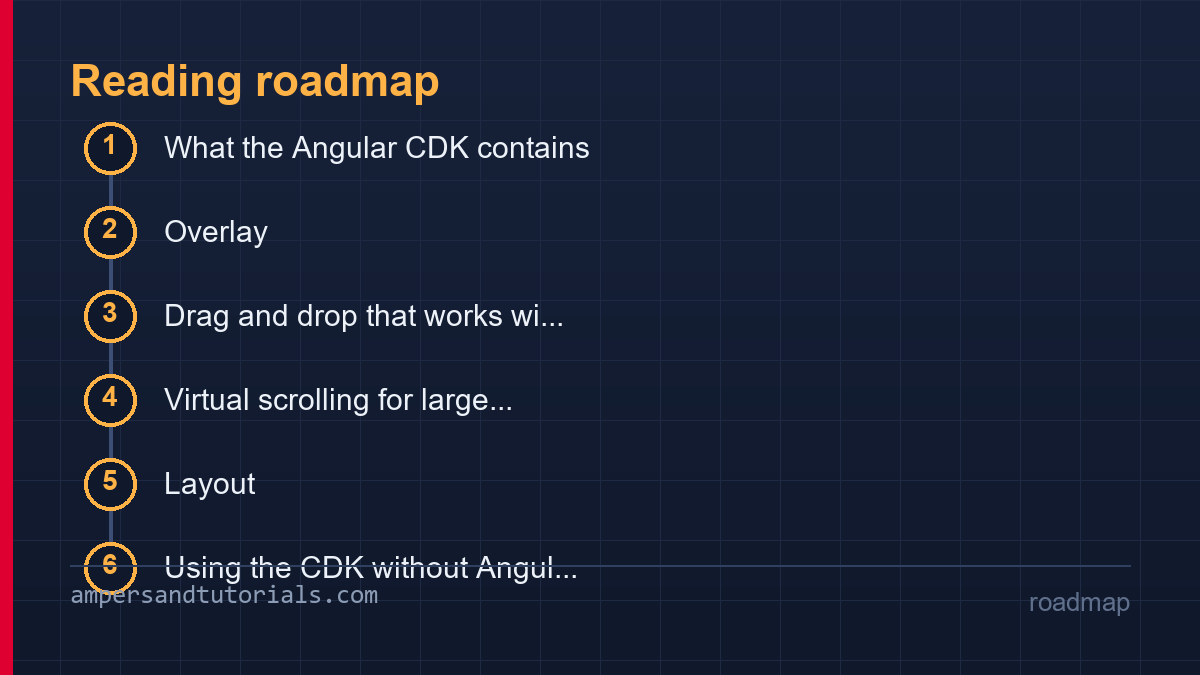
What the Angular CDK contains
The Component Dev Kit is Angular’s layer of hard problems, delivered as independent modules with no visual design attached. Each module solves one behaviour that is deceptively difficult to hand-write: @angular/cdk/overlay positions floating panels and keeps them on screen; @angular/cdk/drag-drop handles pointer capture, sorting and autoscroll; @angular/cdk/scrolling renders only the visible window of a huge list; @angular/cdk/layout exposes responsive breakpoints as observables; @angular/cdk/a11y provides focus traps, live announcements and font sizing; @angular/cdk/table renders rows without owning their styling; @angular/cdk/text-field auto-grows inputs; @angular/cdk/experimental holds what has not stabilised yet.
The design principle explains why the CDK exists separately from Material: the CDK owns behaviour, your CSS owns appearance. Material is the CDK plus a design system, and a team that wants its own visual identity still needs the behaviours underneath — which is exactly what the CDK ships unstyled. The layered argument appears in the Angular Material guide; this article goes one level down, into the primitives themselves and when to use each one directly.
The Angular CDK is also where most of Angular’s own hard UI problems were solved first: the overlay beneath Material’s menus is the same overlay you import, and the focus trap inside Material’s dialog is the same class the CDK exposes. Using it directly means the behaviours you depend on are the ones the framework team maintains and tests against every release, rather than a local reimplementation whose edge cases are discovered by users. That is the quiet argument for reaching for the Angular CDK before writing the clever version yourself.
Overlay: popups without position bugs
Positioning a floating panel sounds trivial until the panel nears an edge: it must flip above the trigger when there is no room below, shift along the edge when it overflows sideways, stay glued while the page scrolls, and move with the trigger inside a scrolling container. The CDK’s overlay implements that as a reusable service. A connected position strategy computes the gap, the allowed sides and the fallbacks; repositioning runs automatically on scroll and resize.
import { Overlay, ConnectionPositionPair } from '@angular/cdk/overlay';
import { ComponentPortal } from '@angular/cdk/portal';

const positions: ConnectionPositionPair[] = [
  { originX: 'start', originY: 'bottom', overlayX: 'start', overlayY: 'top' },
  { originX: 'start', originY: 'top',    overlayX: 'start', overlayY: 'bottom' },
];

const strategy = this.overlay.position()
  .flexibleConnectedTo(trigger)
  .withPositions(positions)
  .withPush(false);

this.overlay.create({
  positionStrategy: strategy,
  hasBackdrop: true,
  backdropClass: 'cdk-overlay-transparent-backdrop',
}).attach(new ComponentPortal(MenuComponent));
The same service gives you the pieces a menu cannot skip: a backdrop click to dismiss, escape-key closing through the CDK’s keyboard dispatcher, scroll strategies that close, block or reposition, and z-index management so stacked panels come to front in click order rather than source order. The overlay container is a single element appended to body, which is also what lets popups escape a parent’s overflow: hidden — the classic bug that hand-rolled absolute positioning never escapes. The dialog and menu components in Material are thin wrappers over this exact service, so learning it once explains their behaviour and makes custom surfaces behave identically.
Two configuration decisions come up on every project. First, the backdrop: a dimmed backdrop signals a modal flow that must be resolved, while a transparent one suits an autocomplete panel that should dismiss on the next click — and the CDK takes it as a class rather than a boolean, so the look stays in your stylesheet. Second, the panel’s own lifecycle: attach a ComponentPortal and destroy the overlay reference on close, and focus returns where the CDK recorded it; skip that cleanup and the next Tab lands at the top of the document, which is the most-reported overlay bug in every codebase that hand-manages panels.
Drag and drop that works with scroll and touch
Hand-written drag and drop breaks on the second requirement nobody thinks about: the list scrolls while you drag near its edge, and on touch devices the pointer events that mouse code relies on become a fight with scrolling. The CDK’s drag-drop directive handles both — pointer capture keeps the drag alive when the cursor leaves the element, an autoscroll kernel scrolls the nearest scrollable ancestor at the edges, and the touch-start delay is tuned so a drag does not swallow a scroll gesture.
<div cdkDropList
     [cdkDropListData]="tasks"
     (cdkDropListDropped)="onDrop($event)">
  <div cdkDrag cdkDragHandle @for (task of tasks; track task.id) {
    {{ task.title }}
  </div>
}

onDrop(event: CdkDragDrop<Task[]>) {
  this.tasks = moveItemInArray(this.tasks,
    event.previousIndex, event.currentIndex);
}
Three details separate a production drag list from a demo. First, the drop handler must replace the array reference rather than reorder it in place — the same immutability rule that governs OnPush change detection, covered in the change detection guide; mutate in place and the DOM and data quietly diverge. Second, dragging is only half an interaction: keyboard users need a move alternative, and a drag handle without one excludes them — a small set of buttons or arrow-key moves on the focused item closes the gap. Third, cross-container drags between two lists work with the same directive, which is where most custom implementations give up.
The preview pattern is the other half of a believable drag. cdkDragPreview renders what follows the pointer — a card, a ghost row, a count badge — while cdkDragPlaceholder marks where the item will land, and together they are what makes reordering legible instead of mysterious. Keep the preview lightweight: it re-renders on every pointer move, and a preview carrying a heavy template turns a smooth gesture into a stutter on exactly the hardware that reorders lists most. The Angular CDK ships sensible defaults, so adopt them before customising.
Virtual scrolling for large lists
A thousand DOM rows is a slow page; a hundred thousand is a crashed tab. Virtual scrolling keeps only the visible window in the DOM: the scroller knows the total size from an item size estimate, renders the visible range plus an overscan margin, and swaps rows in and out as you scroll. The CDK’s cdk-virtual-for does this with the same template syntax as @for.
<cdk-virtual-scroll-viewport itemSize="48" class="viewport">
  <div *cdkVirtualFor="let row of rows$ | async">{{ row.name }}</div>
</cdk-virtual-scroll-viewport>
The trade-offs are specific and worth knowing before adopting it. Variable-height rows need accurate measurement or the scrollbar jumps; the viewport needs a fixed height from CSS, so it does not belong inside a page that scrolls — it replaces that scroll. Text selection across the boundary breaks, and scroll-to-index behaves differently when items load asynchronously.
Keyboard navigation and screen-reader announce behaviour are handled through the a11y hooks, but they require the rows to be focusable, which is a template decision you make. The honest rule: virtual scrolling belongs in data tools — tables, pickers, logs — where the list is homogeneous and long, and is a liability in content lists where each item is rich and the list is short enough not to need it.
Layout, accessibility and the data table
Three smaller modules round out the day-to-day CDK. BreakpointObserver from the layout module exposes the same named breakpoints the components use as an observable, so one shared definition of “small screen” drives the template — the pattern the Material guide uses for responsive layouts works identically here without Material. The text-field module auto-grows a textarea to its content, handling the measurement loop that hand-written versions get wrong on font load and IME input.
The a11y module is the one that quietly saves the most work. FocusTrap keeps keyboard focus inside dialogs; LiveAnnouncer narrates asynchronous updates — “3 results loaded” — to screen readers, which otherwise hear nothing when a list refreshes; InteractivityChecker reports whether an element is actually focusable, catching the invisible-focus bug that display: none on a focused element produces. These are the guarantees Material ships by default; using the CDK directly means taking them on yourself rather than losing them to a custom component.
The CDK table deserves its own sentence because it is the least obvious module: it owns column logic, header and row templates, sorting, pagination and sticky columns while owning no CSS at all. You supply row data and cell templates, style the emitted structure, and get the hard part — consistent behaviour when columns reorder, when rows are replaced by a stream, when pagination resets — for free.
Accessibility in the Angular CDK is opt-in at the edges but structural underneath. The primitives assume semantic markup you provide — real buttons, real list items, labels that point at controls — and then add the mechanics that hand-written components forget: focus trapped in the dialog and restored on close, table updates announced through a live region, disabled states that actually block pointer and keyboard input rather than only looking disabled. The a11y module cannot make a badly structured interface accessible, but it reliably makes a correctly structured one behave the way assistive technology expects.
Using the CDK without Angular Material
The CDK installs and imports independently: ng add @angular/cdk adds the package and no visual components come with it. Import from the specific entry point — @angular/cdk/overlay, @angular/cdk/drag-drop — and tree-shaking keeps unused modules out of the bundle, which is the reason each behaviour lives in its own file rather than one barrel. An application with an existing design system gets keyboard, positioning and scroll correctness without adopting Material’s look; an application using both uses one overlay service, so a Material dialog and a custom CDK menu stack in the right order.
Version discipline is the operational note. The CDK ships with Material on the same release train, and the overlay’s DOM structure, though not its API, is what many custom styles target — style the panel component you provide, not the container the CDK owns. APIs marked experimental in the entry point can change between minors; the modules above are all stable. Because the CDK is a dependency like any other, the upgrade habits in the performance and deployment guide — lock the version, run schematics in one commit, check the changelog for the modules you import — apply unchanged.
The official Angular CDK documentation is organised by module and is unusually worth reading in full: each page lists the directives, the services and the accessibility contract in one place. Read the module page once when adopting it and again when upgrading, because the Angular CDK adds behaviour — new scroll strategies, new drag options, new a11y hooks — far more often than it breaks it, and a team that only ever copies the first snippet never sees the option that would have replaced forty lines of custom logic.
Testing CDK interactions
CDK components are testable without a browser-specific harness for most behaviours, because the hard parts are deterministic logic. An overlay test asserts the created portal and the computed position; a drag test dispatches pointer events on the handle and asserts the drop callback’s indices; a virtual scroll test sets the viewport’s scroll offset and asserts which items rendered. The interaction tests worth writing are the edge cases the CDK exists for: the flip when space runs out, the autoscroll near the boundary, the keyboard path that mirrors each drag.
The timing detail that makes drag tests reliable: dispatch the full pointer sequence — down, moves, up — through the CDK’s dispatchers rather than synthetic mouse events on the element, because pointer capture re-targets events mid-drag and a test that skips capture passes while the real interaction fails. For overlay tests, avoid asserting pixel coordinates; assert the chosen position pair — “flipped to above” — which is stable across viewport sizes, unlike a pixel offset that a CI window resizes.
The testing and debugging guide has the surrounding TestBed patterns. The one CDK-specific habit to add: put one e2e test on each interactive primitive — dialog traps focus, list reorders by keyboard, viewport scrolls to index — because those are the guarantees users feel immediately and the ones a refactor of the underlying module is most likely to break silently.
One more layer worth automating is the responsive one. The same BreakpointObserver that drives the template can drive the test: drive the fixture at handset width and at web width, then assert that the Angular CDK component you rendered changed with it — the drawer switched to over-mode, the table became a card list, the menu became a bottom sheet. Layout regressions from a CDK upgrade show up exactly there, and a screenshot-free assertion on structure survives every visual redesign the project will ever have.
For projects that combine overlays from different sources, the key rule is single ownership. One OverlayManager across the app, so stacking a Material dialog and a custom CDK modal never queues one behind another out of order. Reuse the same backdrop class even when the modal is custom, because the CDK applies its class to the container, not your component, and inconsistent dismissal semantics follow from inconsistent containers. The framework team maintains pointer-event handling, scroll position and z-index together, so a second service reimplementing any of them inherits the bug users discover months after release.
To learn Angular properly with a mentor, Ampersand Academy teaches web development one-to-one.
New to Angular? Build the fundamentals first in the free 14-part Angular course, then come back to this guide for the deeper material.
Module boundaries matter at import time. Importing from @angular/cdk/overlay pulls only overlay code; importing from a barrel file that re-exports everything can drag in drag-drop, scrolling and accessibility modules that nothing in the bundle uses. Tree-shaking works at the entry-point level, so the import path is the first optimization decision an Angular CDK consumer makes. The measurement is quick: build the application, look at the bundle report, and check whether the drag-drop chunk grew when a menu was added. A surprising chunk size is usually a single wrong import statement.
One pattern worth adopting early: a single CDK overlay service provided in root. Multiple overlay instances created independently stack unpredictably – z-index fights, backdrop conflicts and focus traps that trap the wrong element. One service, configured once, keeps every floating panel consistent whether it came from Material or from a custom directive, and it keeps the dismissal semantics identical across the application. The same reasoning applies to the other CDK services: one virtual scroll strategy configuration, one a11y module configuration, one set of drag-drop defaults, all provided at the root rather than re-declared per feature.
Frequently asked questions
Do I need Angular Material to use the CDK?
No. The CDK installs and imports on its own and ships no styled components. Material is the CDK plus a design system, so you can take the behaviours — overlay, drag-drop, virtual scrolling, a11y — and supply your own CSS.
What is the difference between the CDK and Angular Material?
The CDK provides unstyled behavioural primitives: positioning, focus management, drag gestures, scrolling windows. Material provides styled, themed components built on those primitives with a consistent visual design.
When should I use cdk-virtual-scroll?
When a homogeneous list renders enough rows to hurt — thousands of rows in a table, picker or log. It needs a fixed-height viewport and stable item sizes, and is unnecessary for short or richly varied content lists.
Does the CDK handle accessibility for me?
It handles the mechanics: focus traps, live-region announcements, interactivity checks and keyboard dispatch. You still supply semantics — roles, labels and keyboard alternatives such as a non-drag move path for reorderable lists.
Is the Angular CDK tree-shakable?
Yes. Each behaviour is a separate entry point, so importing only @angular/cdk/overlay keeps drag-drop and scrolling code out of the bundle. Import from the specific module, not a broad barrel.
Last updated on · Written by Dinesh Kumar R
