
Quick answer: TypeScript modules follow the standard ES module format — one file, explicit import and export — and that is what you should use for application code. Namespaces are a legacy TypeScript construct for grouping code without a module system; the old module Foo {} syntax has been renamed to namespace Foo {} and namespaces are now discouraged for new code. Use import type for type-only imports.The sections below cover TypeScript modules in practice: import type, why TypeScript modules replaced namespaces, and how to organise a project so the module graph stays readable.

Table of Contents

ES modules are the default
A TypeScript file with a top-level import or export is a module, and it gets its own scope. Everything works exactly as in the JavaScript modules guide, with types layered on.
// models/order.ts
export interface Order { id: number; total: number; }

export function applyTax(order: Order, rate = 0.2): Order {
  return { ...order, total: order.total * (1 + rate) };
}

// checkout.ts
import { applyTax, type Order } from "./models/order";

const order: Order = { id: 1, total: 40 };
console.log(applyTax(order));
import type keeps types out of the bundle
An import that exists only for typing should be marked so the compiler erases it entirely. This matters for bundle size and for avoiding a runtime import of a module you only needed a type from.
import { type ApiResponse } from "./api";        // inline marker
import type { User } from "./models/user";       // whole-statement form

export type { User };                            // re-export a type
With the compiler option verbatimModuleSyntax enabled — the default in current project templates — this distinction is enforced rather than optional. It makes the emitted JavaScript match what you wrote, so a type import can never accidentally become a real one.
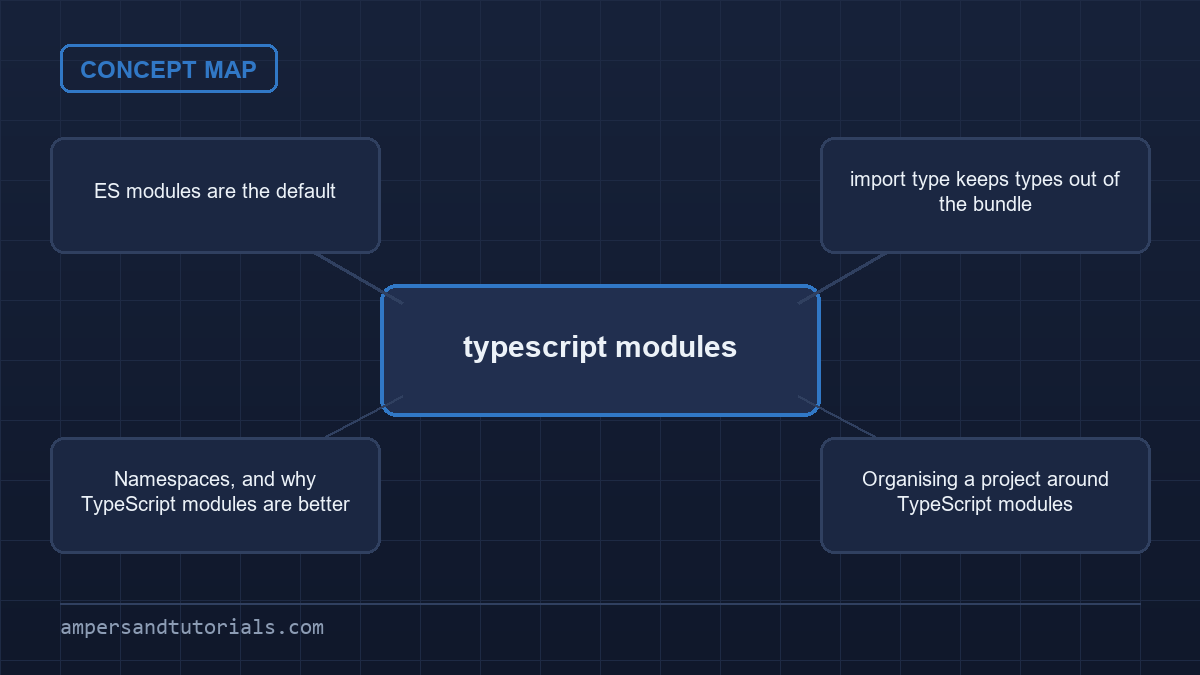
Namespaces, and why TypeScript modules are better
Before ES modules were standard, TypeScript offered namespaces to group related code inside one global scope. They still compile, but they fight the toolchain: bundlers, tree-shaking and modern editors all expect modules.
// legacy style — avoid in new code
namespace Validation {
  export const isEmail = (s: string) => s.includes("@");
}

Validation.isEmail("a@b.com");

// modern equivalent — just use a module
// validation.ts
export const isEmail = (s: string) => s.includes("@");
One important syntax change: the old form module Foo { ... } to declare an internal namespace was removed in TypeScript 7. If you maintain older code, rename it to namespace Foo { ... }. Note that a different construct, the ambient declaration declare module "some-package", is unrelated and still valid — it describes the shape of an external library.
Organising a project around TypeScript modules
- One concept per file — a type and the functions that operate on it can share a file; two unrelated features should not.
- An index barrel per folder — re-export the public API so imports stay short and only intended symbols are reachable.
- Mark type-only imports — use
import typeso nothing unnecessary reaches the bundle. - Keep dependency direction one way — shared types at the bottom, feature code above them.
// models/index.ts
export type { User } from "./user";
export type { Order } from "./order";

// anywhere
import type { User, Order } from "./models";
Next: the tsconfig guide. To learn TypeScript properly with a mentor, Ampersand Academy teaches web development one-to-one.
Module resolution modes in TypeScript modules
Selecting an appropriate module resolution algorithm represents a fundamental architectural decision when configuring modern web projects. When configuring modern projects, understanding how TypeScript modules interact with host runtimes is vital for build stability. The compiler relies on the module resolution setting to translate bare specifiers and relative file paths into concrete files on disk. Misconfigured resolution algorithms cause baffling compilation errors, broken editor autocompletion, and phantom runtime crashes when executed in production environments.
Bundler mode versus NodeNext settings
The compiler provides two primary resolution strategies for modern systems: bundler and NodeNext. The bundler strategy models the behavior of modern bundlers like Vite, Webpack, and esbuild. Under this mode, the compiler understands that another tool will assemble the final output, permitting flexible path structures and extensionless imports. Frontend applications targeting browser bundles benefit directly from this setting, matching the resolution rules that developers expect in component-driven client architectures.
Conversely, the NodeNext setting reflects standard Node.js runtime behavior with strict fidelity. Under NodeNext, the compiler enforces modern ECMAScript module specifications established by the Node.js core team. Every relative import statement must explicitly include a file extension, typically .js, even inside TypeScript source files. This strictness ensures that your typescript modules emit valid paths that native Node runtimes can execute directly without intermediate bundling or path rewriting tools.
// tsconfig.json
{
  "compilerOptions": {
    "module": "NodeNext",
    "moduleResolution": "NodeNext",
    "target": "ES2022",
    "verbatimModuleSyntax": true
  }
}
// tsconfig.json
{
"compilerOptions": {
"module": "NodeNext",
"moduleResolution": "NodeNext",
"target": "ES2022",
"verbatimModuleSyntax": true
}
}
Selecting between these resolution strategies depends entirely on the deployment target of your project. If you are building a standalone application packaged by Vite or Next.js, bundler provides a smooth development workflow. However, if you are developing a reusable library, a server-side microservice, or a command-line utility executed directly by Node.js, NodeNext is essential. It prevents publishing packages that look functional during development but fail immediately upon installation by downstream users.
Migrating older codebases away from legacy settings like node10 or classic requires deliberate attention to path resolution rules. Legacy algorithms relied heavily on automatic directory index resolution and extension guessing, behaviors that native runtimes no longer support. Updating configuration files guarantees that compilers parse typescript modules under standard rules, highlighting incorrect paths during editing rather than causing runtime crashes during container initialization or continuous integration testing.
Handling circular dependencies in TypeScript modules
Circular dependencies arise when two or more files directly or indirectly depend on one another to complete their execution. While the compiler tolerates circular references across type annotations, cycles between typescript modules represent a subtle runtime trap. ECMAScript modules evaluate imported bindings dynamically through live references. When module initialization encounters an unresolved mutual reference, imported variables remain uninitialized in the temporal dead zone, producing silent bugs or sudden runtime exceptions.
Detecting cycles before production runtime failures
Consider an enterprise application where an invoice entity references an account record, while the account record aggregates a list of historical invoices. If both classes reside in distinct files and import each other directly as runtime values, JavaScript execution order dictates which class remains uninitialized during bootstrap. The resulting error, typically complaining that a class constructor or prototype property is undefined, often points to a benign line of code rather than the cyclic import causing the fault.
// types.ts - isolated interface layer
export interface AccountReference {
  id: string;
  ownerName: string;
}

export interface InvoiceReference {
  invoiceId: string;
  totalCents: number;
}
// types.ts - isolated interface layer
export interface AccountReference {
id: string;
ownerName: string;
}export interface InvoiceReference {
invoiceId: string;
totalCents: number;
}
The most resilient architectural pattern extracts shared domain contracts into a dedicated, lower-level definitions file. By refactoring coupled typescript modules into layered architectures, concrete implementations depend strictly downward toward pure interfaces. When runtime classes only import interfaces using import type, the compiler eliminates cyclic value references completely at compile time, preserving clean runtime execution order without circular evaluation deadlocks.
Another practical technique employs event dispatchers, dependency injection, or service registries to decouple direct file dependencies. Instead of having two domain services import each other directly, services register their instances with an application context during startup. Static analysis tools inspect typescript modules to find recursive imports automatically, allowing development pipelines to fail builds early when newly introduced imports form unintentional graph cycles across directories.
- Use the Madge static analysis tool to visualize cyclic import chains across your source directory.
- Enable ESLint import plugin rules to prohibit cyclic dependencies during everyday development linting.
- Separate shared interfaces from concrete business logic implementations into dedicated leaf files.
- Replace mutual class instantiations with parameter-based dependency injection or factory patterns.
Runtime file extensions and the NodeNext algorithm
One of the most frequent surprises for developers adopting modern standards is the requirement to write .js extensions inside TypeScript source files. Under modern Node.js module resolution, mandatory extensions in typescript modules surprise developers transitioning from older setups. TypeScript does not rewrite import paths during compilation. If your source code contains an import specifier ending in .js, the emitted JavaScript retains that identical specifier verbatim in the build output.
The compiler solves this design challenge through a reverse resolution mapping mechanism. When the type checker encounters an import statement pointing to ./service.js, it inspects the local filesystem for ./service.ts, ./service.tsx, or ./service.d.ts. Writing the .js extension satisfies the future runtime requirements of Node.js while allowing the compiler to find the corresponding TypeScript source file during development. Omitting the extension causes Node.js to throw an unhandled module resolution error at runtime.
File extensions also communicate module format when working in dual-format environments. Files ending in .mts always compile to .mjs ECMAScript modules, while .cts files compile to .cjs CommonJS modules. This distinction allows precise control when emitting typescript modules for native Node execution, regardless of the overarching package configuration specified in the root package.json file. Developers can mix formats within a single repository when legacy interoperability demands it.
Complex monorepos and multi-target applications must align their extension conventions across all packages. Using path aliases in combination with extension rules requires careful configuration in tsconfig.json using the paths and rootDirs options. When modern transpilation pipelines consume typescript modules across environments, explicit relative extensions guarantee predictable loading without relying on environment-specific resolution hacks or magic bundler plugins.
To eliminate developer friction, configure your code editor to append file extensions automatically during auto-import operations. In modern editors, adjust the editor import specifier preference to use explicit file extensions. This configuration ensures that every automatically generated import conforms immediately to ECMAScript standard requirements, saving developers from manually editing import paths during daily coding tasks.
Dual-package hazards in modern library distribution
Library authors frequently distribute packages designed to support both CommonJS and ECMAScript module consumers. While modern package managers facilitate this hybrid approach, shipping reusable typescript modules as hybrid packages introduces the dual-package hazard. This issue occurs when an application inadvertently loads both the CommonJS version and the ECMAScript version of the same library simultaneously into memory, duplicating singletons and breaking internal state guarantees.
The root cause of this failure stems from separate module caches inside the Node.js runtime environment. When consumers importing typescript modules from separate entry points access different distribution files, each version evaluates independently. Any module-level state, such as database connection pools, global configuration registries, or symbol-based identity checks, gets instantiated twice. An instanceof check performed across these module boundaries will evaluate to false unexpectedly, creating obscure bugs that resist simple debugging.
// package.json
{
  "name": "my-shared-library",
  "type": "module",
  "exports": {
    ".": {
      "types": "./dist/index.d.ts",
      "import": "./dist/index.js",
      "require": "./dist/index.cjs"
    }
  }
}
// package.json
{
"name": "my-shared-library",
"type": "module",
"exports": {
".": {
"types": "./dist/index.d.ts",
"import": "./dist/index.js",
"require": "./dist/index.cjs"
}
}
}
Solving this hazard requires strict adherence to modern export map rules within package.json. Notice the ordering of keys in the exports map: the types condition must always appear first. If placed after import or require, earlier compiler versions might ignore the type definitions entirely. Furthermore, wrapper patterns allow the CommonJS distribution to delegate directly to the ESM build, preventing dual-state duplication across varied consumer environments.
When constructing libraries that store runtime singletons, consider extracting stateful components into a dedicated, format-neutral wrapper or relying on global symbols. Proper isolation ensures that isolating state within typescript modules avoids duplicate instances across complex dependency trees. Verifying your published package using tools like publint and @arethetypeswrong/cli catches misconfigured export conditions before releasing code to public registries.
Testing library distributions against realistic consumer environments represents a crucial final verification step. Maintain small, automated test packages within your repository: one configured as a standard CommonJS project and another configured as a native ECMAScript application. Running integration tests against these mock consumers verifies that export maps, type definitions, and runtime behaviors behave identically regardless of how downstream developers consume your package.
Augmenting external declarations without namespaces
Real-world applications frequently need to extend types defined in third-party packages or ambient libraries. Developers historically relied on namespaces or global declarations for this purpose, but extending third-party typescript modules through declaration merging provides a cleaner, scoped alternative. Module augmentation allows you to append new properties to existing interfaces without modifying upstream source files or polluting global scopes.
A frequent use case involves appending contextual data to request objects in server frameworks like Express, Fastify, or Koa. By opening the target module scope using declare module, you can merge custom properties into vendor interfaces. The compiler merges these interface declarations seamlessly, granting autocomplete and type safety throughout your request handlers while keeping the underlying module graph intact and maintainable.
To execute module augmentation correctly, your declaration file must contain at least one top-level import or export statement. Adding an empty export {} statement marks the file as an external module rather than an ambient global script. This critical distinction ensures that custom typings patch typescript modules without modifying sources, preventing accidental contamination of unrelated global types across the wider compilation context.
Organizing these augmentations requires a disciplined directory structure within your repository. Place custom typings in a dedicated directory, such as src/types/express.d.ts, and ensure that your tsconfig.json includes this directory within its include array. Storing augmentations alongside related application domains prevents obscure build failures when project structures evolve or dependencies update across major releases.
When augmenting ambient declarations, avoid modifying external function signatures or deleting exported members. TypeScript allows additive interface merging, but it strictly prohibits removing properties or altering existing method parameter contracts. Respecting this constraint ensures that your augmentations remain compatible with future upstream package revisions and peer dependencies installed across your organization.
For shared internal monorepos, document your augmentations clearly so other engineers understand why specific properties exist on third-party structures. Maintaining clear comments above augmented properties prevents accidental collisions when different teams introduce conflicting extensions to identical third-party library interfaces.
Dynamic imports and performance optimization patterns
Static import statements evaluate immediately during application initialization, which can slow startup times if non-essential dependencies load prematurely. Modern applications resolve this by utilizing dynamic import() expressions. Implementing lazy loading dynamic typescript modules reduces initial payload sizes significantly, enabling browsers and serverless runtimes to download and parse specialized routines only when an active workflow explicitly requests them.
Dynamic imports return a standard JavaScript Promise resolving to the module namespace object. In TypeScript, the return type automatically reflects all exported members from the target file. By deferring typescript modules until user interaction triggers execution, heavy analytical libraries, complex math engines, or rarely visited administrative screens remain out of the critical rendering path, improving Core Web Vitals and lowering memory overhead.
Typing dynamically loaded modules without eagerly importing their runtime code requires the typeof import() construct. This utility captures the full static shape of a module at compile time without generating an emitted JavaScript import statement. Combining this syntax with utility types like Awaited provides full type checking for asynchronously resolved service factories and pluggable plugin architectures.
Bundlers leverage dynamic import boundaries to split JavaScript output into discrete chunks. When architecting large typescript modules with lazy boundaries, group related features so that child components download together in a single request. Poorly planned dynamic imports can lead to network waterfalls where cascading chunks trigger sequential round-trips, negating the performance benefits of code splitting.
For serverless environments, dynamic imports offer substantial cold-start performance optimizations. Cloud functions can defer database drivers and external API clients until an incoming HTTP request routes to a specific handler. This modular design keeps memory footprints lean, accelerates boot times, and minimizes resource consumption across distributed container environments.
Monitoring bundle composition over time prevents accidental size regressions. Incorporate automated bundle analysis tools into your deployment pipelines to inspect output chunks during pull request reviews. Establishing strict bundle budgets ensures that lazy loading boundaries remain effective as application features expand over successive product releases.
- Use dynamic imports for heavy utilities not required on initial page load.
- Leverage
typeof import("./module")to preserve type safety without bundling runtime values. - Preload critical asynchronous chunks during browser idle time using resource hints.
- Audit bundle boundaries regularly using visualization tools to prevent chunk fragmentation.
Frequently asked questions
Should I use namespaces in TypeScript?
No, not in new code. Use standard ES modules with import and export. Namespaces predate modules, conflict with modern bundlers and are no longer recommended.
What does import type do?
It imports a symbol for typing only, so the compiler erases it and it never appears in the emitted JavaScript. This keeps type-only dependencies out of the bundle.
What is the difference between a module and a namespace?
A module is a file with its own scope that uses import and export. A namespace is a legacy way to group declarations in a shared scope without a module system.
Can I mix declare module with namespaces?
Yes. An ambient declaration such as declare module for a third-party package describes an external library and is still valid. It is unrelated to internal namespaces, which are discouraged.
What is a barrel file in TypeScript?
An index file that re-exports a folder’s public symbols so consumers import from one path. Keep them shallow to avoid accidental circular imports and slow builds.
Last updated on · Written by Dinesh Kumar R