
Quick answer: tsconfig.json tells the compiler which files to include and how strict to be. For a new project, start from tsc --init and keep strict on. The options that matter most are target, module, moduleResolution, strict, verbatimModuleSyntax and skipLibCheck. Current TypeScript deprecates target: es5 and moduleResolution: node10.
Table of Contents
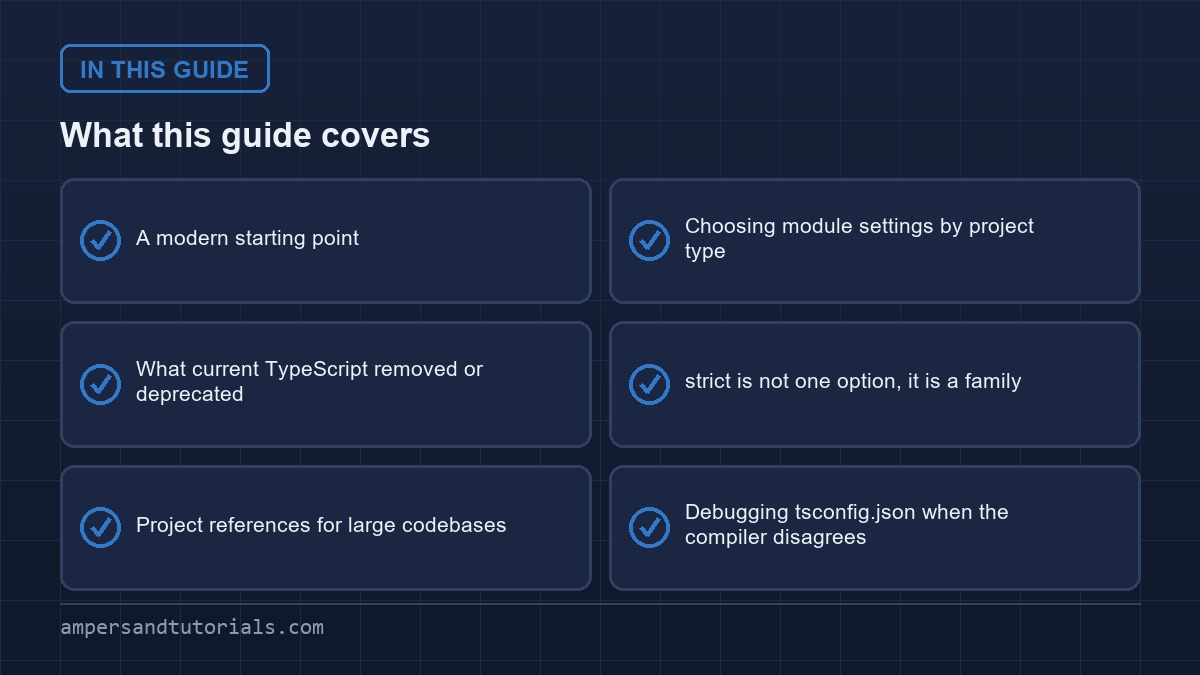
A modern starting point
{
  "compilerOptions": {
    "target": "es2022",
    "module": "preserve",
    "moduleResolution": "bundler",
    "strict": true,
    "verbatimModuleSyntax": true,
    "skipLibCheck": true,
    "noUncheckedIndexedAccess": true,
    "noEmit": true
  },
  "include": ["src"]
}| Option | What it does |
|---|---|
target | The JavaScript version emitted — es2022 or later today |
module | The module syntax; preserve for bundlers, nodenext for Node |
moduleResolution | How imports are resolved; bundler for bundled apps |
strict | Turns on the whole family of strict checks |
verbatimModuleSyntax | Honours import type exactly as written |
noEmit | Type-check only; let the bundler emit JavaScript |
Choosing module settings by project type
There is no single correct pair. The right answer depends on how the code runs.
// bundled browser app (Vite, Angular, Next.js)
{ "module": "preserve", "moduleResolution": "bundler" }

// Node.js app or library
{ "module": "nodenext", "moduleResolution": "nodenext" }
bundler lets you write extensionless imports the way a bundler expects. nodenext models Node’s real rules, including that ESM imports need a file extension. Picking the wrong one produces a flood of “cannot find module” errors that look like a broken install but are really a configuration mismatch.
What current TypeScript removed or deprecated
target: "es5"anddownlevelIteration— deprecated, and unsupported in TypeScript 7. Target ES2022 or later.moduleResolution: "node"(node10) — deprecated in favour ofbundlerornodenext.baseUrl— deprecated; writepathsrelative to the config file instead.module: "amd" | "umd" | "systemjs" | "none"— no longer supported. Use a bundler for bundling.import x from "./f" assert { type: "json" }— theassertskeyword is replaced bywith.
If your config contains any of these, expect errors after upgrading. They are migration items, not bugs.
strict is not one option, it is a family
strict: true switches on several checks at once, most importantly strictNullChecks, which is what makes undefined a type you must handle. Two additions beyond the preset are worth turning on:
{
  "compilerOptions": {
    "strict": true,
    "noUncheckedIndexedAccess": true,   // arr[0] is T | undefined
    "noImplicitOverride": true,         // require the override keyword
    "exactOptionalPropertyTypes": true  // distinguish missing from undefined
  }
}
noUncheckedIndexedAccess is the strictest of the three and the one people turn off first, because it forces a check before using any indexed access. On a new project, leave it on: it prevents the most common runtime crash in JavaScript, reading a property of undefined.
Project references for large codebases
For a monorepo, split the config into a base file and per-package files that extend it, then use references so the compiler builds packages in dependency order and caches results.
// tsconfig.json
{ "extends": "./tsconfig.base.json",
  "references": [{ "path": "./packages/ui" }] }

// packages/ui/tsconfig.json
{ "extends": "../../tsconfig.base.json",
  "compilerOptions": { "composite": true, "outDir": "dist" } }
That completes the TypeScript track. To learn TypeScript and Angular properly with a mentor, Ampersand Academy teaches web development one-to-one.
Debugging tsconfig.json when the compiler disagrees
Start by finding which tsconfig the compiler actually used. TypeScript projects rarely have one file: a solution-style root may only list project references, while each package carries its own compiler options, and editors occasionally pick a different file than the build does. Running the compiler with the explain flag prints the resolved configuration for the files you pass, and that single command ends most arguments about why an option has no effect. Once you know the real tsconfig.json, check whether the option you are editing is in compilerOptions, in an included file’s overrides, or simply shadowed by a nearer configuration file.
The next most common cause is scope rather than syntax. If the file being reported is outside the include list, or is being pulled in by a wildcard import from node_modules, then the options in the tsconfig apply to it only by accident, and errors you expect to see simply never fire. A quick way to confirm scope is to ask the compiler to list the files it believes belong to the program; if the file in question is missing, the problem is include and exclude rules, not the option you have been adjusting. Editors show the same signal: a file whose errors never change when you edit the tsconfig is not part of that project.
Path mapping deserves particular suspicion. paths entries are relative to baseUrl, and a mapping that resolves in the editor but not on the command line usually means the bundler’s resolver and the tsconfig disagree about aliases. Remember that path mappings are type resolution hints only; they do not move files or generate code, so a mapping that works everywhere must also be reproduced in the build tool. When a module suddenly resolves to a different file after a refactor, print the resolved path from both tools, find the tsconfig where the alias is defined, and fix it once rather than adding compensating aliases to every project file.
Strict-mode errors that appear in one file but not another are usually the incremental flags rather than strict itself. Options such as unchecked indexed access, exact optional property types and no implicit any can each be switched on independently, and they produce very different error shapes. Before relaxing a flag globally, note which rule is failing and whether a narrower fix exists: adding an explicit type at the boundary is often better than turning the check off for the whole program. A tsconfig that stays close to the generated defaults and grows flags deliberately stays understandable; one that has accumulated exceptions to pass a legacy folder does not.
Finally, keep the configuration honest as the codebase moves. Deprecations and removed options are reported at build time, and current TypeScript has already retired several settings that older tutorials recommend, so an inherited tsconfig can carry options that now warn or do nothing. When upgrading, read the release notes for the compiler options section first, update the tsconfig in one commit that contains no source changes, and verify the build before touching code. Configuration drift is invisible in review because nobody reads a tsconfig for pleasure; a small, isolated diff plus a passing build is the cheapest way to keep the file you debug today from becoming the file you fight next quarter.
Emitting types and declaration maps for published packages
Publishing a TypeScript library requires generating type declarations alongside JavaScript output so consumer projects understand your interfaces. Setting declaration to true instructs the compiler to analyze exported code and produce .d.ts files. These declaration files expose your public API contracts while stripping away internal implementation details. Consumers benefit from rapid autocompletion and compile-time validation without needing your original source tree.
Designing a clean library tsconfig ensures downstream consumers receive accurate typings without runtime overhead. When you author reusable packages, combining declaration generation with an explicit output directory keeps your generated artifacts separate from development files. This separation prevents uncompiled source files from cluttering package distributions and simplifies cleanup routines in automated release pipelines.
{
  "compilerOptions": {
    "target": "es2022",
    "module": "nodenext",
    "moduleResolution": "nodenext",
    "declaration": true,
    "declarationMap": true,
    "emitDeclarationOnly": true,
    "outDir": "./dist"
  }
}
{
"compilerOptions": {
"target": "es2022",
"module": "nodenext",
"moduleResolution": "nodenext",
"declaration": true,
"declarationMap": true,
"emitDeclarationOnly": true,
"outDir": "./dist"
}
}
Linking source code with declaration maps
Enabling declarationMap creates companion .d.ts.map files that map declaration tokens directly back to your original source files. Without declaration maps, developers navigating to your functions inside their editor land inside generated declaration stubs containing only empty interface signatures. With declaration maps enabled, modern development environments navigate directly to the original TypeScript source lines, dramatically simplifying debugging sessions across separate repositories.
Linking source code with declaration maps
Many modern deployment pipelines delegate JavaScript bundling to dedicated bundlers like Rollup, Vite, or esbuild. In those environments, set emitDeclarationOnly to true. This instructs the TypeScript compiler to emit type declarations exclusively while skipping JavaScript generation. The external bundler compiles JavaScript with optimal tree-shaking, while the compiler handles type emission without duplicating build work or causing file collision issues.
A frequent mistake in library compilation involves leaking unexported types through public function signatures. If an exported function returns a value typed by an internal interface, the compiler issues an error under strict configurations or falls back to an inlined structural shape. Always verify emitted declarations by running a test compilation against the generated output directory before publishing packages to external registries.
Accelerating builds with isolated declarations in tsconfig
Large monorepos and growing codebases frequently struggle with slow type checking during iterative development. Traditionally, the compiler must resolve the entire dependency tree before emitting type declarations for any single file. This monolithic process prevents parallelization across CPU cores and creates severe bottlenecks in multi-package repositories where upstream packages block downstream compilation steps.
When you enable isolated declarations in your tsconfig, the compiler verifies that every public signature has an explicit annotation. Setting isolatedDeclarations to true enforces strict constraints on all exported boundaries. By guaranteeing that every exported function, class, and variable carries an explicit type, the compiler enables third-party build tools to generate declaration files file by file in complete isolation without running a full type checker.
{
  "compilerOptions": {
    "target": "es2022",
    "module": "nodenext",
    "moduleResolution": "nodenext",
    "isolatedDeclarations": true,
    "declaration": true,
    "noEmit": false
  }
}
{
"compilerOptions": {
"target": "es2022",
"module": "nodenext",
"moduleResolution": "nodenext",
"isolatedDeclarations": true,
"declaration": true,
"noEmit": false
}
}
Adopting isolated declarations requires disciplined code habits across development teams. Common patterns that omit return types must be updated with explicit annotations:
- Exported functions must declare explicit return types rather than relying on automatic compiler inference.
- Exported constants referencing complex expressions require explicit type annotations to avoid cross-file type resolution.
- Class fields and public methods must specify definite types to maintain independent declaration emission boundaries.
While adding explicit annotations increases typing overhead upfront, the performance returns across large engineering organizations are substantial. Fast multi-threaded toolchains like oxc and swc can emit declaration files exponentially faster than the single-threaded compiler when isolated declarations are enforced. Furthermore, explicit signatures serve as clear self-documenting interfaces that prevent accidental public API changes during internal refactoring.
Controlling file scope with include and exclude
A disciplined tsconfig establishes unambiguous file boundaries using explicit globs. Without precise boundaries, the compiler scans surrounding directories, accidentally ingesting test fixtures, build scripts, temporary artifacts, and output folders. Restricting compilation scope to intended source directories accelerates build times, minimizes compiler memory usage, and prevents unexpected naming collisions across unrelated modules.
The include property defines directory patterns containing active source code. Specifying src/**/* ensures that all nested source files compile predictably. The exclude property acts as a filter on files matched by include, allowing you to filter out test files or temporary stubs. However, an exclusion filter does not prevent a file from compiling if an included file explicitly imports it. Understanding this import-driven resolution mechanism prevents confusion when excluded files still trigger compiler errors.
Managing external dependencies requires careful attention to default compiler behavior. By default, the compiler excludes the dependency folder, but specifying a custom exclude array completely overrides that default list. Whenever you customize the exclusion list, always list the dependency folder explicitly:
- Always include the standard dependency directory in custom exclusion arrays to prevent costly dependency crawls.
- Exclude compiled output directories such as
distandbuildto avoid circular type evaluation. - Exclude coverage reports, temporary test directories, and editor cache folders from compilation passes.
Structuring test files alongside implementation code offers great ergonomics, but compiling test files during production packaging introduces unnecessary overhead. Teams frequently create dedicated configuration files for testing environments, leaving the production configuration scoped strictly to application source files. This approach guarantees clean distribution packages while maintaining fast test execution cycles during day-to-day feature development.
Resolving import paths cleanly across build tooling
Preventing runtime import drift
Complex relative import chains such as deeply nested dot-dot navigations create brittle codebases that break whenever files move during refactoring. The compiler allows developers to establish path mappings using the paths setting, substituting friendly alias prefixes for convoluted relative directories. While path mapping improves code readability, misconfigured aliases cause severe runtime discrepancies between development and production builds.
The most critical concept to understand about path mappings is that the TypeScript compiler does not rewrite import specifiers during code emit. The compiler treats path mappings exclusively as compile-time type resolution hints. If your code compiles successfully using an alias prefix, your runtime environment or JavaScript bundler must still be configured independently to resolve that identical alias at runtime. Failing to synchronize runtime resolution leads to instant module resolution errors in production.
Aligning path aliases across both the tsconfig and the bundler config eliminates resolution discrepancies. However, modern Node environments offer a cleaner alternative through native package imports. By defining subpath imports inside the package manifest under the imports field, both Node and modern bundlers resolve internal aliases natively without custom compiler mapping hacks:
- Subpath imports defined in the package manifest work consistently across runtime engines and development tools.
- Native package imports eliminate the need to duplicate complex path mapping tables across multiple tool configuration files.
- Modern module resolution modes automatically recognize package imports, simplifying project setup.
Another common source of build failures across developer machines involves filesystem case sensitivity. Developers working on macOS or Windows might import a module with mismatched casing, and the local compiler resolves the file without incident. When that same code executes on Linux continuous integration servers, compilation halts immediately. Enabling forceConsistentCasingInFileNames prevents these failures by enforcing strict case matching across all platforms.
Organizing inheritance with a shared corporate tsconfig
Inheriting compiler options from a shared base tsconfig enforces uniform standards across repositories. As development teams scale, managing compiler configurations independently across dozens of packages leads to configuration drift, where individual repositories slowly diverge in strictness and compatibility settings. Centralizing shared options into an installable npm package or repository base file establishes a single source of truth for compiler settings across the entire organization.
The extends directive allows a configuration file to inherit settings from another configuration file or an installed npm package. Understanding how inheritance merges options prevents subtle configuration bugs. Top-level compiler options merge by replacement: properties defined in the child configuration overwrite matching properties from the base file, while unmentioned properties carry over intact. However, file inclusion settings behave differently:
- Compiler options merge on a key-by-key basis, allowing child configurations to override specific compiler flags safely.
- File scoping arrays such as
include,exclude, andfilesdo not merge; a child defining an inclusion array overrides the inherited array completely. - Relative directory paths specified inside an inherited base configuration resolve relative to the location of the base file itself.
{
  "extends": "@company/compiler-presets/base.json",
  "compilerOptions": {
    "outDir": "./dist",
    "rootDir": "./src"
  },
  "include": ["src/**/*"]
}
{
"extends": "@company/compiler-presets/base.json",
"compilerOptions": {
"outDir": "./dist",
"rootDir": "./src"
},
"include": ["src/**/*"]
}
Every project tsconfig should remain minimal by delegating common rules to shared presets. A scalable organizational pattern involves creating layered configuration presets tailored for distinct environments. A core base preset establishes strictness flags and modern ECMAScript targets. A library preset extends that base with declaration generation, while an application preset configures bundler-friendly resolution settings without emitting types.
Pinning shared configuration packages to exact versions ensures predictable rollouts when updating compiler flags. When introducing stricter compiler checks across an organization, publishing a new major version of your base package lets individual teams adopt stricter checks incrementally. This staged adoption prevents sudden build breakages across disparate repositories while keeping the overarching engineering ecosystem moving forward in unison.
Frequently asked questions
What is the most important tsconfig option?
strict, because it enables the whole family of strict checks, including treating null and undefined as types you must handle. Everything else is tuning around that.
Should I use moduleResolution bundler or node?
Use bundler for an app built by a bundler such as Vite or Angular, and nodenext for a Node.js project. The old node setting is deprecated.
What is verbatimModuleSyntax?
It makes the compiler honour your import and export statements exactly, including import type, so type-only imports are erased reliably and never leak into the bundle.
Why does my tsconfig throw errors after upgrading TypeScript?
Recent versions deprecated options such as target es5, downlevelIteration, moduleResolution node and baseUrl. Update the config to the current equivalents, such as es2022 and bundler.
What is noUncheckedIndexedAccess?
It makes indexed access return a possibly undefined type, so arr[0] must be checked before use. It prevents the most common runtime crash, reading a property of undefined.
Last updated on · Written by Dinesh Kumar R