
Quick answer: In R, the as.Date() function converts a text string into a Date object you can calculate with. Pass the character vector and set the format when dates are not in the default order, for example as.Date(‘2021-05-14′, format=’%Y-%m-%d’). Once converted, you can subtract dates to get the difference in days.
Learn how to Convert String to Date in R Programming using as Date() function in 2026. Learn about R Date Format.
Date and Time are not a normal variable type in many programming languages and attract some complexity in reading them as they stand in a type that is the string in appearance but numeric in actual calculations
We will see how the date is read in as Date type instead of string in R Language.
In R Language, the date has to be given in a certain type in order to be read into the system.
In R the date is read as YYYY-MM-DD format and no other format is read default unless and until the format of the date is mentioned in a statement.
For reading the date which is usually given in a string format which reads a slash or hyphen or period symbol which separates the year, month and day in the date format.
If we import the data from a CSV file or an excel file or a database we won’t have any issue as it will read the data as a date. But the problem comes when we do calculations and we input the data by ourselves.
The syntax for reading the date from a string in R Language is – as.date(). To be read as “as dot date of” function.
This function converts the quoted string in the quotation to a date format. The only default prerequisite for operating this function without any option is to read the default type of date i.e YYYY-MM-DD format.
The syntax for Storing date as Date type:
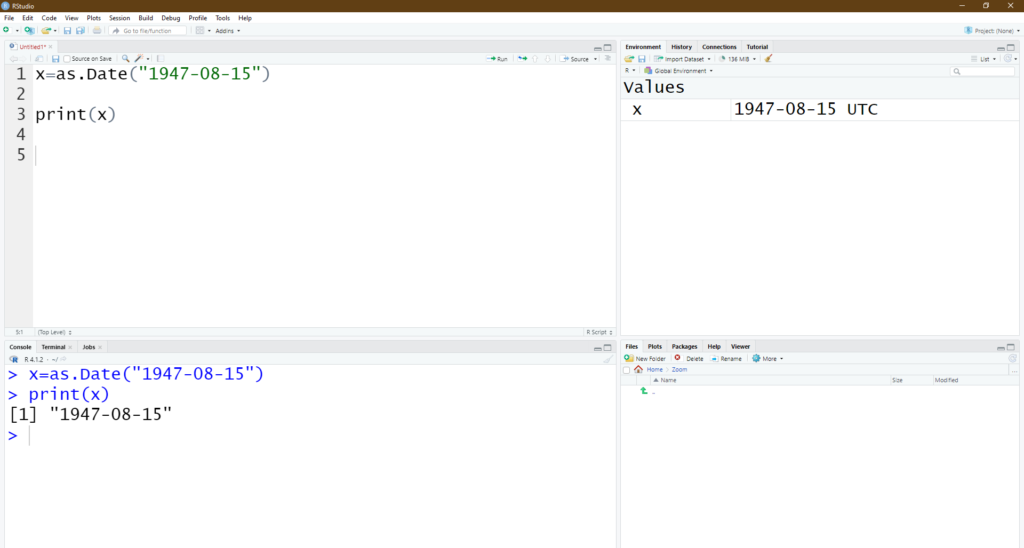
x=as.Date("YYYY-MM-DD")The variable x will be storing the date in Date format.
If we don’t give the as.Date() function and store the value in the variable it will be storing the value as string and not as a date value.
The syntax for Storing date as String type:
y=("YYYY-MM-DD")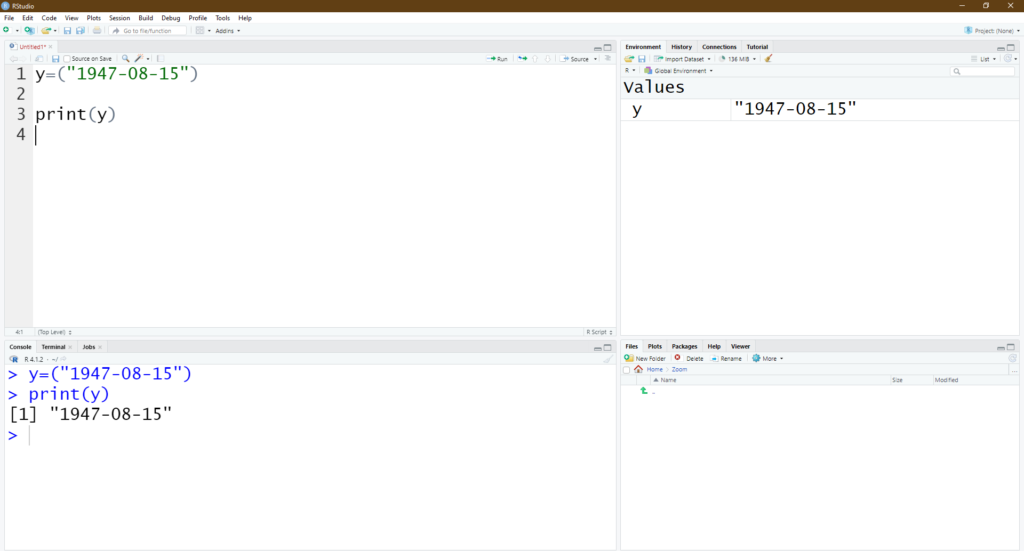
We can easily find the difference in the types of the variable by using finding the class/ type of variable.
In the Variable view of RStudio, the x Variable will be in Date Type as it will carry UTC as a suffix and the y Variable will be in between the quotes, which shows it is a string and not a numeric or date type.
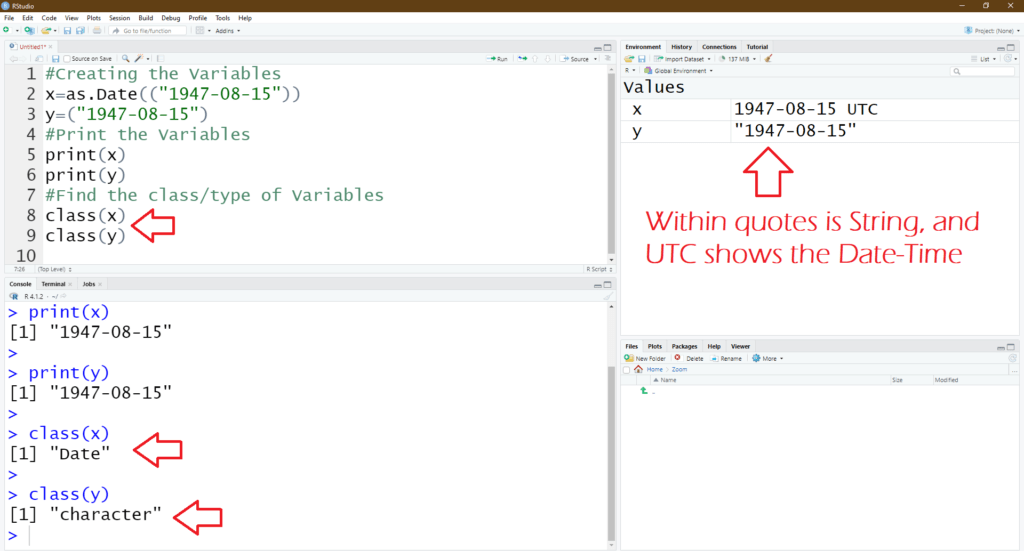
This is how we can convert the date in the string to the actual date value in R Language and we can show the type in which it is stored.
Please do check R Programming training from Ampersand Academy. Also, read about R Programming Installation and R Studio Installation
Frequently asked questions
What does as.Date() do in R?
It converts character values such as ‘2021-05-14’ into a Date object, so R can compare, subtract, and calculate differences between dates correctly.
Why does as.Date() return NA for my dates?
Usually the format string does not match your data. Check whether your dates are day-first or month-first and pass the matching format argument.
How do I calculate the difference between two dates in R?
Convert both with as.Date(), then subtract them. The result is a difftime object giving the number of days between the two dates.
Last updated on · Written by Ganesh Kumar R
