


Quick answer: Angular animations live in @angular/animations and let you declare state transitions in the component metadata rather than writing CSS keyframes by hand. You define triggers with states and transitions, bind a trigger to an element with [@triggerName]="value", and the framework animates between states, runs callbacks and respects reduced-motion preferences. Standalone apps register the provider once with provideAnimations().

Table of Contents
How Angular animations differ from CSS
CSS transitions are driven by the browser: change a class, the stylesheet says what changes, and the compositor runs it. Angular animations are driven by the framework: your component state is the source of truth, and when a bound value changes Angular computes the style diff and plays the transition, firing callbacks at start and end. That difference is the whole value proposition. Animations become part of the component’s logic, so a menu closing can delay a data fetch, a list item leaving can trigger cleanup, and a route change can coordinate two pages in one timeline.
The cost is that these animations run in JavaScript rather than purely on the compositor, so they occupy the main thread. That trade is fine for state changes, transitions between views and staged entrances, and wrong for continuous effects like spinners or parallax, which belong in CSS. Keeping that line sharp is the single most important habit in this article.
Triggers, states and transitions
A trigger is a named animation definition bound to a component property. Inside it you declare states, each a set of styles, and transitions, each a pair of style groups with timing. When the bound value matches a state’s name, the element animates to that state’s styles.
import { trigger, state, style, animate, transition } from '@angular/animations';

@Component({
  selector: 'app-notification',
  animations: [
    trigger('visibility', [
      state('shown', style({ opacity: 1, transform: 'translateY(0)' })),
      state('hidden', style({ opacity: 0, transform: 'translateY(-20px)' })),
      transition('hidden => shown', [
        animate('220ms ease-out'),
      ]),
      transition('shown => hidden', [
        animate('180ms ease-in'),
      ]),
    ]),
  ],
})
export class NotificationComponent {
  visibility = 'hidden';
}
Three conventions make triggers readable. Name states after what the user sees, not after the flag that produced them: shown and hidden survive a refactor of the underlying boolean, isOpenFalse does not. Give entering and leaving different durations, because perceived responsiveness depends on exits being faster than entrances. And use wildcard transitions sparingly — * => * is convenient during prototyping, but it hides which state pairs actually exist.
Enter, leave and element queries
State triggers animate an element that already exists. Enter and leave animations handle elements appearing in and disappearing from the DOM, which is what list add/remove and route changes need. Angular runs the leave animation first, removes the element, then inserts the new element and runs its enter animation.
trigger('listItem', [
  transition(':enter', [
    style({ opacity: 0, height: 0 }),
    animate('200ms ease-out', style({ opacity: 1, height: '*' })),
  ]),
  transition(':leave', [
    animate('150ms ease-in', style({ opacity: 0, height: 0 })),
  ]),
]),
Element queries go further, animating children when a parent changes. Toggle a boolean in the component, mark the parent with a query selector, and each matching child staggers in with a delay. This is how card grids and tab panels usually get their entrance choreography without any per-item code in the template.
Easing, duration and choreography
Timing accepts three forms: milliseconds as a number, seconds as a string, or a string combining both with an easing curve. Angular ships the standard CSS curves and accepts custom cubic beziers, so brand motion can be expressed exactly rather than approximated with named easings.
animate('300ms cubic-bezier(0.35, 0, 0.25, 1)')
animate('400ms 60ms ease-out')          // 60ms delay before start
animate('250ms', group([                // parallel within the step
  style({ transform: 'translateX(0)' }),
  animate('250ms ease-out', style({ opacity: 1 })),
]))
animate('300ms', stagger(60))           // per queried element
The rule of thumb for durations is perceptual rather than aesthetic: anything under 200 ms reads as instant feedback, 200–400 ms as a deliberate transition, and beyond 500 ms users start waiting. Stagger delays should stay under 100 ms per item, because a cascade that takes longer than half a second to finish feels broken rather than staged. Group parallel steps inside a single animate so related movements start together — a panel that slides before it fades reads as two separate events.
Route animations between pages
Route animations coordinate the outgoing and incoming routed components as one timeline. The router outlet is wrapped in a container that carries the trigger, and the trigger reads the route data to decide direction, so back navigation can mirror forward navigation automatically.
// app.component.html
<div [@routeAnimation]="getRouteAnimationData()">
  <router-outlet />
</div>

// animation definition
trigger('routeAnimation', [
  transition('* => *', [
    query(':enter, :leave', [
      style({ position: 'absolute', width: '100%' }),
    ], { optional: true }),
    query(':enter', [
      style({ opacity: 0, transform: 'translateX(32px)' }),
    ], { optional: true }),
    group([
      query(':leave', [
        animate('200ms ease-in', style({ opacity: 0, transform: 'translateX(-32px)' })),
      ], { optional: true }),
      query(':enter', [
        animate('300ms 200ms ease-out', style({ opacity: 1, transform: 'translateX(0)' })),
      ], { optional: true }),
    ]),
  ]),
]),
The optional: true flag on every query matters more than it looks. Without it, one route lacking an animated element throws a validation error and the whole navigation fails. Route data carrying an animation direction, set on each route definition, is what lets the container distinguish forward from back and flip the slide accordingly.
Performance, reduced motion and when to use CSS
- Animate transform and opacity only. Those two properties stay on the compositor; animating width, height or top forces layout and repaint on every frame.
- Use CSS for continuous effects. Spinners, shimmer skeletons, pulsing badges and hover feedback are pure style concerns and belong in stylesheets.
- Respect reduced motion. Check
window.matchMedia('(prefers-reduced-motion: reduce)')once and swap the trigger’s durations to near-zero when it matches. - Prefer animationsAsync.
provideAnimationsAsync()keeps the engine out of the initial bundle and loads it lazily, which pairs naturally with the code-splitting patterns from the performance guide. - Profile on real devices. A 60 fps animation on a desktop dev machine can drop to 20 on a mid-range phone; the DevTools performance panel with Angular’s own animation profiler is the tool for that.
Animations are interface punctuation: they explain what just happened and where things went. When an animation cannot answer that question for a user, it is decoration, and decoration belongs in a design system rather than in component logic. Keeping that standard makes every trigger in the codebase earn its place. To learn Angular properly with a mentor, Ampersand Academy teaches web development one-to-one.
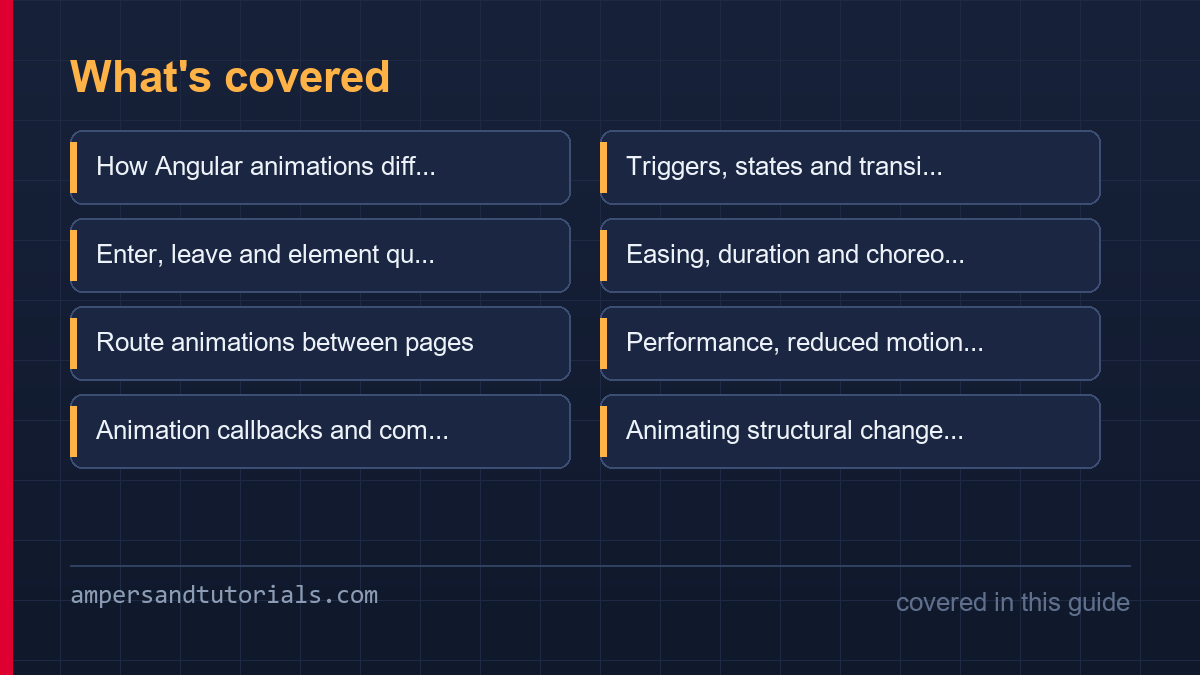
Animation callbacks and component lifecycle
Every trigger accepts start and done callbacks, which is how an animation becomes part of logic rather than decoration. A panel that must not accept input until it has finished sliding in, a list that should scroll to a newly inserted row only after its enter animation completes, or a spinner that hides itself on the done event all use the same binding. The callbacks receive the animation phase, so one handler can distinguish start from done without a second flag.
<div [@panelState]="open()"
       (@panelState.start)="onPanelStart($event)"
       (@panelState.done)="onPanelDone($event)">
  …
</div>

onPanelDone(event: AnimationEvent) {
  if (event.toState === 'open') this.focusFirstField();
}
The discipline that keeps callbacks from becoming spaghetti is to treat them as edge triggers: state at the end of a transition, never a parallel boolean that could disagree with it. A component tracking both open and panelVisible will eventually render a closed panel at full opacity during a slow frame, and the fix is always the same — one source of truth, with callbacks observing it rather than duplicating it.
Animating structural changes with control flow
Modern Angular’s control flow blocks and animations interact through the same enter and leave mechanism as the older structural directives, with one caveat worth knowing before it surprises you: an element removed by a control flow block starts leaving immediately, so the animation container must be the block’s parent, not a sibling. The pattern that works reliably wraps the list in a single container whose trigger queries the children, leaving the template free to use @for and @if without animation attributes on every row.
<div [@staggerList]="items.length">
  @for (item of items; track item.id) {
    <app-card [item]="item" />
  }
</div>

// trigger queries all children on enter/leave
trigger('staggerList', [
  transition('* => *', [
    query(':enter', [
      style({ opacity: 0, transform: 'translateY(12px)' }),
      animate('240ms ease-out', style({ opacity: 1, transform: 'none' })),
    ], { optional: true, limit: 4 }),
  ]),
]),
The limit option on the query is the detail that separates a smooth list from a frozen tab. Animating fifty simultaneous enters means fifty style recalculations in the same frames, and the limit caps the number of elements the animation actually touches, leaving the rest to snap into place. Combined with track-by identity on the loop, so Angular does not treat every re-render as a full list change, the same pattern scales from a five-item menu to a hundred-row table without further adjustment.
Testing animations deterministically
Animations and automated tests fight each other by default: a test asserting on DOM state after a click may run before a 300 ms transition finishes, producing flakes that pass locally and fail in CI. The two accepted solutions are to disable animations in the test bed entirely, which tests logic and leaves motion to visual checks, or to await the animation’s done callback explicitly, which tests the choreography itself.
// disable for logic tests
TestBed.configureTestingModule({
  imports: [NoopAnimationsModule, AppComponent],
});

// or await completion for choreography tests
const done = new Promise<void>(resolve => {
  fixture.debugElement
    .query(By.directive(...))
    .triggerEventHandler('@trigger.done', { toState: 'open' });
});
The NoopAnimationsModule runs every state change instantly while keeping the callbacks firing, so a test can still assert that the trigger was reached without waiting on frames. Whichever route a project picks, the rule is that CI must never depend on wall-clock timing; a flaky animation test gets disabled within a week, and once the suite tolerates flakes the animation regressions it was catching stop being caught at all.
A third option exists for teams with design-system support: keep animations on in integration tests that run against a real browser, where frame timing does not matter because the assertion waits for a selector rather than a duration. That layer catches what the unit suite deliberately skips — a trigger bound to the wrong element, a state name misspelled so the transition never fires — without slowing the fast feedback loop. Most projects land on all three: no-op in unit tests, browser-level checks for choreography, and manual review for whether the motion feels right, which no automated test has ever answered.
One testing detail repays the setup effort immediately: assert on state rather than on style. A test that checks the computed opacity of an element after a transition is testing the animation engine, which does not change, instead of testing your trigger wiring, which does. Assert that the component reached the state that starts the transition, or that the done callback fired with the expected value, and the test stays meaningful whether durations are 200 milliseconds or zero under the no-op player.
Finally, treat animation names as part of the public surface of the component, the same way input and output names are. A rename that misses one template reference fails silently, because an unknown trigger binding is simply ignored at runtime. Keeping trigger names in a shared constants file per feature costs almost nothing and turns that class of mistake into a compiler error instead of a motion regression that only someone clicking through the app would notice.
The last piece is a written motion spec, and it should be shorter than this paragraph. List the triggers the product uses, the durations for enter and exit, and the one easing curve per context such as overlay or inline content. When a new screen ships, the developer picks from that list instead of inventing a value, and review becomes a question of matching the spec rather than of taste. Motion specs that stay one page long get followed; motion specs that grow into style guides get skipped.
New to Angular? Build the fundamentals first in the free 14-part Angular course, then come back to this guide for the deeper material.
An Angular animations library of reusable triggers
Teams end up retyping the same fade and slide in every feature. An Angular animations library fixes that by moving triggers into a shared file where durations and easing live next to each other, so the entry animation in the dashboard is the entry animation everywhere. The component metadata stays thin: it imports the trigger and binds it, while the definition itself becomes a reviewed, versioned piece of the design system.
export const fadeSlide = trigger('fadeSlide', [
  transition(':enter', [
    style({ opacity: 0, transform: 'translateY(8px)' }),
    animate('220ms cubic-bezier(0.2, 0, 0, 1)',
      style({ opacity: 1, transform: 'none' })),
  ]),
  transition(':leave', [
    animate('160ms ease-in',
      style({ opacity: 0, transform: 'translateY(-4px)' })),
  ]),
]);
Because the definition is plain TypeScript, the Angular animations library can carry the reduced-motion policy with it. Read prefers-reduced-motion once inside the trigger, or swap the animate step for a zero-duration value, and every component using the trigger inherits the choice. That is a stronger guarantee than asking each author to remember a media query in a stylesheet they may never open.
Stagger effects are the second common request, and Angular animations handles them with child queries rather than per-item delays. A trigger that queries every row on enter can animate them in sequence with a calculated delay, while the parent lifecycle still decides when the list is allowed to move at all. Keep the stagger under half a second total: an Angular animations cascade that drags past that reads as broken, not staged.
Route transitions belong in the same place. The outlet wrapper that reads route data can import its animation from the library as well, so back navigation mirrors forward navigation because both call one shared definition instead of two hand-tuned copies. The wiring stays in the template; the definitions themselves live with the rest of the Angular animations code.
The library pays off in review. A designer can read one file of Angular animations definitions and answer whether a transition is 200 or 300 milliseconds without opening a component, and changing the standard becomes one pull request instead of a search across features. Wire the shared triggers into the component metadata, and motion stops being local taste.
Test the library, not the screens. Because each trigger is a pure definition, one Angular animations test can assert that the leave transition is shorter than the enter transition and that the reduced-motion variant resolves to zero, and every consumer is covered by that single check.
One warning: shared triggers invite overuse. Every definition in the Angular animations library should name the interaction it represents — enter, exit, move — and anything that cannot be named probably belongs in a CSS transition on the element itself, where the browser can run it off the main thread.
Frequently asked questions
Do I need provideAnimations for Angular Material?
Yes, if you use components with animation behaviour such as dialogs, tooltips, tabs or the sidenav. Register provideAnimations or provideAnimationsAsync in your app config; without it those components throw a synthetic property error at runtime.
Angular animations or CSS animations, which is better?
Use Angular animations when the animation must sync with component state, coordinate enter and leave, or sequence multiple elements. Use CSS for hover feedback, spinners and anything continuous, because CSS can run off the main thread.
Why does my leave animation not run when I delete an item?
The element is removed from the DOM before Angular can animate it, usually because *ngIf or @if removes it outside an animated container. Wrap the list in a container with the animation trigger, or use the ngIf outlet’s animation binding, so the leave transition completes before removal.
How do I disable animations for reduced-motion users?
Read the prefers-reduced-motion media query once at startup and multiply every animation duration by a factor near zero when it matches. Keeping durations non-zero preserves the state callbacks while removing the visible movement.
How do I animate Angular route transitions?
Bind a trigger to a div wrapping the router-outlet and use enter and leave queries inside a transition. Mark every query optional, and store an animation direction in route data so back navigation can play the mirrored timeline.