

Quick answer: To increase sidenav width in Materialize CSS, set an explicit width on the nav element holding the sidenav classes, because the default is a narrow 300 pixel drawer. Remember the sidenav is fixed positioned, so also set a min-height and adjust the content padding or overlay behaviour so links still wrap and scroll cleanly.
Learn How to increase sidenav width in materialize css
Side Navigation, by default, is designed to appear on the smaller screen which will be triggered by a navigation button. Mobile Collapsible Side Navigation can be configured from Materialize CSS website. You can check the code from the following link
https://materializecss.com/navbar.html
Once you have added the necessary HTML, CSS and JS for Mobile collapsible menu, you will be getting the following output. On the contrary, if you would like to know how to create sidenav, please follow the link below …


After you have incorporated the mobile navigation, you will be able to find that the default side nav size is approx 300px. The following screenshots will help you understand the width of the side nav.

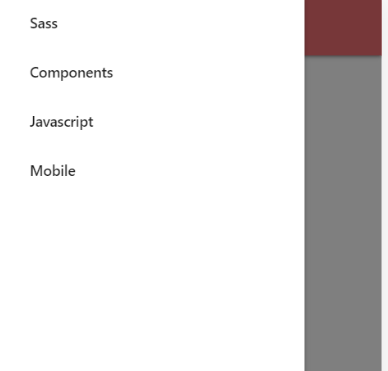
Furthermore, if we have longer content or shorter content the default width size will generate a poor UI with improper width size. This can be rectified using a simple CSS to either increase or decrease the sidenav width.
The side nav CSS has to be written for the ul with the id=”mobile-demo”.

Learn How to increase navbar height in materialize css
Frequently asked questions
What is the default width of a Materialize sidenav?
The default is 300 pixels wide with a light background, which suits icon labels but often feels cramped for longer navigation titles.
Why does my wide Materialize sidenav stay the same size?
A more specific rule such as a media query or the theme stylesheet is winning. Use a specific selector or the important flag to override it.
Should I set the Materialize sidenav width on the nav or the inner div?
Set it on the element that carries the sidenav classes. The inner padding container can keep its own padding for spacing.