


Quick answer: Animation in Materialize CSS is mostly limited to built in behaviours such as the wave ripple on buttons, hover transitions on cards, and modal fade ins. Anything beyond that needs your own CSS transitions or keyframe animations triggered by a class, since Materialize is a UI framework rather than an animation library.
Learn Animation in Materialize CSS
Materialize CSS is one of the most widely leveraged CSS frameworks for building websites and web applications next to the Bootstrap. Materialize CSS is rich in features and has got components that are required to build even a complex application. However, when it comes to animations in Materialize CSS, the framework doesn’t have any dedicated animation functionalities integrated inside it. In this tutorial, we will discuss how to add animations to the Materialize CSS framework using the Animate CSS framework. Adding Animation in Materialize CSS is never this easy. Lets do the Animation in Materialize CSS with the following easy steps.
Animate CSS:
Animate CSS is one of the most leverages CSS frameworks for animation. Animate CSS can be either downloaded as a CSS file or can be linked to the working HTML file using the CDN. Mentioned below are both the options to import the Animate CSS into the HTML
Download the file from the following link: here
Once downloaded link it in the following way
<head>
  <link rel="stylesheet" href="animate.css">
</head>
Import the CDN using following code
<head>
  <link rel="stylesheet" href="https://cdnjs.cloudflare.com/ajax/libs/animate.css/3.7.2/animate.min.css">
</head>
In the Materialize CSS case, we will be having the started template as mentioned below
  <!DOCTYPE html>
  <html>
    <head>
      <!--Import Google Icon Font-->
      <link href="https://fonts.googleapis.com/icon?family=Material+Icons" rel="stylesheet">
      <!--Import materialize.css-->
    <link rel="stylesheet" href="https://cdnjs.cloudflare.com/ajax/libs/materialize/1.0.0/css/materialize.min.css">

      <!--Let browser know website is optimized for mobile-->
      <meta name="viewport" content="width=device-width, initial-scale=1.0"/>
    </head>

    <body>

      <!--JavaScript at end of body for optimized loading-->
    <script src="https://cdnjs.cloudflare.com/ajax/libs/materialize/1.0.0/js/materialize.min.js"></script>
    </body>
  </html>

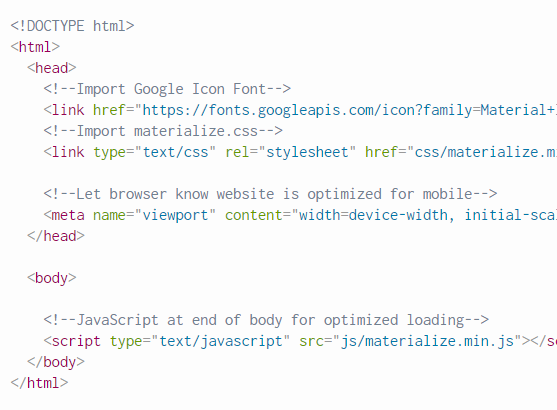
In the starter template, we can add the CDN of Animate CSS to incorporate the Animate CSS in the project. Once it is embedded, we can start animating the components in Materialize CSS.
  <!DOCTYPE html>
  <html>
    <head>
      <!--Import Google Icon Font-->
      <link href="https://fonts.googleapis.com/icon?family=Material+Icons" rel="stylesheet">
      <!--Import materialize.css-->
    <link rel="stylesheet" href="https://cdnjs.cloudflare.com/ajax/libs/materialize/1.0.0/css/materialize.min.css">
<link rel="stylesheet" href="https://cdnjs.cloudflare.com/ajax/libs/animate.css/3.7.2/animate.min.css">
      <!--Let browser know website is optimized for mobile-->
      <meta name="viewport" content="width=device-width, initial-scale=1.0"/>
    </head>

    <body>

      <!--JavaScript at end of body for optimized loading-->
    <script src="https://cdnjs.cloudflare.com/ajax/libs/materialize/1.0.0/js/materialize.min.js"></script>
    </body>
  </html>
After including the Animate CSS CDN, now we can add a button in our body. Which will produce the button in the output. Once we include the button, we can start animating the button by adding the class animated followed by the animated class. In this example we have included the class to bounce the button from right. This will add the animation in the output.
<a class="waves-effect waves-light btn animated bounceInRight">button</a>We can refer the Animate CSS library to lookup varied options of animations. Also we want the animation to be looped continuously we can add the class infinite after the animated class.
https://daneden.github.io/animate.css/
<a class="waves-effect waves-light btn animated infinite bounceInRight">button</a>Now that you have learnt Animation in Materialize CSS, you can also Learn about Shadow Effect in Materialize CSS
Frequently asked questions
Does Materialize CSS include a keyframe animation library?
Not on its own. The wave effect and hover transitions are built in, but real keyframes come from your own CSS or a separate animation library.
How do I animate Materialize elements when the page loads?
Add your own CSS animation class to each element and trigger it after load with JavaScript, since animations only start once the class is applied.
Can I trigger a Materialize modal with animation?
Yes. The modal opens with a built in fade and scale transition, and you can extend the effect by styling the modal display animation yourself.