


Quick answer: A custom hook is a JavaScript function whose name starts with use and that calls other hooks. It exists to extract stateful logic — data fetching, subscriptions, form handling, timers — out of a component so several components can share it without repeating themselves. A custom hook adds no new React feature: everything it does, a plain component could do too. The value is reuse and naming.

Table of Contents
What makes a function a custom hook
Three rules define a custom hook, and all three are conventions rather than magic. The name starts with use so React’s lint rules and devtools recognise it. The body calls one or more existing hooks. And it returns something the caller needs — state, callbacks, refs — while owning the logic that produced it. There is no registry, no special import, no runtime check: a custom hook is any function that follows the naming rule and uses hooks inside.
// A custom hook in full: nothing React-specific beyond the name and the hooks
function useOnlineStatus() {
  const [online, setOnline] = useState(navigator.onLine);

  useEffect(() => {
    const on = () => setOnline(true);
    const off = () => setOnline(false);
    window.addEventListener('online', on);
    window.addEventListener('offline', off);
    return () => {
      window.removeEventListener('online', on);
      window.removeEventListener('offline', off);
    };
  }, []);

  return online;
}
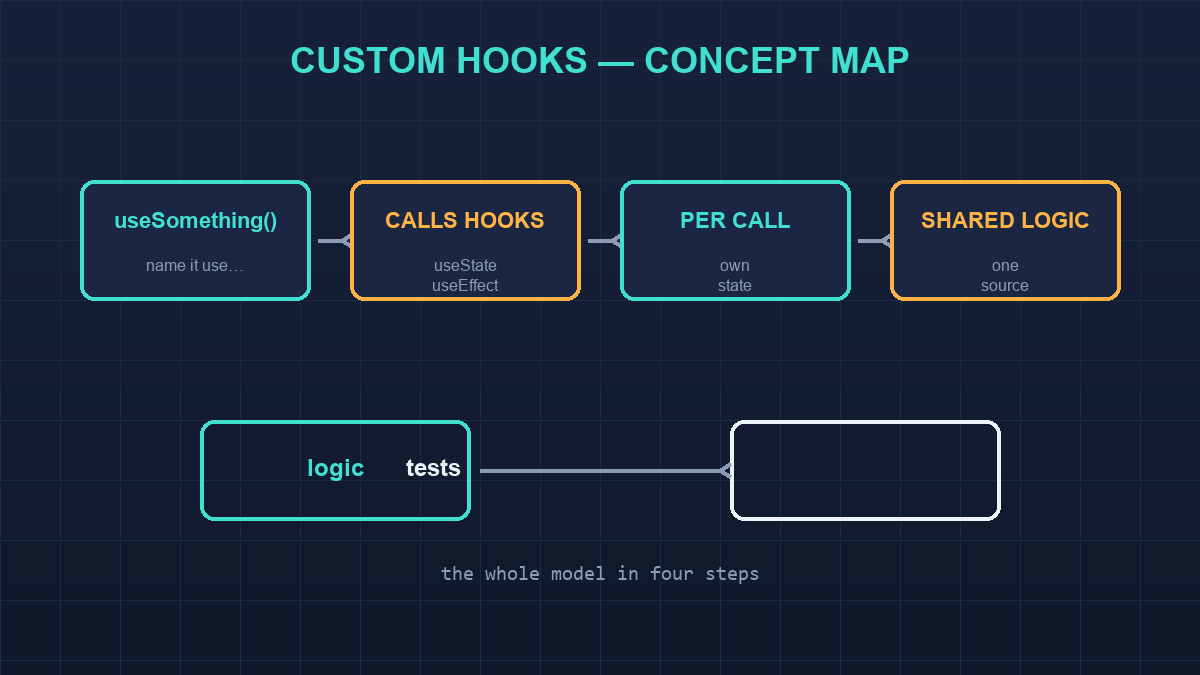
Every component that calls useOnlineStatus gets its own independent copy of the state, which is the property that makes hooks composable and safe: two components using the same hook never share state or subscriptions. What they share is the logic itself, written once, tested once, and read from a name that says what it does. That is also the quality bar for extracting a hook in the first place — if the same piece of behaviour appears twice, or one component has grown a knot of related state that deserves its own name, that is the signal.
Your first two custom hooks: useWindowWidth and useLocalStorage
The two hooks below cover the majority of real extraction needs: subscribing to an external source of truth, and wrapping a browser API behind a state-like interface. Both show the same shape — state, an effect that keeps it in sync, and cleanup.
function useWindowWidth() {
  const [width, setWidth] = useState(() => window.innerWidth);

  useEffect(() => {
    const onResize = () => setWidth(window.innerWidth);
    window.addEventListener('resize', onResize);
    return () => window.removeEventListener('resize', onResize);
  }, []);

  return width;
}

function useLocalStorage(key, initial) {
  const [value, setValue] = useState(() => {
    const saved = localStorage.getItem(key);
    return saved !== null ? JSON.parse(saved) : initial;
  });

  useEffect(() => {
    localStorage.setItem(key, JSON.stringify(value));
  }, [key, value]);

  return [value, setValue];
}
Two details carry real weight. The lazy state initialiser in useLocalStorage reads storage once during the first render, which avoids recomputing it on every render and avoids the flash that comes from setting state in an effect. And the returned pair mimics useState on purpose, so a component uses it exactly like built-in state: const [settings, setSettings] = useLocalStorage('settings', defaults). That familiarity is a design goal, not an accident. The underlying browser pieces, from event listeners to storage behaviour, are covered in the JavaScript DOM guide.
The rules of hooks and why they matter more in reuse
Hooks may only be called from React component functions or from other hooks, unconditionally, in a stable order. Inside your own component you can usually see a violation immediately. Inside a reusable hook, the violation surfaces in someone else’s code, on a conditional branch you never see, which makes the discipline far more important.
- Never call hooks after a branch. An early return before a hook changes the call order across renders, which is exactly what the rules of hooks forbid.
- Never put hooks in loops or conditions inside the hook either. The hook’s own call order must be identical every render, just like a component’s.
- Do not call a hook from an event handler or a callback. Hooks run during render, not in response to events; schedule a state update instead.
- Do not call a hook from a plain utility. If a helper needs hooks, its name must say so — that is why the use prefix is a rule and not a style preference.
The eslint-plugin-react-hooks rules catch most of these automatically for both components and hooks, and they are worth turning on in any project that extracts logic. When a hook genuinely needs to run something conditionally, the fix is to split it into two hooks and choose between them at the call site, not to hide the branch inside.
Composing hooks: useDebouncedValue and useFetch
The strongest custom hooks are built from other hooks rather than from scratch. useDebouncedValue wraps useState and useEffect into a timing primitive; useFetch combines several into a data-fetching hook with loading and error state. Both are small compositions that would otherwise be copy-pasted into every component that needs them.
function useDebouncedValue(value, delay) {
  const [debounced, setDebounced] = useState(value);

  useEffect(() => {
    const id = setTimeout(() => setDebounced(value), delay);
    return () => clearTimeout(id);
  }, [value, delay]);

  return debounced;
}

function useFetch(url) {
  const [state, setState] = useState({ data: null, error: null, loading: true });

  useEffect(() => {
    const controller = new AbortController();
    setState((s) => ({ ...s, loading: true }));

    fetch(url, { signal: controller.signal })
      .then((r) => r.json())
      .then((data) => setState({ data, error: null, loading: false }))
      .catch((error) => {
        if (error.name !== 'AbortError') {
          setState({ data: null, error, loading: false });
        }
      });

    return () => controller.abort();
  }, [url]);

  return state;
}
The composition is the point: useFetch is a small state machine assembled from the same useState, useEffect and AbortController pieces described in the useEffect guide, extracted once so the pattern does not scatter. Notice the guard on AbortError too, which keeps cancellation from being reported as a failure. A hook of this shape is a good candidate for a shared hooks folder in your project, and a better candidate for a well-tested library if you find yourself rewriting it across repos.
Return shapes: objects, tuples and when to rename
The return shape of a hook is part of its API, and choosing between an object and a tuple changes how the hook reads at the call site. Objects are self-documenting and safe to extend; tuples are terse and invite renaming, which is useful when the same hook serves two different roles.
| Shape | Example | Best for |
|---|---|---|
| Object | { data, loading, error } | Three or more values, or values that grow over time |
| Tuple | [value, setValue] | State-and-setter pairs, mirroring useState |
| Renamed tuple | const [count, increment] = useCounter() | Single-purpose hooks with named actions |
The rule of thumb is that an object return grows without breaking callers, while a tuple return forces every caller to change when you add a value in the middle. If you expect the hook’s surface to grow, start with an object even if it feels heavier today. And if a hook returns a tuple, keep the value-first ordering that useState established so the shape reads as familiar everywhere it appears.
Testing and debugging custom hooks
Because a custom hook is plain logic wrapped around hooks, testing one means rendering a tiny component that uses it and asserting on what it returns. React Testing Library’s renderHook does exactly that, and the hook’s own effects run under the same rules as any component, so cleanup and dependency behaviour are observable in tests.
import { renderHook, act } from '@testing-library/react';

test('useCounter increments and resets', () => {
  const { result } = renderHook(() => useCounter(0));
  act(() => result.current.increment());
  expect(result.current.count).toBe(1);
  act(() => result.current.reset());
  expect(result.current.count).toBe(0);
});
Debug follows the same logic as debugging components: if a hook’s effect re-runs unexpectedly, check the dependency array before anything else, because a new object or function identity in the deps is the usual culprit. When a hook’s state seems shared across components, it is almost always because the state lives outside the hook, in a module-level variable that all calls share. Keep the state inside the hook, keep the dependencies complete, and the hook behaves exactly as the built-in hooks do. To learn React properly with a mentor, Ampersand Academy teaches web development one-to-one.
Designing hook APIs people can read
A hook’s API is the set of arguments it accepts, the values it returns, and the lifecycle it implies, and the good ones follow conventions that make the calling code legible without documentation. Boolean options prefer a single object argument, because positional booleans are unreadable at the call site. Hooks that manage a resource return the pair the caller expects to destructure, and hooks that observe something return the observed value directly. The naming carries weight too: usePrevious returns a previous value, useDebouncedValue returns a debounced value, and a name that does not match the return invites misuse.
The lifecycle convention matters just as much. A hook that subscribes should re-subscribe when its identifying argument changes and clean up between subscriptions, which means the argument belongs in the dependency array and the subscription belongs in the effect body. A hook that stores should persist on every change of what it stores. Those two shapes are so common that callers already assume them, and a hook that violates them — say, a subscription that ignores argument changes — surprises every reader, including the one who wrote it two sprints ago. Following the conventions also keeps hooks composable, because a hook that behaves like the built-ins can be dropped anywhere the built-ins can.
The bugs that show up in every codebase’s hooks folder
The first is the identity bug: an options object or callback passed straight into the dependency array, recreated at every render, so the effect re-runs constantly and the hook’s cost is paid on every keystroke. The fix is either to accept primitive arguments only, or to document that the caller must stabilise the value, mirroring how the React team treats props for memoised children. The second is the stale closure: reading a prop or state inside a long-running effect without listing it, which produces logic that acts on last month’s value while appearing to work in simple tests.
The third is the shared-instance bug: a module-level variable holding the resource — a client, a socket, a cache — mutated by every call, so two components using the hook interfere invisibly. Module-level state is correct for genuinely global singletons and wrong for everything else, and the difference is rarely obvious at write time. The fourth is the untested cleanup: effects that register listeners or timers without reversing the registration pass every functional test and leak in production, surfacing as duplicate callbacks and doubled requests after navigation. Testing with Strict Mode’s double mount, or mounting and unmounting inside a test, catches all four before review.
When not to write a hook
Extraction has a cost that tutorials rarely name: every hook is a name the team must learn, an interface to keep stable, and a layer between the reader and the React calls that actually run. A hook with one caller and a vague name is worse than the inline code it replaced, because it promises an abstraction that has not earned one. The honest test is whether the second use exists or is certain to exist, and whether the logic has a name that would appear in a code review comment anyway. If neither holds, a plain function or a comment is the better tool.
The second boundary is the browser and network layer itself. A hook that wraps a fetch call is reasonable; a hook that wraps an entire API client, complete with endpoints and response mapping, has moved the data layer into the rendering layer, and the client will be harder to reuse from a worker, a script or a test. Keep hooks at the seam where React meets the outside world — subscription, synchronisation, lifecycle — and let the world itself live in ordinary modules. That placement is what keeps both sides of the boundary honest, and it is the same line the built-in hooks themselves respect: React owns rendering, the hooks hand it events and values, and nothing crosses further than it must.
Frequently asked questions
What is the point of a custom hook?
To extract stateful logic from a component so it can be reused and named. A custom hook does not add any React capability; it packages the behaviour of useState, useEffect and friends into a single, testable function.
Can a custom hook return JSX?
It should not. A hook returns data and callbacks for the component to render. If your hook returns markup, it is closer to a component than a hook and should be written as one.
Do custom hooks share state between components?
No. Each call gets its own independent state and subscriptions. Only the logic itself is shared, which is why two components using the same hook never interfere with each other.
When should I extract a custom hook?
When the same stateful behaviour appears twice, or when one component has a knot of related state that deserves its own name. Extracting too early produces a hook with a single caller and a vague name.
What does the use prefix actually do?
It is a naming convention that React’s lint rules and devtools use to identify hooks. It also signals to readers that the function follows the rules of hooks: it must be called unconditionally from a component or another hook.