


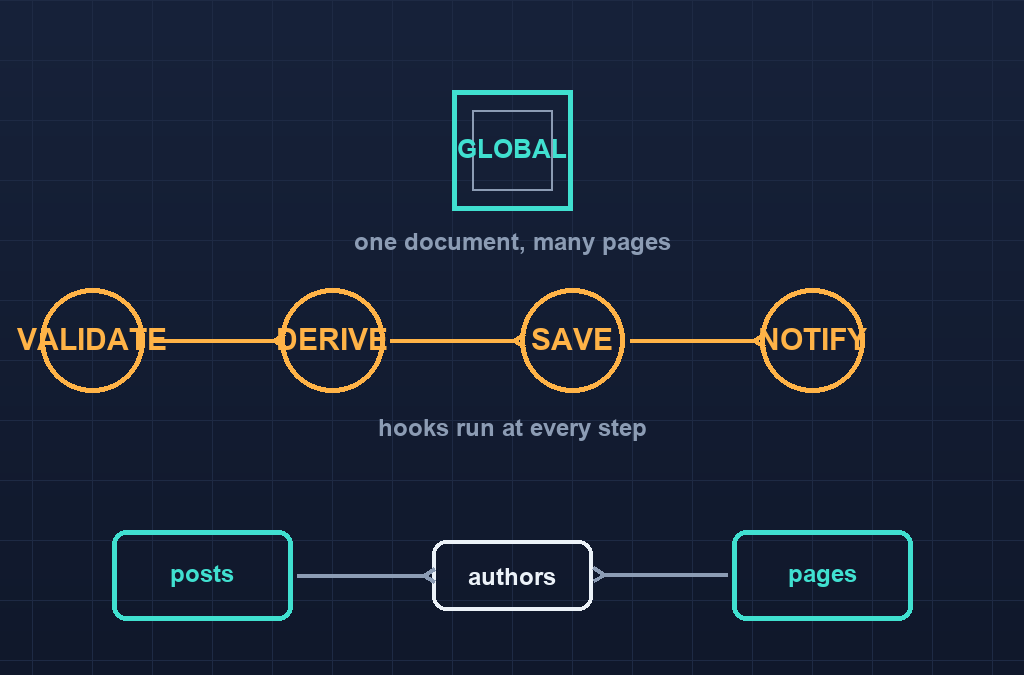
Quick answer: Payload CMS globals, hooks, and reused collections are the three moves that turn a first prototype into a maintainable content model. Globals hold singleton content that exists exactly once — navigation, footer text, site settings — while hooks (beforeChange, afterChange, afterRead, beforeValidate) let you stamp timestamps, derive slugs, keep denormalized fields consistent, and trigger side effects without duplicating logic in your frontend. Reused collections with a relationship field are cheaper than new collections whenever several content types need to share the same records.
Table of Contents
Part 6 of our Payload CMS series. Start with what Payload CMS is and install Payload and build your first collection, then read authentication and role-based access control before wiring hooks that touch protected fields.
1. Payload CMS globals: what qualifies as a global
A global is a document that can exist only once. If you find yourself making a collection with exactly one record, or hard-coding a phone number in three components, that content wants to be a global.
| Content | Why it is a global |
|---|---|
| Site navigation | One menu tree rendered on every page |
| Footer contact block | One address, one phone, one email |
| Global settings | Dark mode default, announcement banner toggle, social links |
| Homepage layout | One page that owns the blocks of a single homepage |
Globals get the same field system as collections, plus admin-panel editing at their own route and their own access control. One thing does not qualify: anything that could later become plural. A single “featured article” field on a homepage global is fine today; a growing list of featured articles belongs in a collection with an array field.
// globals/SiteSettings.ts
import type { GlobalConfig } from 'payload'

export const SiteSettings: GlobalConfig = {
  slug: 'site-settings',
  admin: { group: 'Site' },
  access: {
    read: () => true,
    update: ({ req: { user } }) => Boolean(user),
  },
  fields: [
    { name: 'announcement', type: 'text' },
    { name: 'showAnnouncement', type: 'checkbox', defaultValue: false },
    { name: 'socialLinks', type: 'array', fields: [
      { name: 'platform', type: 'text', required: true },
      { name: 'url', type: 'text', required: true },
    ]},
  ],
}
Globals register under globals, not collections, and they are read and written through variant methods everywhere — payload.findGlobal({ slug: 'site-settings' }) on the Local API, /api/globals/site-settings over REST. Forgetting that distinction is the most common first-day error: the document does exist, but your code is calling find instead of findGlobal, and the return value is an object rather than a list.
2. Reading globals in React Server Components
Globals belong at the seams of a layout, so they are read where pages are laid out rather than inside individual blocks. A footer component reads the footer global once per request, and a layout that wraps every page composes them:
// components/Footer.tsx — server component
import { getPayload } from 'payload'
import config from '@payload-config'

export async function Footer() {
  const payload = await getPayload({ config })
  const footer = await payload.findGlobal({ slug: 'site-footer', depth: 1 })
  return (
    <footer>
      {footer.contactLine && <p>{footer.contactLine}</p>}
      <nav>{/* map footer.links as a subfield of its own */}</nav>
    </footer>
  )
}
Because this read happens in a server component there is no client fetch, no loading state, and no REST round-trip — the same Local API pattern the earlier articles showed for posts. Keep depth honest: depth: 1 is enough when the global references uploads or related documents you want populated, and more depth only costs you.
3. The hook map: which hook does which job
Hooks run your code at fixed points in a document’s lifecycle. Pick the hook by what you need to guarantee, not by trial and error:
| Hook | Runs when | Typical job |
|---|---|---|
beforeValidate | Before field validation | Normalize input, reject malformed submissions early |
beforeChange | Before the DB write | Stamp updatedAt, derive slugs, compute totals, enforce cross-field rules |
afterChange | After the DB write | Send notification, revalidate pages, sync to a search index |
beforeRead / afterRead | On every read | Mask fields, inject computed display values |
beforeDelete / afterDelete | Around a delete | Clean up files, audit-log the deletion |
Hooks receive an operation argument that tells you which operation is running, and a hook that throws blocks the operation. That is your enforcement mechanism.
// collections/Posts.ts — excerpt
hooks: {
  beforeChange: [
    async ({ data, originalDoc, operation }) => {
      if (operation === 'create' || operation === 'update') {
        if (!data.slug && data.title) {
          data.slug = data.title.toLowerCase()
            .replace(/[^a-z0-9]+/g, '-')
            .replace(/^-+|-+$/g, '')
        }
      }
      return data
    },
  ],
  afterChange: [
    async ({ doc, req, operation }) => {
      if (operation === 'update' && doc.status === 'published') {
        req.payload.logger.info(`post ${doc.id} went live`)
      }
    },
  ],
}
Keep hooks small and single-purpose. A hook that both validates and notifies is two hooks sharing a bug.
4. Hooks run on the server — keep them fast
Your hook code runs in the same process as the CMS while a request is waiting on it. A slow afterChange hook becomes slow saves in the admin panel. Two rules keep hooks cheap:
- Do synchronous derivations in
beforeChange— they are fast and always needed. - Push slow or failure-prone side effects (email, external API calls, webhooks) to
afterChange, and decide whether they should run on the same request or be queued for a background job.
If a hook can fail in a way that must not block the save, it does not belong in a blocking hook at all. Catch its errors, log them, and accept the side effect may retry later — Payload will not roll back the database write because your email provider had a bad second.
5. Reuse via relationships, not copies
When several content types need to share records, the cheap answer is one collection plus relationship fields. The expensive answer is three near-identical collections that drift apart. Authors, categories, and media are the three most common cases:
// collections/Authors.ts — one collection, referenced from anywhere
export const Authors: CollectionConfig = {
  slug: 'authors',
  fields: [
    { name: 'name', type: 'text', required: true },
    { name: 'bio', type: 'textarea' },
    { name: 'avatar', type: 'upload', relationTo: 'media' },
  ],
}

// collections/Posts.ts — field excerpt
{ name: 'author', type: 'relationship', relationTo: 'authors', required: true },
Any collection can now point at authors, and a display change (new field, updated bio template, computed byline) happens once. If you reach a point where two collections genuinely need different fields, split them — but split on schema difference, not on convenience.
6. The migration plan that will not surprise you
Globals, hooks and relationships all touch your schema, so the same migration discipline from the deployment article applies:
- Change the config locally and let dev push update the local database.
- Run
npx payload migrate:create describe_the_changeand read the generated file — hooks do not appear in migrations, but collection fields do, and it is the file that tells you whether a new field is nullable. - Commit both the config change and the migration, in the same pull request.
- Let the deployment step run
npx payload migratebefore the new app starts.
The surprise teams report most often: a hook that stamps updatedAt was written against the dev database that already had the field, and the migration to add the field never ran in production because someone assumed hooks handle schema too. Hooks do not manage schema; they assume it continues to exist.
7. Testing hooks and globals without a live server
Because these are plain TypeScript objects and functions, they are testable without booting the admin panel. Two testable shapes stand out:
- Pure derivation. Extract the title-to-slug function into its own module, and unit test it separately from Payload. Your slug hook should be a thin wrapper, not a place where logic hides.
- Integration shape. If you want to test that a hook fires end to end, boot Payload the way your tests guide you to and seed a database pointed at an isolated instance, then call
payload.update(...)directly and inspect the resulting document.
Keep the admin panel out of the test until you are testing the admin panel. The Local API is the test surface for data behavior.
8. The errors you will actually hit
| Symptom | Cause and fix |
|---|---|
| Global reads as null / undefined | You queried the collection route, not the global — use findGlobal or /api/globals/<slug> |
| Hook never fires | It is registered on the wrong side (field hooks vs collection hooks run at different points) — check the config nesting |
| Slug is empty after publish | The beforeChange hook reads data.title before variants of the operation have saved it — read from the operation argument the hook gives you |
| Side effect fires twice | The hook is registered in a shared config that gets imported twice — move it into a single list in one place |
| Relationship shows as an ID | depth is too low — raise depth on the query or render the ID as a fallback |
| Permission error on hook write | The hook writes with overrideAccess: false implied — pass overrideAccess: true for system-written fields, or make the field update: false |
| Global edit does not show on site | Caching between config change and render — treat globals like any content that needs revalidation hooks when you put a cache in front |
9. Key takeaways and challenge
- Globals are singletons with their own routes, access rules, and Local API methods; collections remain for plural content.
findGlobalvsfindis a real API distinction — pick the right one at the seam where you read.beforeChangefor derivations,afterChangefor side effects; keep failures out of the blocking path.- Relationships beat duplicate collections for anything that can be shared — split only on a genuine schema difference.
- Hooks are plain functions — keep them thin, extract pure logic into testable modules.
- Migrations still cover the schema your hooks rely on; run them as part of deploys, not manually afterward.
Challenge: take the Posts collection from the earlier articles and add a readingTime field computed by a beforeChange hook from the rich-text content — pure function first, hook second. Then move the announcement banner into a site-settings global that the footer of your layout reads with findGlobal, and give the global an access rule that only authenticated users can update it. Write down one place where a hook and an access rule could conflict, and say which one wins.
*Designing a content model that has outgrown its first draft? Ampersand Academy runs one-to-one mentoring on TypeScript and Next.js backends. Built and run by Mahadhi — development and digital marketing.
When should something be a global instead of a collection?
When there can only ever be one document of that content such as site settings, the footer, or the homepage layout. If it could become plural later, start it as a collection or an array field inside the global so you do not have to migrate the shape later.
How do I read a global in code?
With the Local API method findGlobal with the slug argument on the server, or the REST route at globals slash slug when a client needs it. Collection-style find will not see it, and that mismatch is the most common first error.
Which hook should compute a derived field like a slug?
beforeChange. It runs before the database write, it can modify the data being saved, and both create and update operations pass through it.
Do hooks run before or after field validation?
beforeValidate runs first, then validation, then beforeChange. Normalize malformed input in beforeValidate. Derive values from already-valid fields in beforeChange.
Can a hook fail the save entirely?
Yes. Throwing inside a blocking hook stops the operation, which is useful for enforcing cross-field rules. Keep that for real rule enforcement, and put side effects that must not block the save in afterChange with their own error handling.
Should I duplicate a collection to reuse its fields?
No. Use a relationship field pointing at one shared collection. Duplicate collections drift apart, while a relationship keeps one source of truth with its own access rules and types.
Do hooks handle database schema changes?
No. Hooks assume the fields they touch exist. Collection field changes still need migrations in production: generate them with payload migrate create and run them during deploy.