


Quick answer: Feature discovery is the Materialize CSS tap target spotlight component. Give an element the tap target class, point its data-target attribute at the spotlight div, add the focused class so it begins active, and call the Materialize TapTarget instance show method on page load to introduce a new feature the first time a visitor arrives.
Learn Feature discovery on page load
Offer some incentive and support return visits by acquainting clients with new features and usefulness at logically significant minutes.
Feature discovery prompts have more effect when they are displayed to the correct clients at logically significant minutes. At the point when displayed to the wrong client at the wrong time, they can be meddlesome and irritating.
Feature Discovery can be utilized to intimate users about new functionality or a feature on the website. We can use Feature Discovery to bring in call to action buttons in the website.
In the Materialize CSS website, the documentation is poorly built and it is tedious to make the Feature Discovery work in your website, especially on the page load. We at Ampersand Academy developed the working script for Feature Discovery.
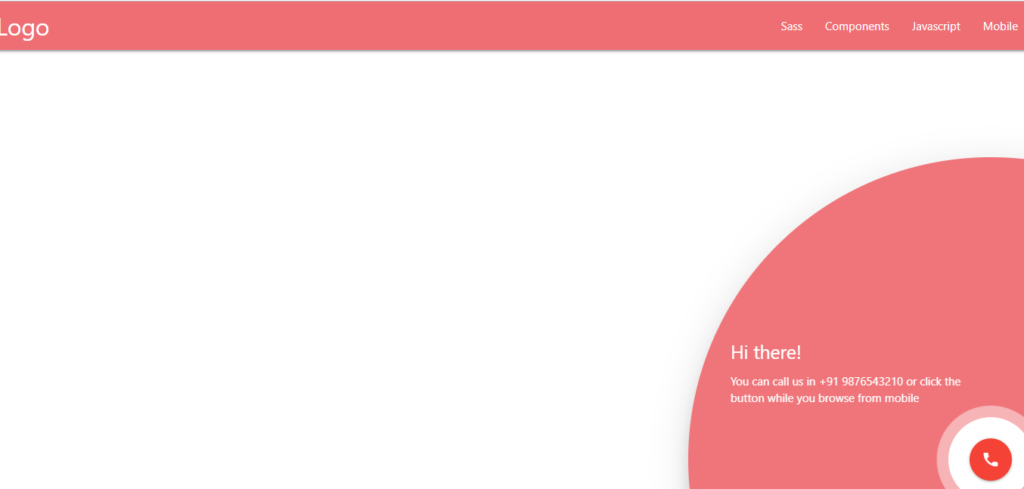
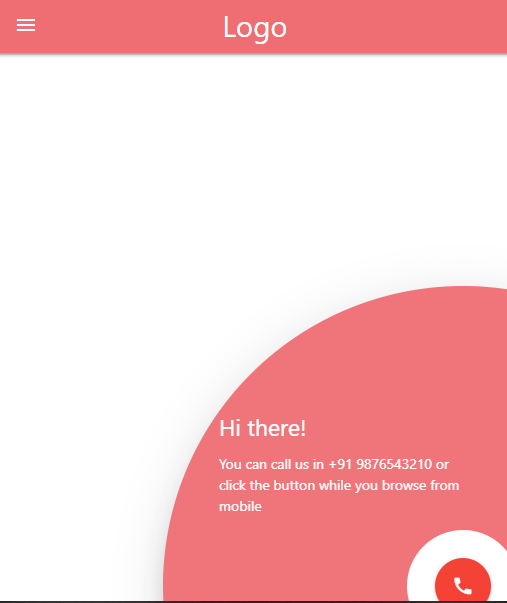
In this example, we have enabled Feature Discovery for Call to Action button. Visitors who access the website from their mobiles can contact the Company / Website Owner directly. If a visitor access the website from the Desktops / Laptops they can view the mobile number which they use to contact the Company / Website Owner via the Feature Discovery Feature.
This is one of the basic examples in which call to action button is used for contacting the company. One may use Feature Discovery creatively for conveying the message uniquely.
Visit the following link to read the Official Documentation for Feature Discovery. However, you should be using the HTML code and JS code mentioned below to make it work.
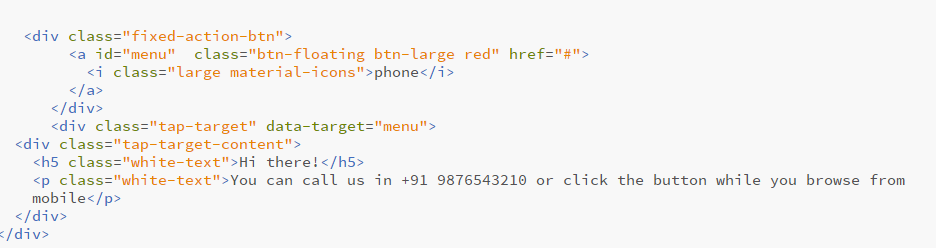
    <div class="tap-target" data-target="menu">
        <div class="tap-target-content">
          <h5 class="white-text">Hi there!</h5>
          <p class="white-text">You can call us in +91 9876543210 or click the button while you browse from mobile</p>
        </div>
    </div>
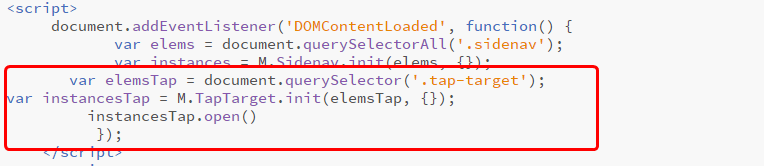
<script>
document.addEventListener('DOMContentLoaded', function() {
var elems = document.querySelectorAll('.sidenav');
var instances = M.Sidenav.init(elems, {});
var elemsTap = document.querySelector('.tap-target');
var instancesTap = M.TapTarget.init(elemsTap, {});
instancesTap.open()
});
</script>



Learn about Mobile Menu with Accordion
Frequently asked questions
What is Materialize TapTarget used for?
It highlights a specific feature on first visit with a spotlight overlay, which is a light way to announce new features without a full tour.
Why does my tap target not appear when the page loads?
You must call the instance show method after the DOM is ready. The focused class alone only positions the overlay, it does not open it.
Will feature discovery annoy returning visitors?
It can if shown every time. Store a flag such as a cookie or localStorage value so the spotlight only appears on a first visit.