


Quick answer: To install jamovi on Windows, visit the jamovi website, download the free Windows installer, and run the downloaded file. Choose a language and folder when prompted, accept the licence terms, and let the setup complete. Then open jamovi from your Start menu to import a spreadsheet and run analyses through a point and click interface.
Learn how to install jamovi ubuntu, windows, mac with easy steps and start working on the statistical analyses.
Step 1: Google with keyword “jamovi download”. Use this jamovi website to download.

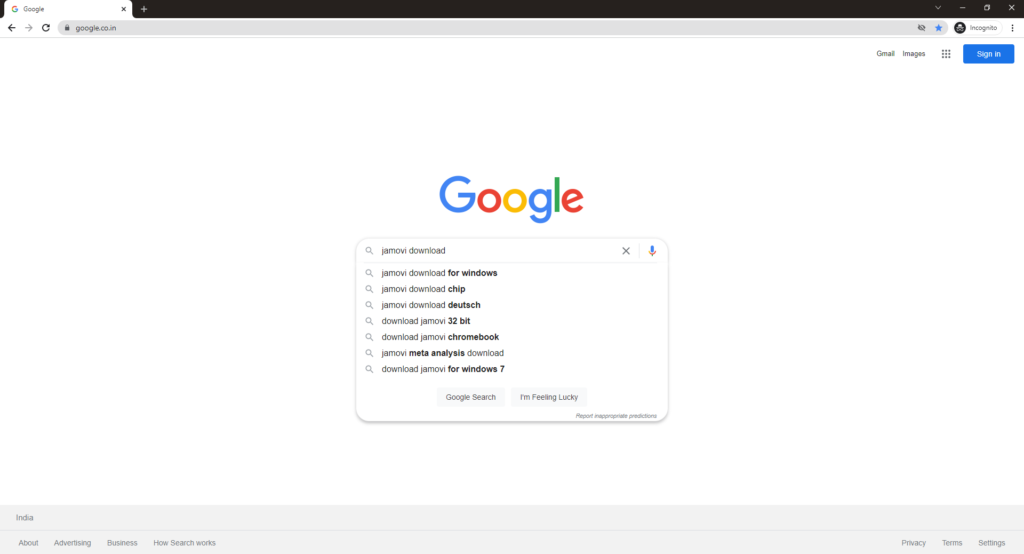
Step 2: Click on the jamovi download link


Step 3: Inside the website, you can choose to install for Windows, Mac, Ubuntu or Linux. It is always wise to choose a solid or stable version.

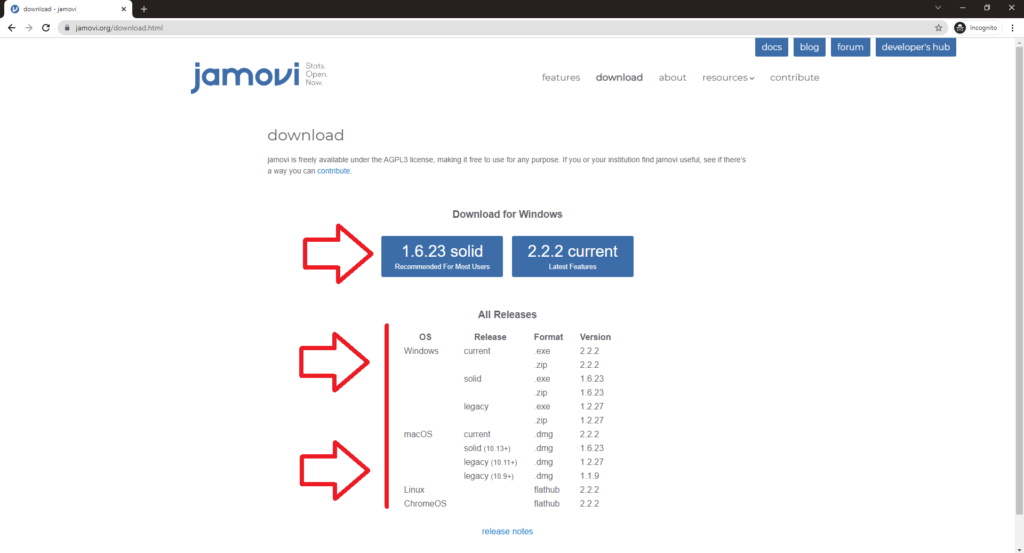
Step 4: Click on download. In Chrome, you can check the download status in the footer. Once the download is complete, click on the open


Step 5: Click on Install button inside the jamovi setup
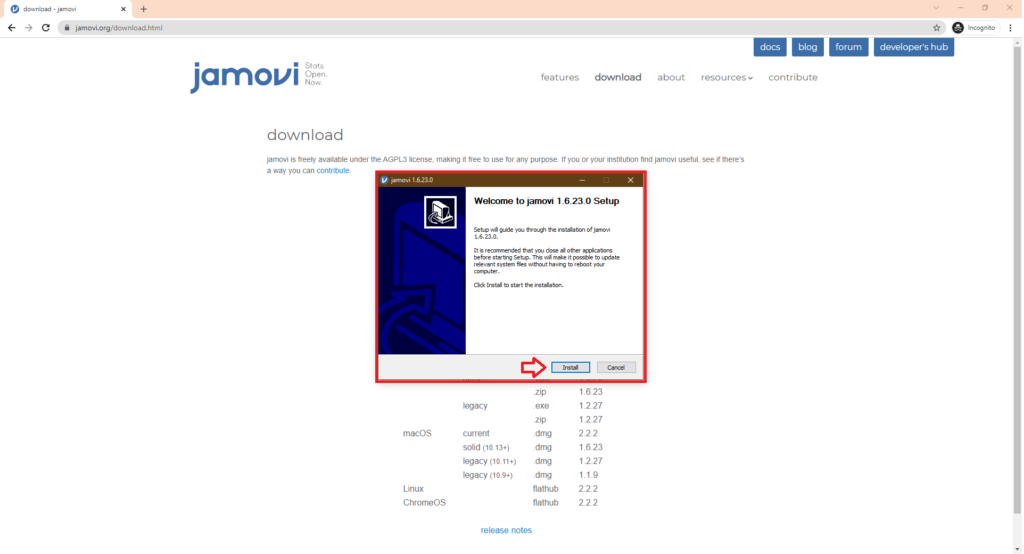
Step 6: Wait till the installation process is complete

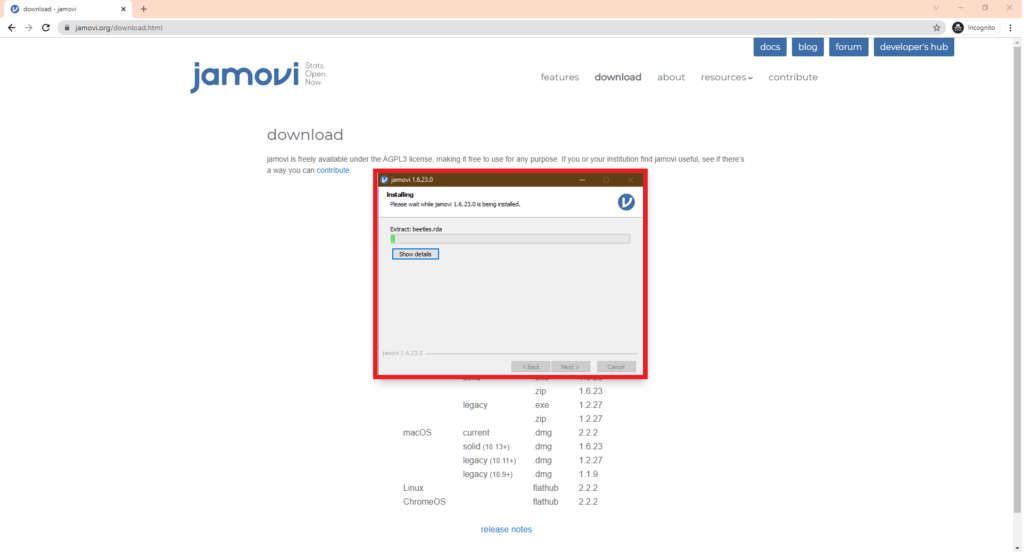
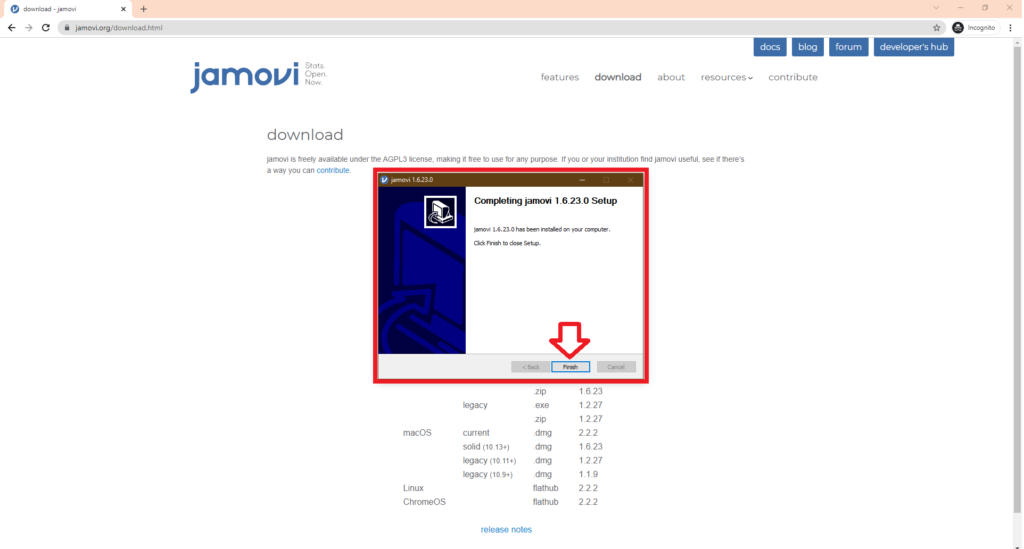
Step 7: You have successfully installed jamovi in your system

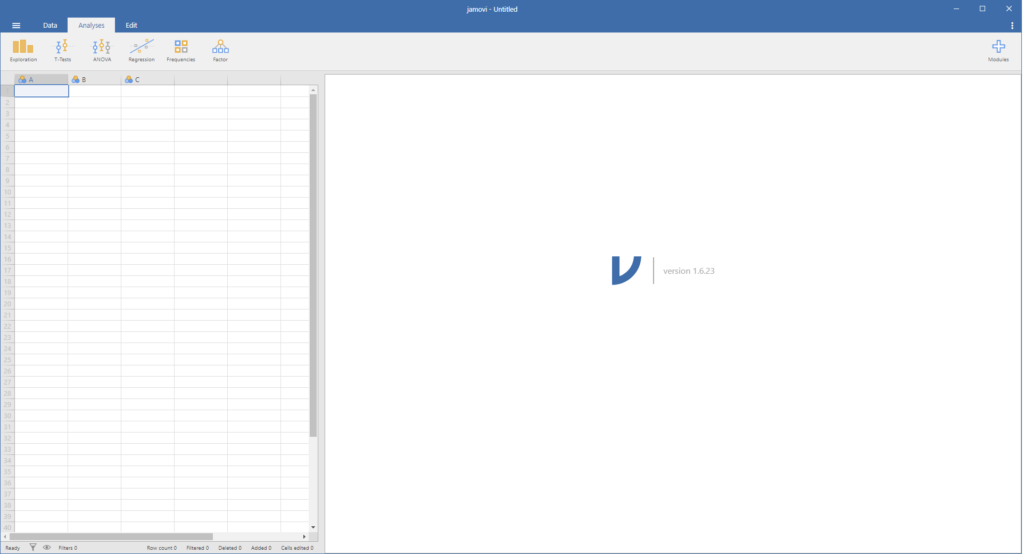
Step 8: Now you can run the jamovi in your system by opening the jamovi app
You can also read about installation of R commander. Also check R Programming Course from Ampersand Academy.
Frequently asked questions
Is jamovi free to use?
Yes. jamovi is free and open source, and it works offline once installed, so no subscription or internet connection is needed for analysis.
Do I need R or Python to use jamovi?
No. jamovi is a standalone application with its own point and click interface, though advanced users can still run R syntax inside it if needed.
Can jamovi open Excel and CSV files?
Yes. It imports CSV, Excel, SAV, and JSON data directly, so you can start analysing a spreadsheet without converting formats first.